APPEAR AS Confidential 152/352
The available options represent standard operational modes automatically configuring the decoder to
implement dialogue normalization and dynamic range control.
On clicking on about, we get below trademark notice and copyright notice.
Dolby® Digital Plus Professional Decoder.
‘Dolby’ and the ‘double-D’ symbol are trademarks of Dolby Laboratories.
This product contains one or more programs protected under international and U.S copyright laws as
unpublished works. They are confidential and proprietary to Dolby Laboratories. Their reproduction or
disclosure, in whole or in part, or the production of derivatives works therefrom without the express permission
of Dolby Laboratories is prohibited. Copyright 2003-2007 by Dolby Laboratories. All rights reserved.
7.2.4 SUBTITLING
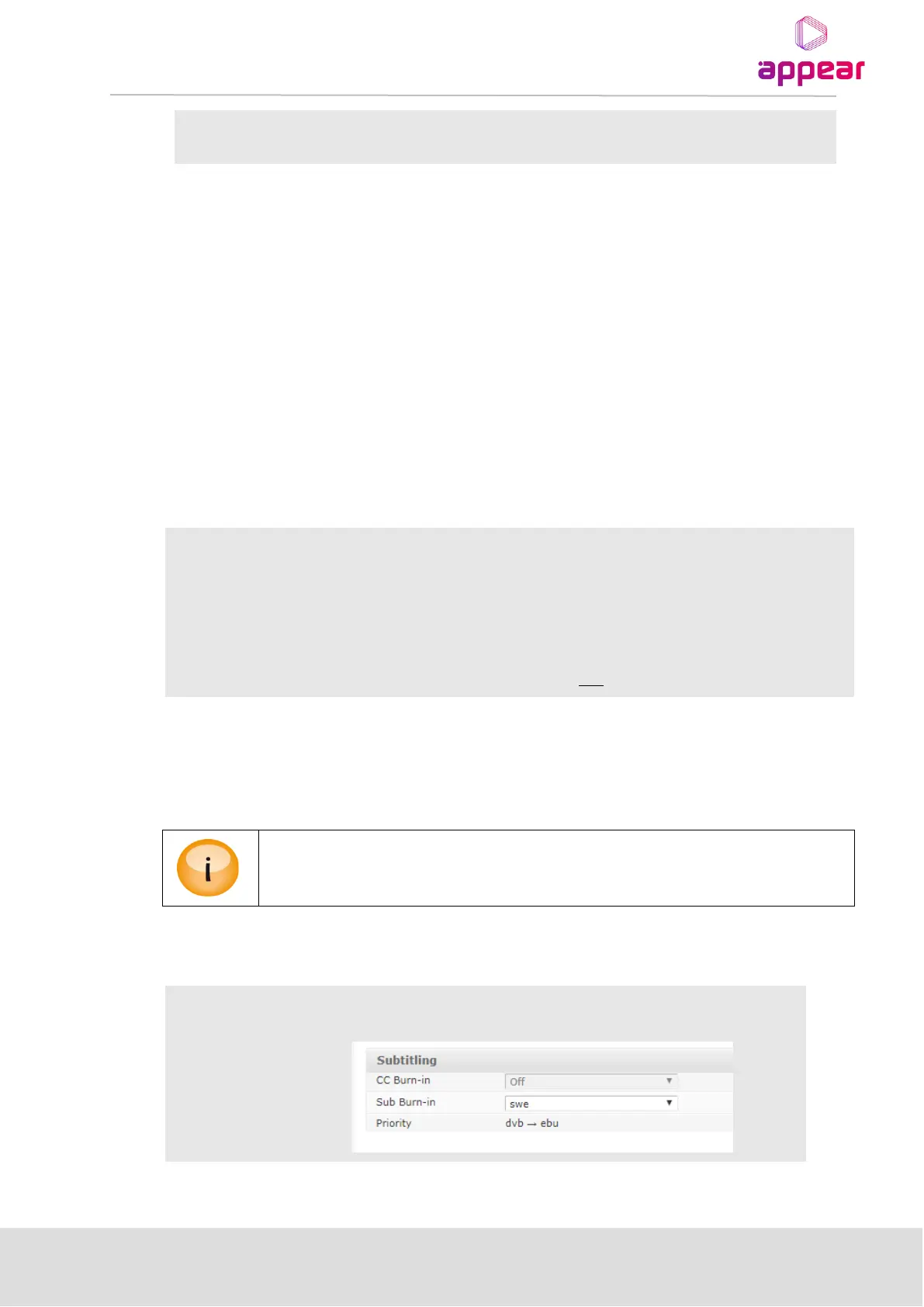
The subtitling drop down list provides available languages for both DVB Subtitling and EBU Teletext subtitling.
Active subtitling language
1st preferred subtitling language
2nd preferred subtitling language
Subtitling priority order – valid entries are DVB, EBU, DVB HH (hearing impaired) and
EBU HH (hearing impaired). Click on the edit link to modify the priority order.
The subtitling prioritizing search will start using the 1st Priority Language and try to match the entries in the
priority order list. If no match is found the same search is done with the 2nd Priority Language; subtitling will be
disabled if there is no match. If the value of Frame Rate is set to 59.94/60Hz, the above parameters: Current, 1st
Language, 2nd Language, and Priority will be replaced with CC Burn-in.
Only languages currently available in the service can be selected from the drop down list.
Additional languages can be selected after they are added under the Admin view.
If the output frame rate is 59.94 or 60 Hz, then the subtitle options will be replaced by the Closed Caption options
displayed below.
Select one of the five options (CC1, CC2, CC3, CC4, Off) given in the drop down box
shown below.



 To Next Page