APPEAR AS Confidential 207/352
8.5.3 MPTS TRANSPARENT MODE
With MPTS Transparent Mode, an input stream is forwarded to the output without any processing, i.e. output
equals input, including null packets (for modulated outputs, null packets will be removed and re-added to exactly
fit the configured modulation bit rate).
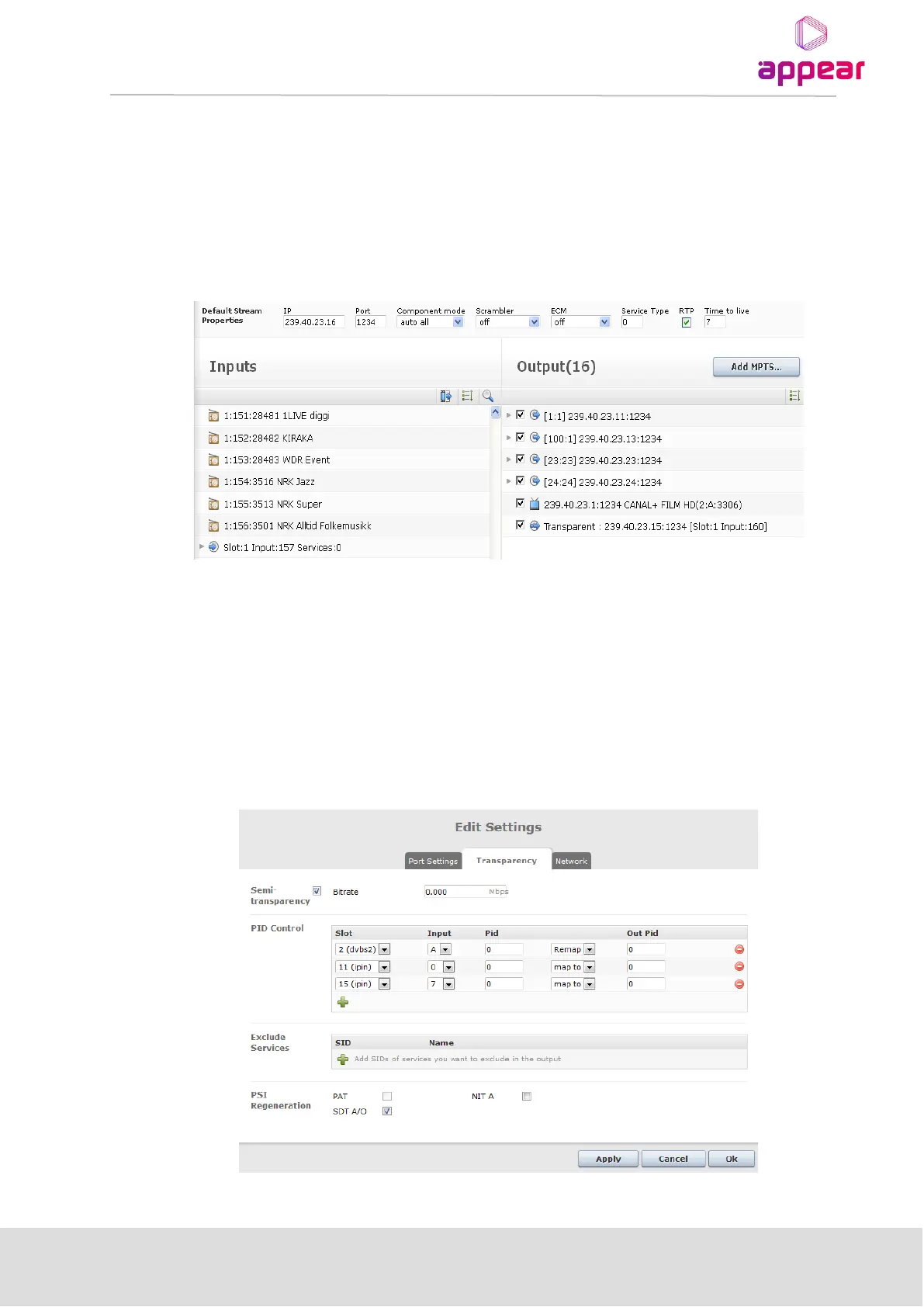
When setting up a transparent stream, the Add MPTS button is not used. As with an SPTS, simply drag an MPTS
from the list of available MPTS’s over to the output pane. In the output pane, the name of a stream will indicate
whether it is transparent or not (as shown in the figure below).
8.5.4 MPTS SEMI-TRANSPARENT MODE
The semi-transparent mode is a subset of the transparent mode. The semi-transparent mode allows the user to
replace some selected components. Currently this feature allows for replacement of the NIT table only.To
configure semi-transparent mode, create a transparent output, and then double click on it to access the Stream
Properties dialog. Then, go on to the Transparency tab to configure the new NIT Source (Generate NIT A ). In
this mode, for IP and ASI output modules, null packets are always removed and re-added.



 To Next Page