APPEAR AS Confidential 255/352
• EC-400, TC-200 and TC-400
In a unit, it is not possible to activate both Statmux engines and it is not possible to combine Normal and
Universal modules if Statmux is to be enabled in the unit.
Please note the following limitations on the Universal Statmux Engine:
• It is not possible to combine different codecs in the same Statmux group, eg
MPEG2 and H.264
• It is not possible to combine High VQ channels with Dense Broadcast channels in
the same Statmux group
9.4.2 STATMUX GROUP CONFIGURATION
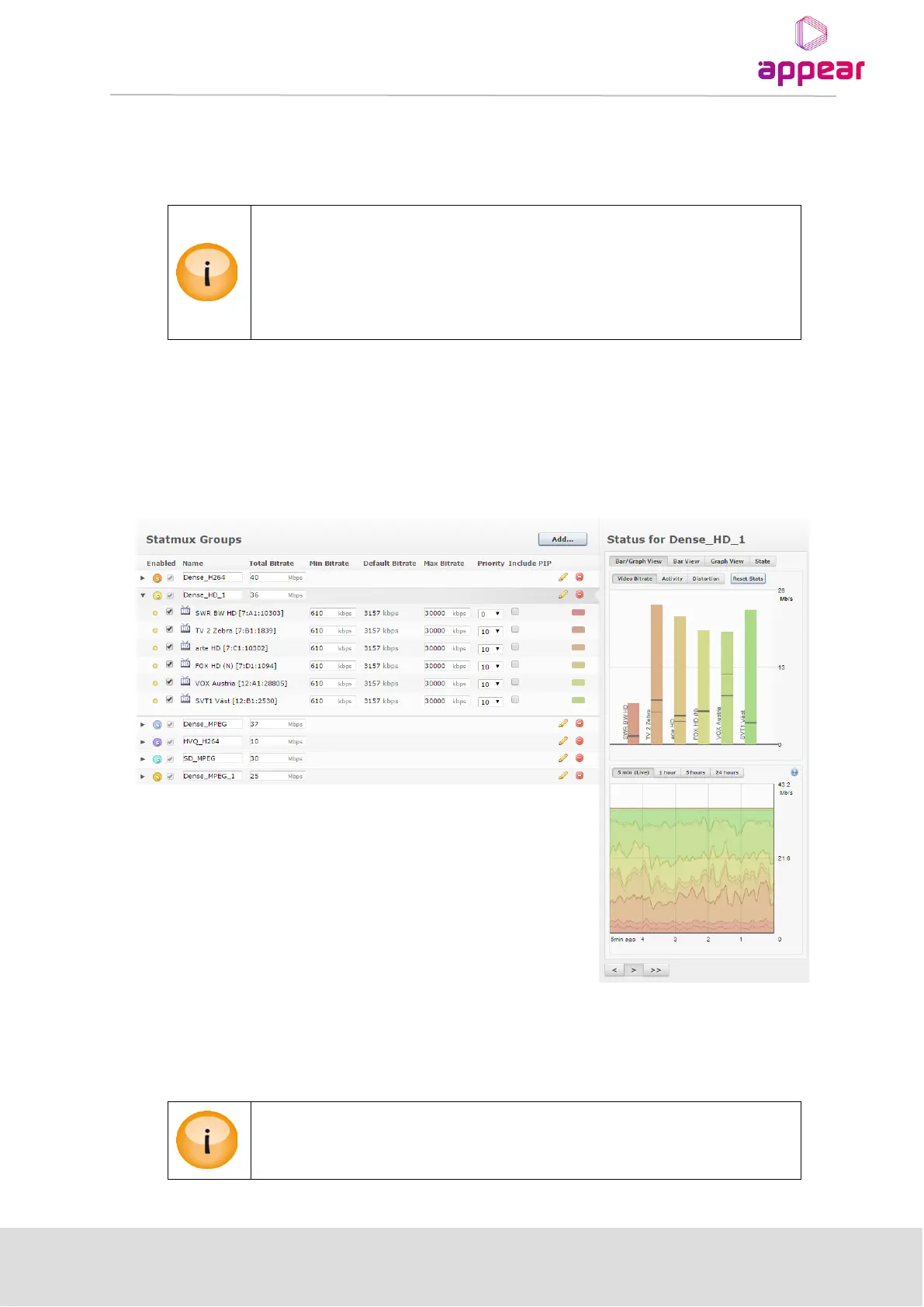
The Statmux tab is available under the top level Coders menu in the Navigation Pane. Clicking the Statmux tab
will bring up the Statmux GUI page. This is where the Statmux groups are generated. On this page, the Statmux
groups are listed, status displayed and able to be modified.
9.4.3 ADDING AND EDITING A STATMUX GROUP
The ‘Add…’ Statmux Group button will pop up a dialog and allow you to create a new Statmux group, allocate
bitrate and assign services. A maximum of 48 programs may be added into Statmux groups.
For services from the TC-100 transcoder module, you will have to configure these on the
output before they are able to be added to a Statmux group.



 To Next Page