APPEAR AS Confidential 256/352
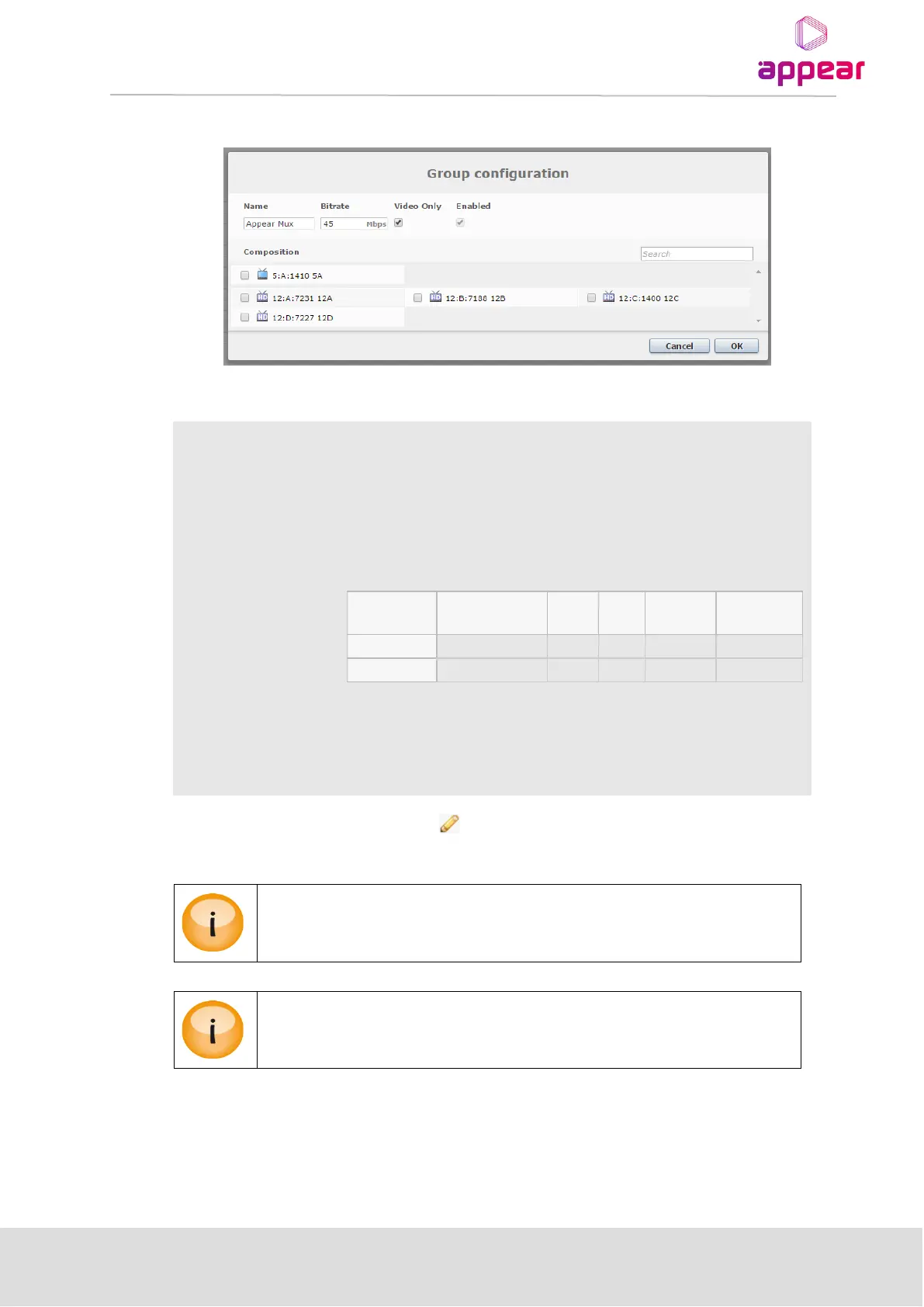
The following parameters are available:
User generated name that identifies the Statmux group in the GUI.
Total bitrate (Mbps) that will be shared between all coders in this Statmux
group.
When enabled, the bitrate of the statmux will be measured by the Video
PID ES rate. When this is disabled, the bitrate allocation will take into
account other PIDs according to the table:
This lists the services available to be added, or services that are a part of the
Statmux Group. To add/remove a service, the checkbox of the service can
be used.
To edit an existing Statmux group, click on the next to the group. The above dialog will then be presented.
When AC-3 passthrough audio is enabled, a fixed bitrate of 640kbps is reserved inside
the group
Transcoder pass-through PID's are shown under the transcoder properties dialog by
clicking any transcoder under the Coders tab
9.4.3.1 StatMux Group Status
Selecting a Statmux group will display its status in the right-hand tab on the page. The following status is
available:



 To Next Page