APPEAR AS Confidential 350/352
14.9 RESTORING THE DEFAULT IP ADDRESS
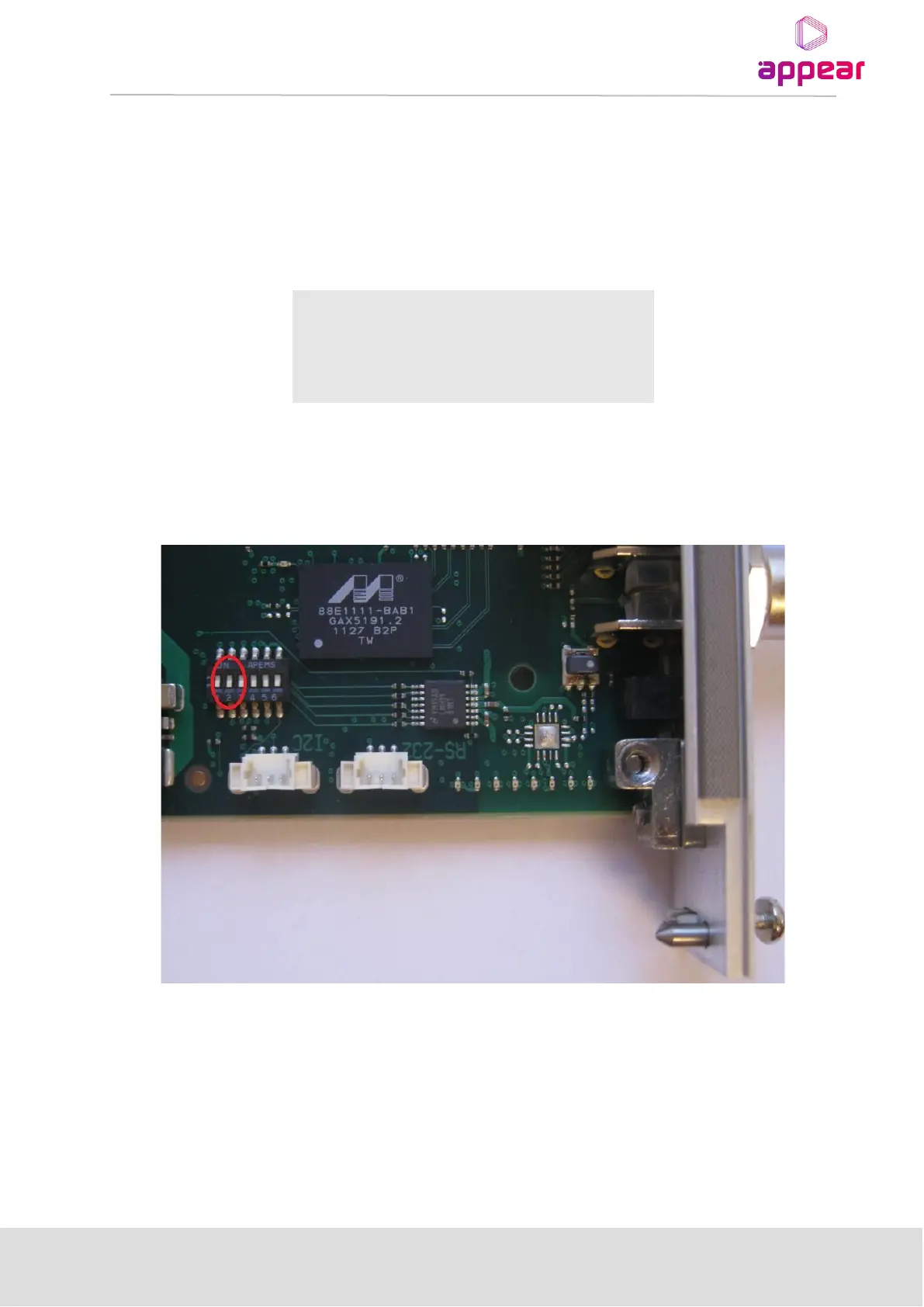
It is possible to restore to the factory-configured IP address on the Switch+MMI module. This can be useful if the
software-configured IP address is lost. The restore is done by setting dip switch 2 to ON on the Switch+MMI card.
When the setting has been applied, the MMI will be configured according to the tables below regardless of what
is stored in memory.
The default IP settings are:
After setting the DIP switch the MMI card has to be rebooted. The factory default IP settings will be active as long
as the setting is present. While the DIP switch on, all IP parameters in memory can be changed and saved via the
web interface. Once the DIP switch is changed back to OFF and the card is rebooted, the IP settings in memory
will be activated.
14.10 RESTORING THE DEFAULT IP ADDRESS FOR 1RU (XC5100).
14.10.1 RESETTING IP ADDRESS USING USB CABLE
The Switch+MMI module control can be accessed via Ethernet over USB. A USB A/A cable (standard-A type
connector in both ends) should be connected between a PC and the MMI module.
To access the MMI a driver for RNDIS Ethernet gadget must be installed.



 To Next Page