APPEAR AS Confidential 181/352
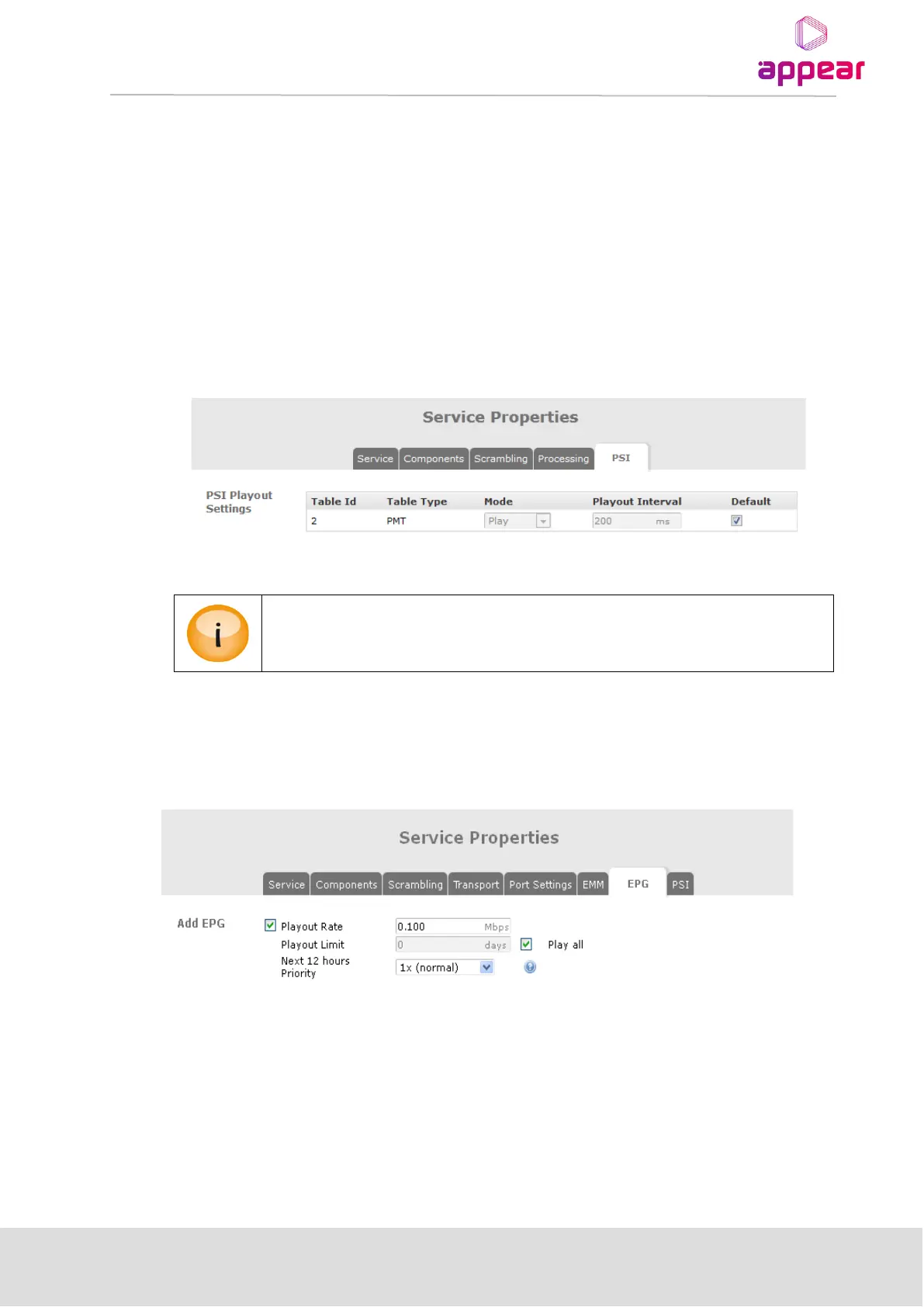
To modify any of the base values (default values), disable Default and set the values as needed.
If the change in base value is applicable to all outputs, it is simpler and neater to change it from the PSI node in
the Navigation Pane, where the base values are configured. A change in the base value from this page will
automatically propagate to all outputs applicable.
The PSI tab is identical for both MPTS and SPTS.
8.3.5.1 PSI configuration for services in an MPTS
Individual services within an MPTS have a PSI tab that allows for the PMT’s Mode and Playout Interval to be
modified.
If the Global PMT (accessible via Outputs → PSI) mode is set to Stop, PMTs for services
within the MPTS will not be played, regardless of their mode.
8.3.6 EPG
The EPG tab enables transmission of EIT schedule information on a particular output stream, if an EPG module is
installed. Further information on these parameters is available in Section 11.3.
The EPG tab is identical for both MPTS and SPTS.
8.3.7 SERVICE
To modify the settings for individual services, double click on the service and the Service Properties dialog will be
displayed. The Service tab is identical for both MPTS and SPTS.



 To Next Page