EasyManua.ls Logo

Appear TV DC100X - Page 275

Default Icon
352 pages
Print Icon
To Next Page IconTo Next Page
To Previous Page IconTo Previous Page
Loading...
APPEAR AS Confidential 275/352
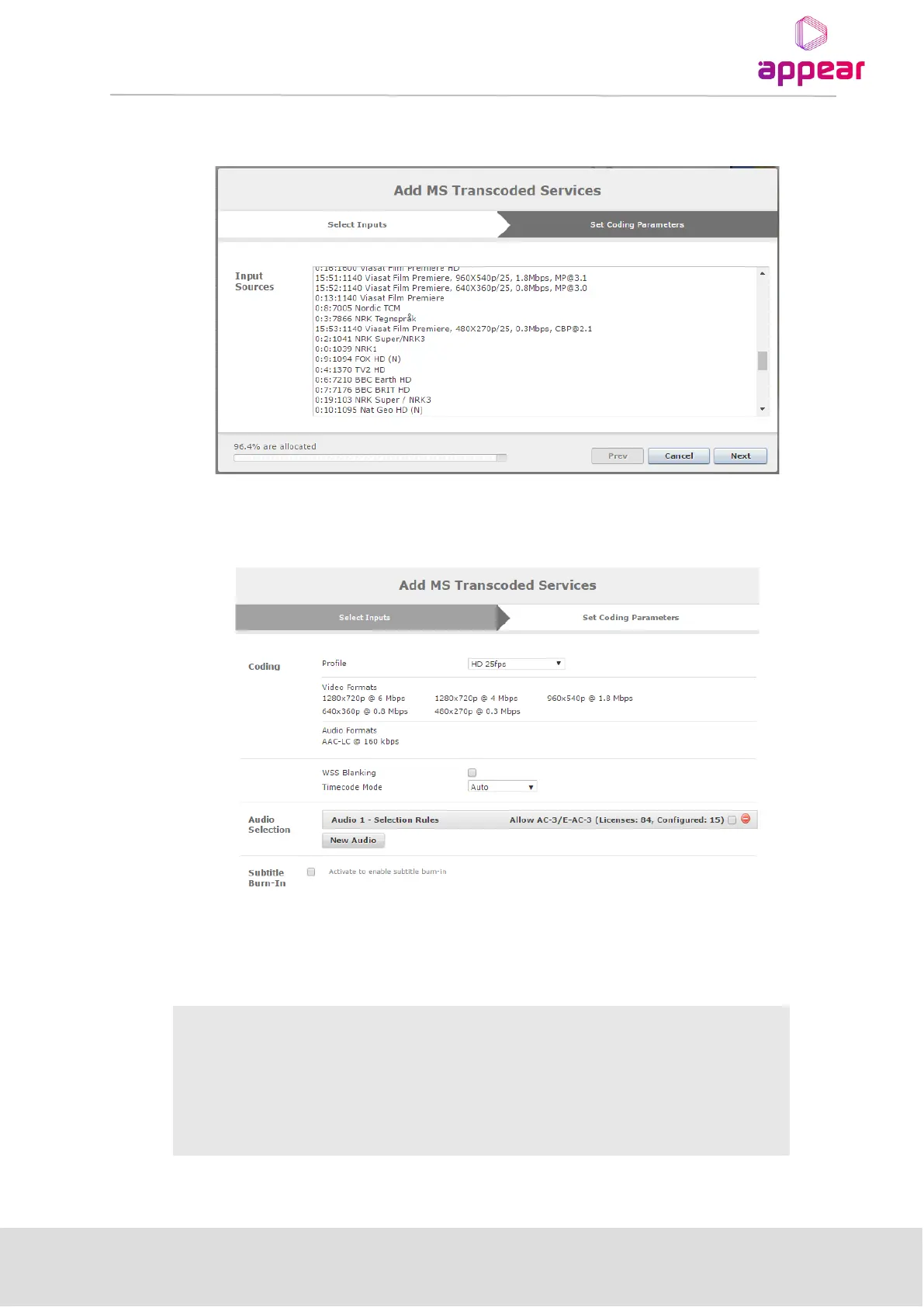
Clicking on the 'Add' button opens a configuration wizard for setting up Transcoding of a new service. The first
step is to select the service required from a list of all valid input services:
Select any of the services from the Input source and Press Next button.
The second step is to select which coding profile to use for coding.
The following parameters are available for the Coding Parameters:
Coding

Profile
Select from the drop down list of profiles available.
Video Formats
List of Video format already defined by this profile
Audio Formats
List of Audio format already defined by this profile
WSS Blanking
Enable WSS (line 17) blanking on the transcoded service
Audio Selection

Table of Contents

Related product manuals