If the user wants to enable Teletext/EBU-to-DVB subtitles conversion, user must click on ‘Add…’ button on the
bottom right.
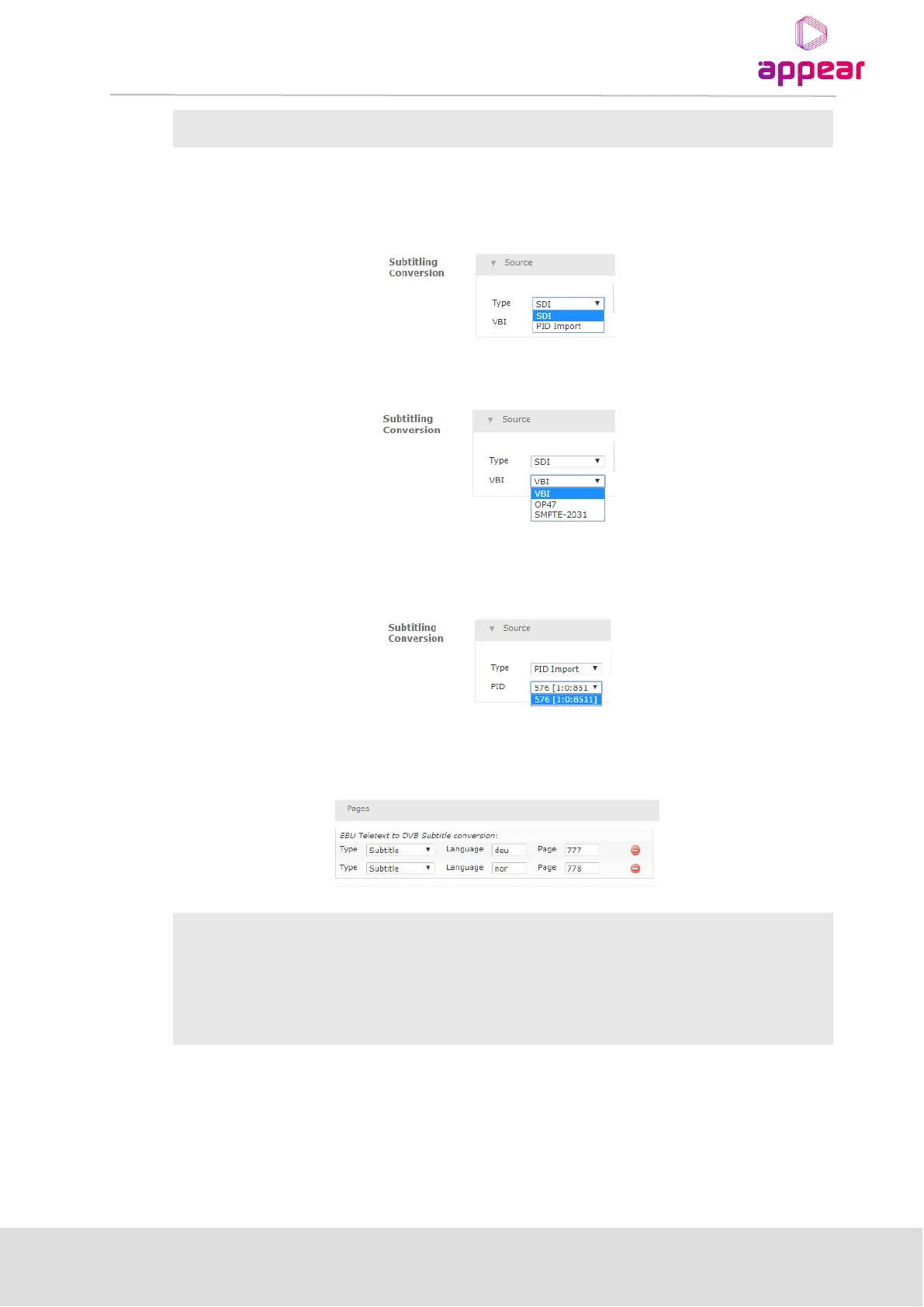
First step is to indicate where the Teletext/EBU subtitles are coming from in the “Source” sub-section:
If the Teletext/EBU subtitles are embedded in the SDI input signal, select “SDI”. A “VBI” drop-down menu will be
presented to choose what standard is used for embedding subtitles in SDI:
If “PID Import” is selected instead, the Teletext/EBU subtitles PID will be imported from a different input source,
and then converted into DVB. In that case, the user must indicate the Input Source and the PID in that Input
Source to import the PID from:
Once the Source is properly configured, the user must configure the Pages where the subtitles are present within
the Teletext:



 To Next Page