APPEAR AS Confidential 123/352
• DVB CSA BISS w/ checksum expansion
• DVB CSA BISS-E w/ checksum expansion
• DVB CISSA BISS2
• DVB CISSA BISS2-E
Control word used for scrambling or descrambling
In BISS Mode E the key (Session Word) is protected by encrypting it using a key ID. An encrypted key is
generated by selecting DCB CSA BISS-E as key type, and using the Encode mode, and selecting the BISS-E Unit
Key. The resulting encrypted key is displayed to the user in the GUI. The same procedure is used in order to
retrieve a clear key from an encrypted BISS-E Unit Key by selecting the Decode mode.
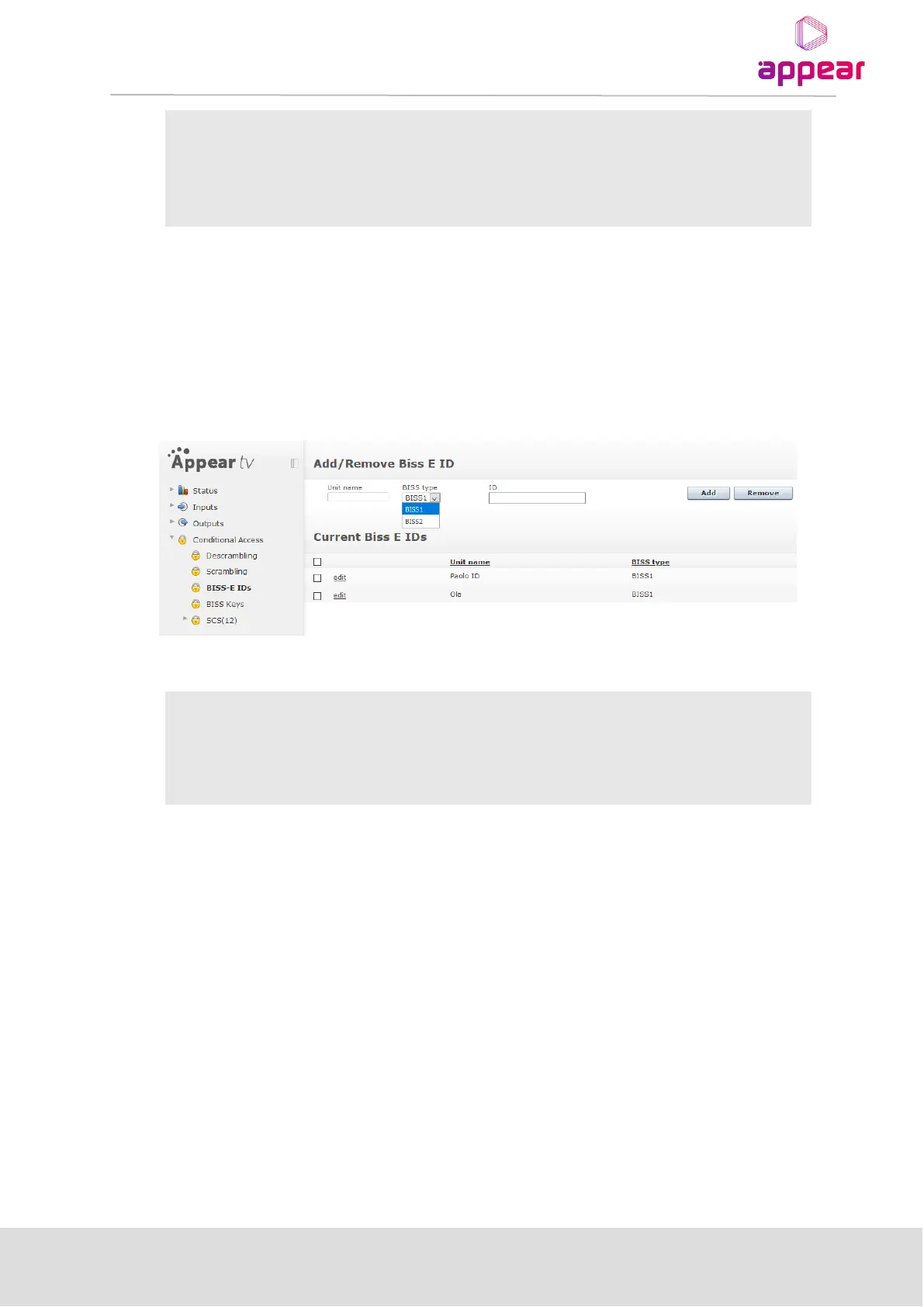
6.3.2.2 BISS-E IDs
The page for BISS-E IDs is used to add in keys which can be used to encode/decode BISS-E keys. Please note,
that once these keys have been added, it is not possible to view/edit the original key.
The following parameters are available:
Specify the Key for the unit
6.3.2.3 Setting up a BISS Scrambler
To configure an outgoing stream with the defined BISS or BISS2 key, select a dvb csa Scrambler module from
the drop-down menu, and tick the “Fixed Key” checkbox. That will show a new section in the “Scrambling” tab
called “Control Word”, where The BISS Key dropdown box will list all previously defined keys. Select the desired
BISS Key and click “Apply” to enable fixed-key encryption. BISS or BISS2 will be used according to the key that
has been selected in the drop-down menu.



 To Next Page