EasyManua.ls Logo

Appear TV DC100X - Page 169

Default Icon
352 pages
Print Icon
To Next Page IconTo Next Page
To Previous Page IconTo Previous Page
Loading...
APPEAR AS Confidential 169/352
8.1.1.2 Configuring MPTS using bulk selection
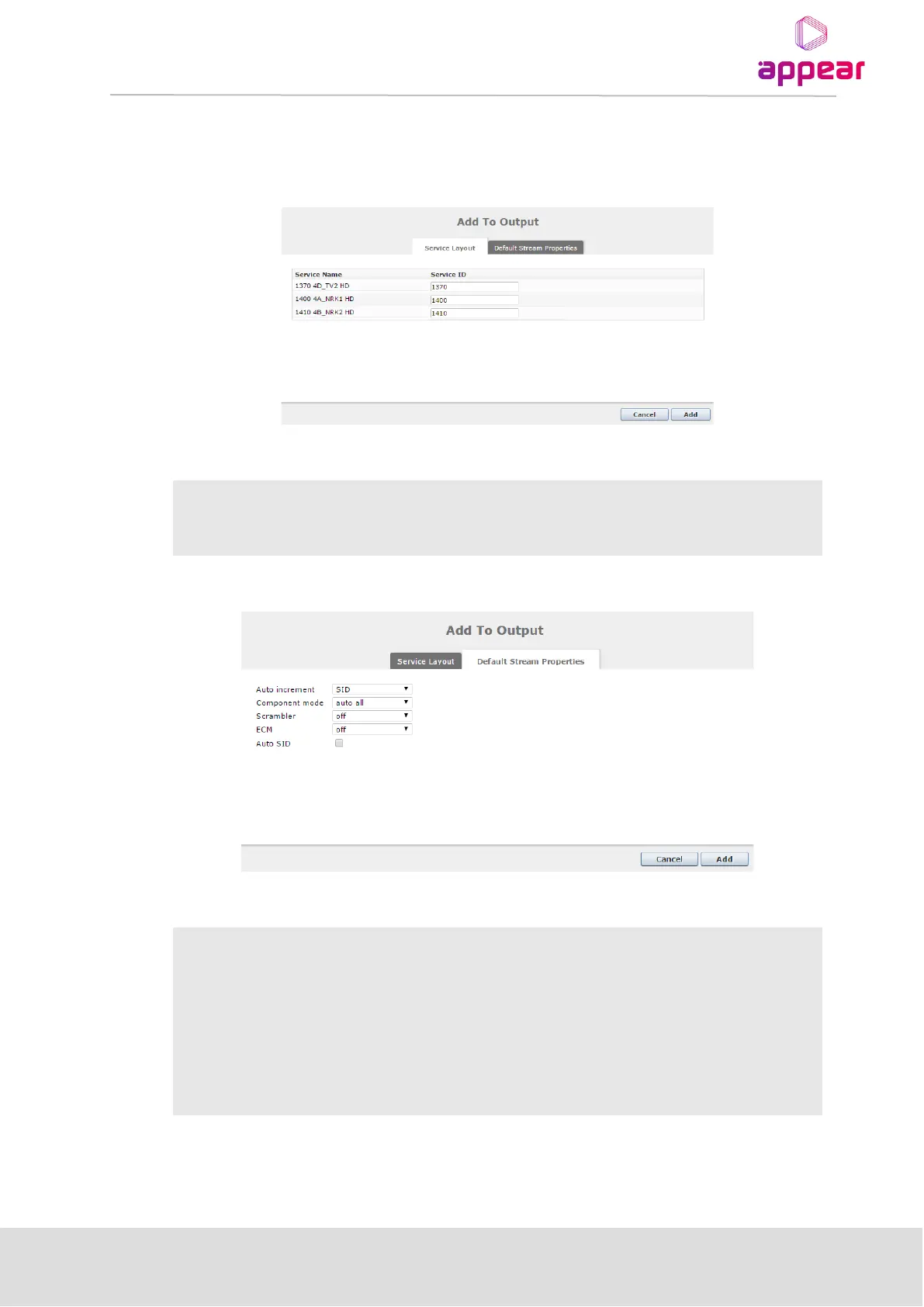
When performing a drag-drop operation of multiple service to an output MPTS, you will be presented with the
following dialog box which will allow you to add these multiple services to the MPTS.
The following information is available on Add to Output: Service layout

Service Name
Names of multiple services selected
Service ID
Service IDs of multiple services selected
The following information is available on Add to Output: Default stream properties
Auto increment
Auto increment by SID
Component mode
Component mapping rules
Scrambler
Selection of scrambler if any
ECM
Selection of ECMs if any
Auto SID
Enable Auto SID

Table of Contents

Related product manuals