APPEAR AS Confidential 232/352
Please note that this must match the input source.
Video format of the incoming SDI signal.
Please note that this must match the input source. Options presented here are
dependent on the mode of the port (ie SD/HD)
Colour Bar : Encoder Produces Colour Bar when input signal is lost.
Black Picture: Encoder Produces Black Picture when input signal is lost.
Use Logo (if available): Display logo configured on service
Delay, in ms, before a Signal Loss is triggered after a loss of input SDI signal.
Checkbox to enable a force of signal loss and trigger the ‘Signal Loss’ condition.
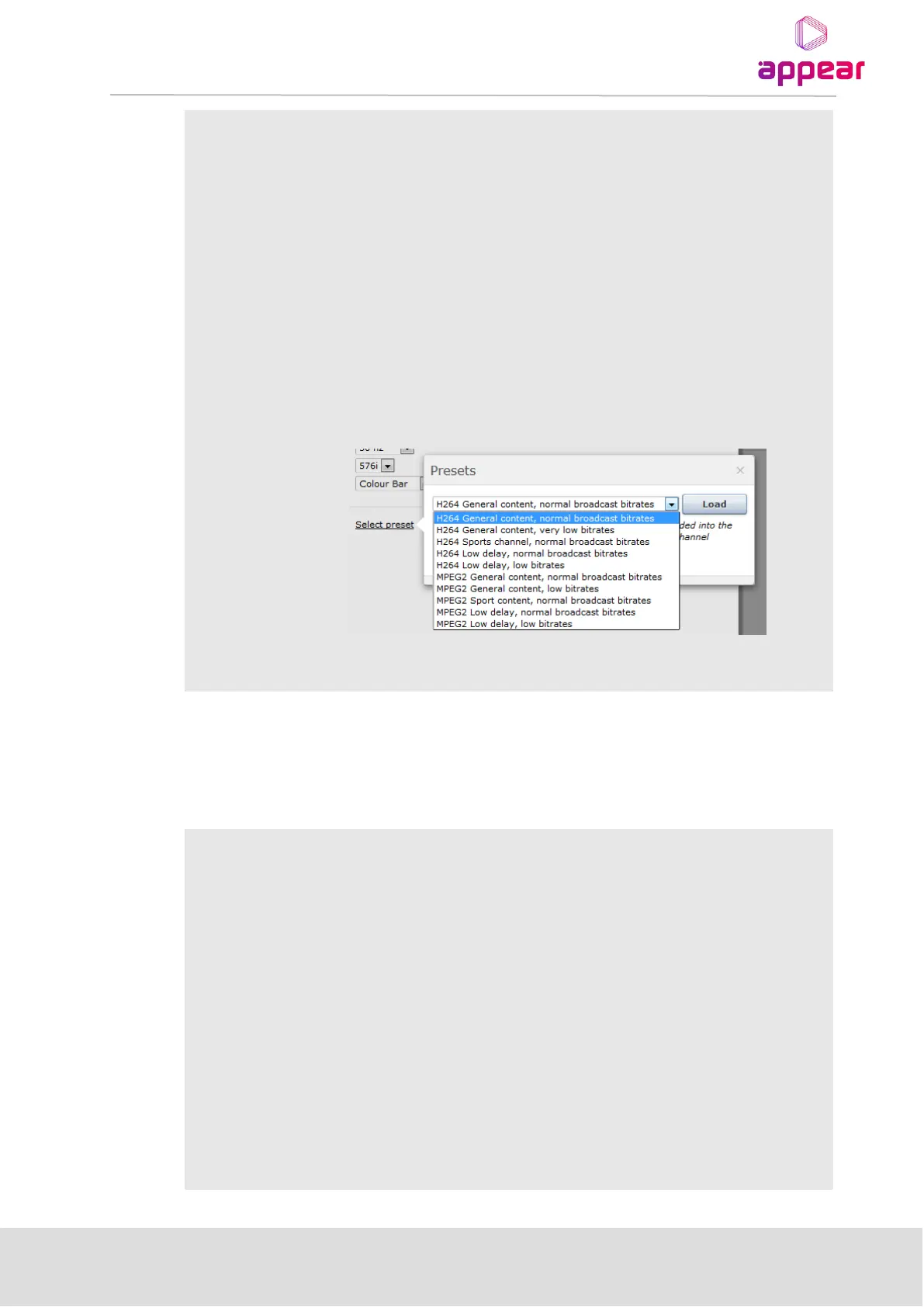
Configuration Presets can be used to help configuring the encoder
optimally for a specific scenario with respect to content and/or bitrate:
These Presets are applied as a templates in the sense that even after a preset
has been chosen; the user can access and alter all the parameters as normal.
9.2.2.2 Analog Encoder (AC-100, AC-200)
Once Composite/RF signals are connected to their respective input ports, the source parameters can be set on
the Source tab on the encoder ‘edit’ dialog. Available parameters are:
RF frequency of input analog signal (RF Encoder only)
Video format of the incoming Composite signal:
• PAL B/G/I/D/K
• PAL M
• PAL Nc
• SECAM D/K
• NTSC M
Please note that this must match the input source.
Static audio gain applied to the input audio. Range is ±11 dB
Colour Bar : Encoder Produces Colour Bar when input signal is lost.
Black Picture: Encoder Produces Black Picture when input signal is lost.
Use Logo (if available): Display logo configured on service



 To Next Page