APPEAR AS Confidential 236/352
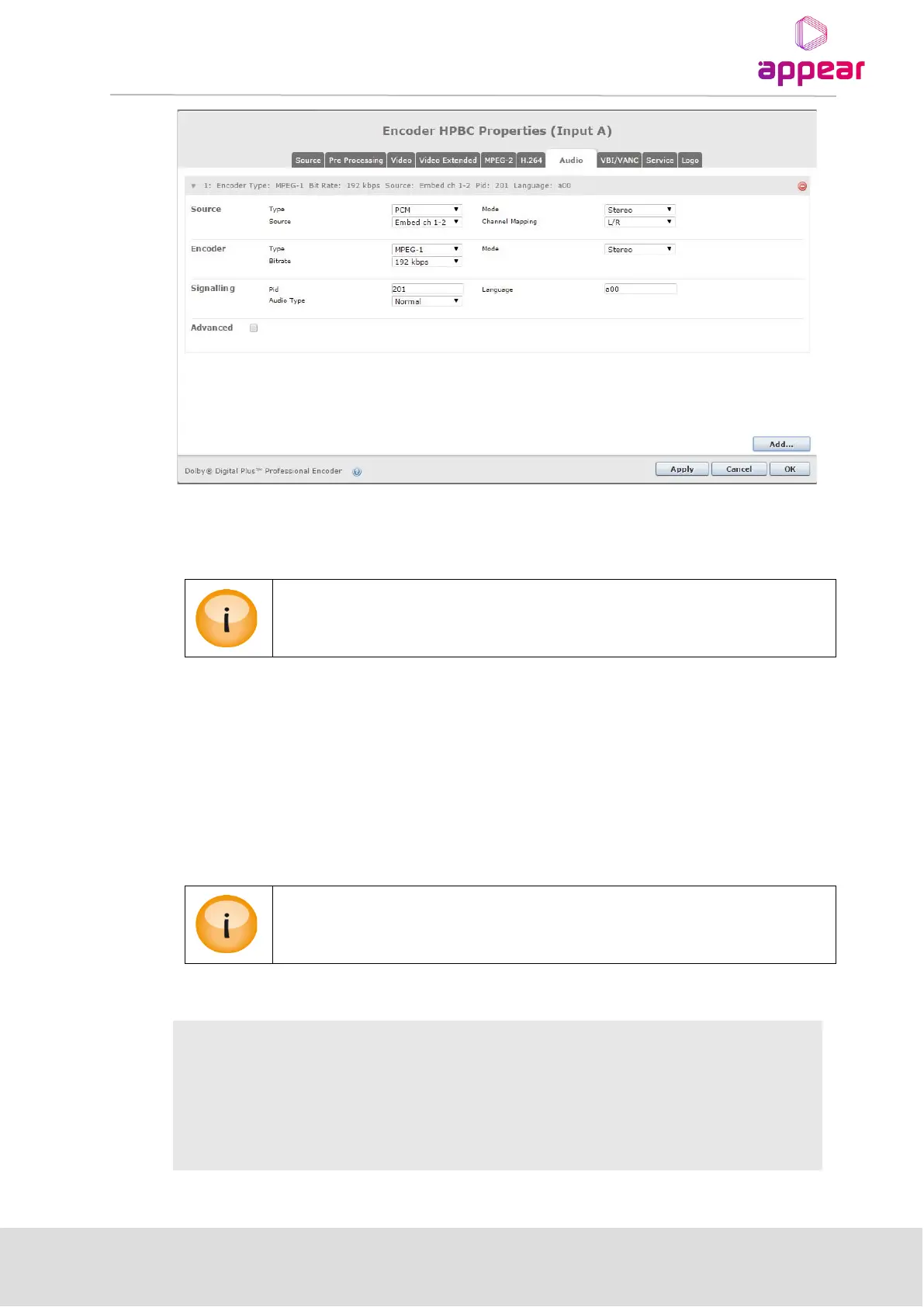
• Use the ‘Add’ button on the bottom of the page to instantiate an audio encoder.
• Use the red ‘–‘ button to the right of the channel heading to disable and remove the audio encoder.
EC-100 / EC-200: One or two (SD/HD mode) audio encoders per SDI input channel are
always available in the GUI. These encoders can be turned off by removing the enable
selection in the upper right corner.
Encoder properties are split into four sections: ‘Source’, ‘Encoder’, ‘Signalling’ and ‘Advanced’. See tables below
for more detailed information on the available choices.
• The available choices are automatically updated based on the current selections. For example if ‘Encoder
Type’ is Dolby Digital or Dolby Digital Plus the ‘Advanced’ section will change accordingly and present
additional settings.
• Changing ‘Source Mode’, ‘Encoder Type’ or ‘Encoder Mode’ resets all selections to their default values for
the chosen combination of the aforementioned three settings.
Choices are automatically checked for dependencies and invalid selections are either
marked red or changed to a legal selection. It is not possible to press “Apply” or “OK” until
any inconsistencies have been corrected.
PCM, Dolby Digital or Dolby Digital Plus pass-through or Dolby-E
Stereo, Mono, Dual Mono, 3/2 +LFE (5.1) or 3/4+LFE (7.1)
Embedded SDI channel selection
This allows the multichannel input mapping to be specified



 To Next Page