APPEAR AS Confidential 238/352
-200ms to +500ms adjustment to the lip sync
+20 to -20 dB adjustment to the input level
Advanced (Only Universal Encoder)
Enables fixed Audio alignment in PES
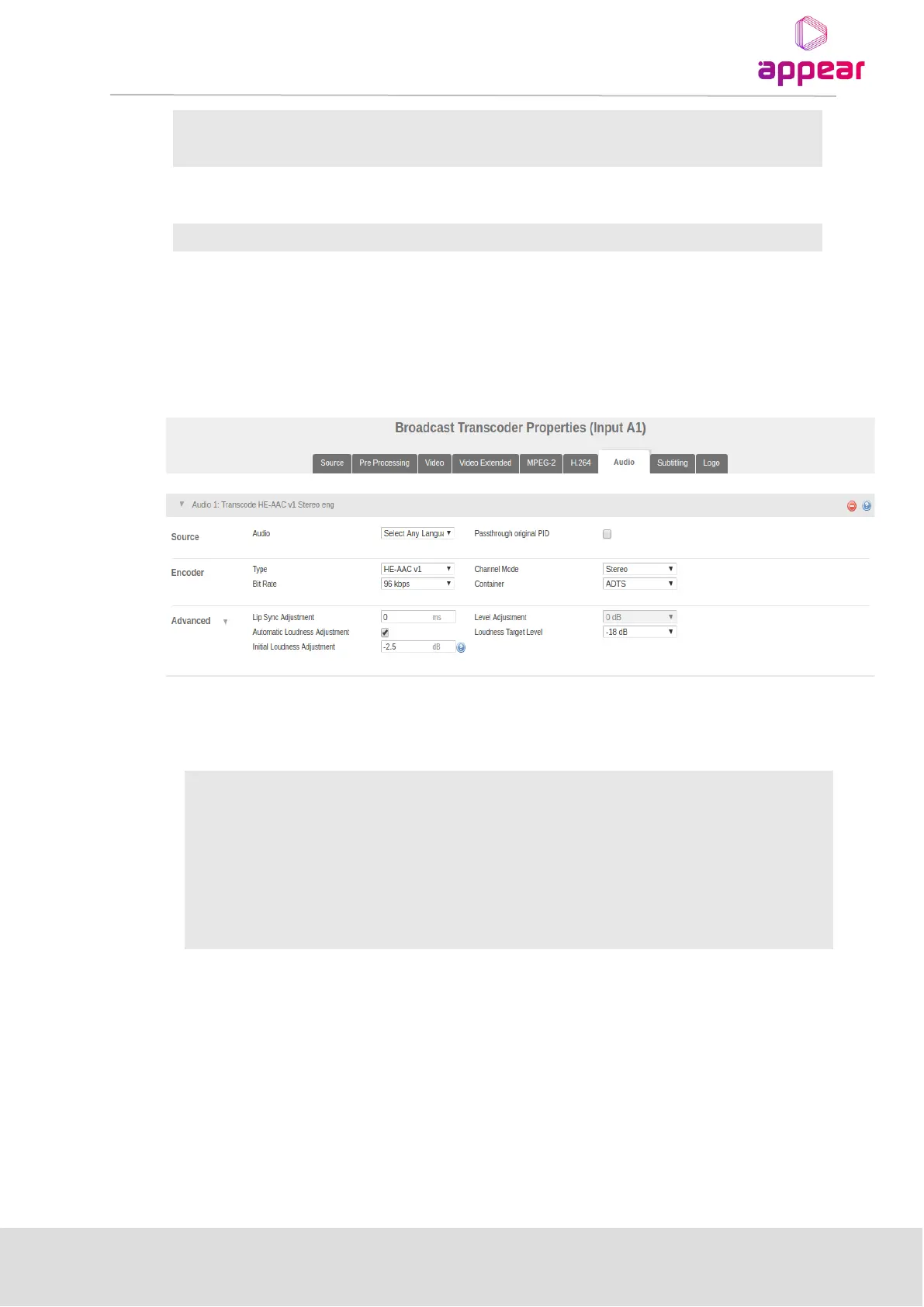
9.2.6.4 Audio Automatic Levelling Adjustment Configuration
Automatic loudness adjustment is a feature for setting up groups of audio with the same output gain/loudness
level. These groups are defined by the target level, which is set upon creation.
Applying automatic loudness adjustment is done under Audio and Advanced section for each channel
The following parameters are available for Automatic Loudness Adjustment configuration
Enable/disable Automatic Loudness Adjustment feature.
Initial loudness
adjustment
Input field with valid range [-20 dB to 20 dB]
If initial gain is set to 0 the application will begin measurements at 04.00 a.m. next
day, and after measuring for 24 hours will fast forward the result the next night.
Drop down menu showing range [-18 dB to -31 dB]
The initial value is the starting point for the measurements and will be applied as a regular gain to the audio.
• If the initial value is zero (0) the application will being at 04.00 the following night.
• If the initial value is non-zero the application will begin immediately and start adjusting by +/- 0.5 db at
04.00, if needed.



 To Next Page