APPEAR AS Confidential 252/352
9.3.7.2 Audio Support (TC-200, TC-400)
The following Audio types are supported in the audio decoder:
• MPEG1 Layer 2 (2.0) (TC-200 only)
• MPEG1 (0x03) Layer 2 (2.0), MPEG-1(0x04) layer 2(TC-400 only)
• AAC-LC (2.0)
• HE-AACv1 (2.0)
• HE-AACv2 (2.0)
• Dolby Digital (2.0/5.1)/Dolby Digital Plus (2.0/5.1/7.1) (TC-200 only)
Audio Downmix : Multichannel audio (5.1 or 7.1) will be down-mixed to 2.0 as part of transcode process.
The transcoder module is limited to encoding 12 stereo pairs per 2 blocks with an additional limit of maximum 4
stereo pairs per channel. The following Audio types are supported in the audio encoder:
• MPEG1 (0x03) Layer 2 (2.0), MPEG-1(0x04) layer 2, : AAC-LC (2.0)
• HE-AACv1 (2.0)
• HE-AACv2 (2.0)
Dolby Digital or Dolby Digital Plus components can also be set to pass-through.
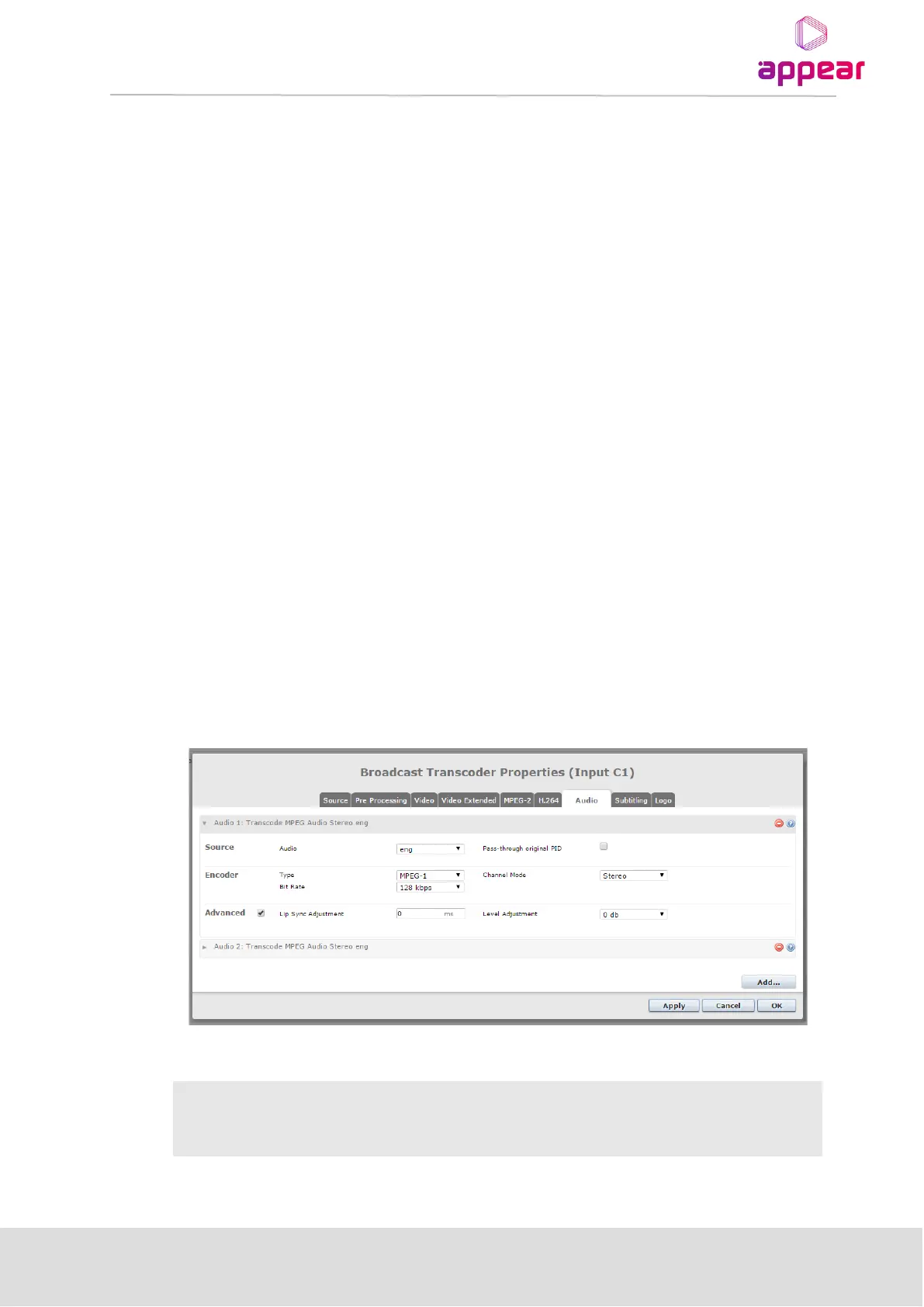
9.3.7.3 Audio Parameter Configuration
The audio transcoders are shared between the channels of the board. The user can allocate different numbers of
transcoders per channel as long as the maximum number is not exceeded.
An audio transcoder is added by clicking on the ‘Create’ button on the bottom of the Audio page. An audio
Transcoder is removed by clicking on the red ‘-‘ button to the right of the Transcoder. When a Transcoder is
removed from one channel, it can be used on another channel.
The following parameters are available for Audio configuration:
Source
Audio input selection. This pull-down will display a list of available languages
as well as ‘Select Any Language’ and advanced selection options (ie
component type, language, PID)



 To Next Page