APPEAR AS Confidential 273/352
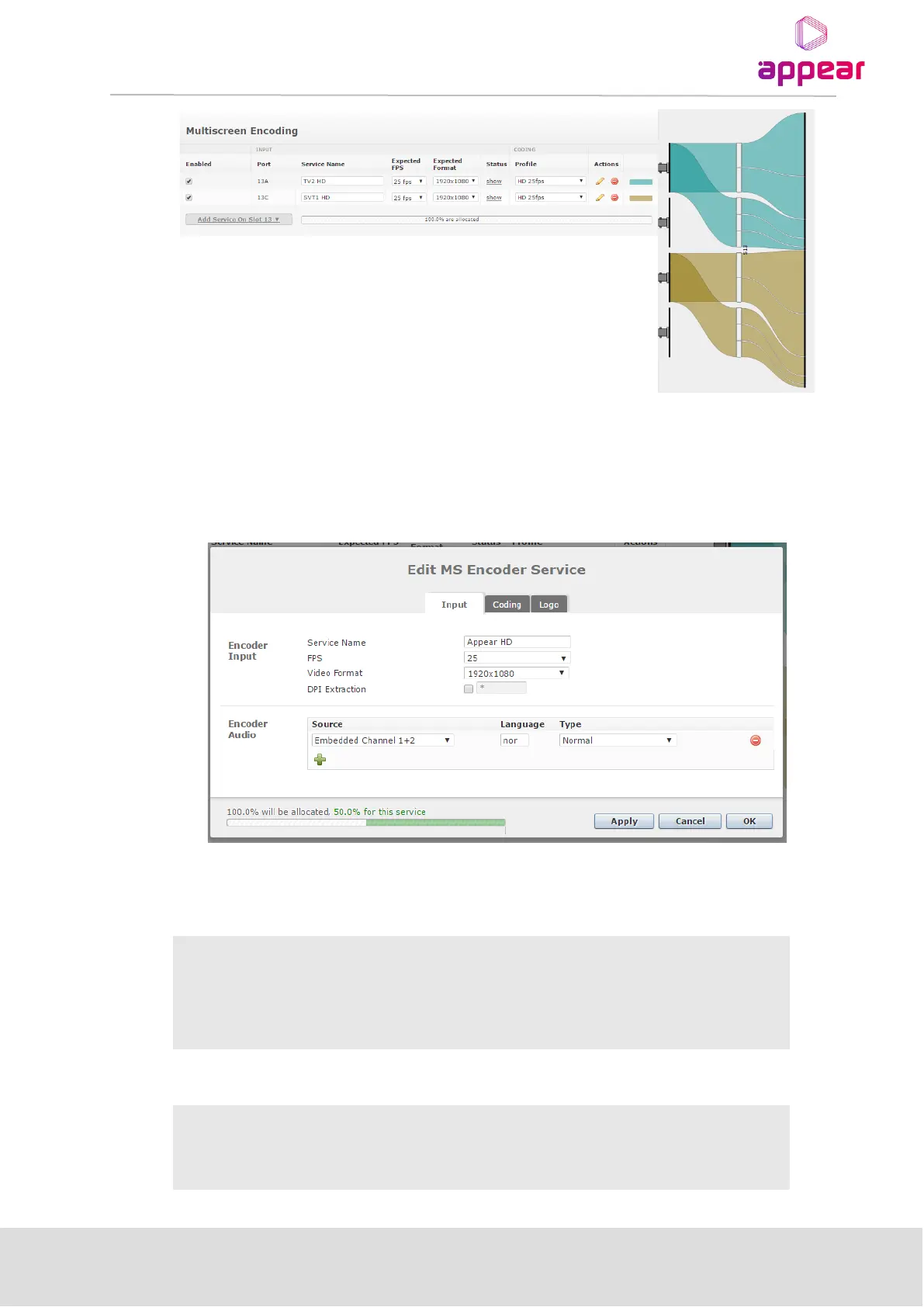
Here you see an overview of the resources allocated per module and the option to edit and remove the
parameters per channel.
As Encoder Multiscreen is locked to a physical input port, it is only possible to allocate a service to one module in
which the SDI is connected. In order to configure a port, click on the ‘Add Service on Slot XX’ button that
corresponds to where the SDI signal is connected. You will then be presented with the following dialog:
The following parameters are available for Edit MS Encoder Service -Input section:
Encoder Input



 To Next Page