APPEAR AS Confidential 280/352
To configure each service, select the service name from the drop down box. Ensure the RF Enable check box is
unchecked.
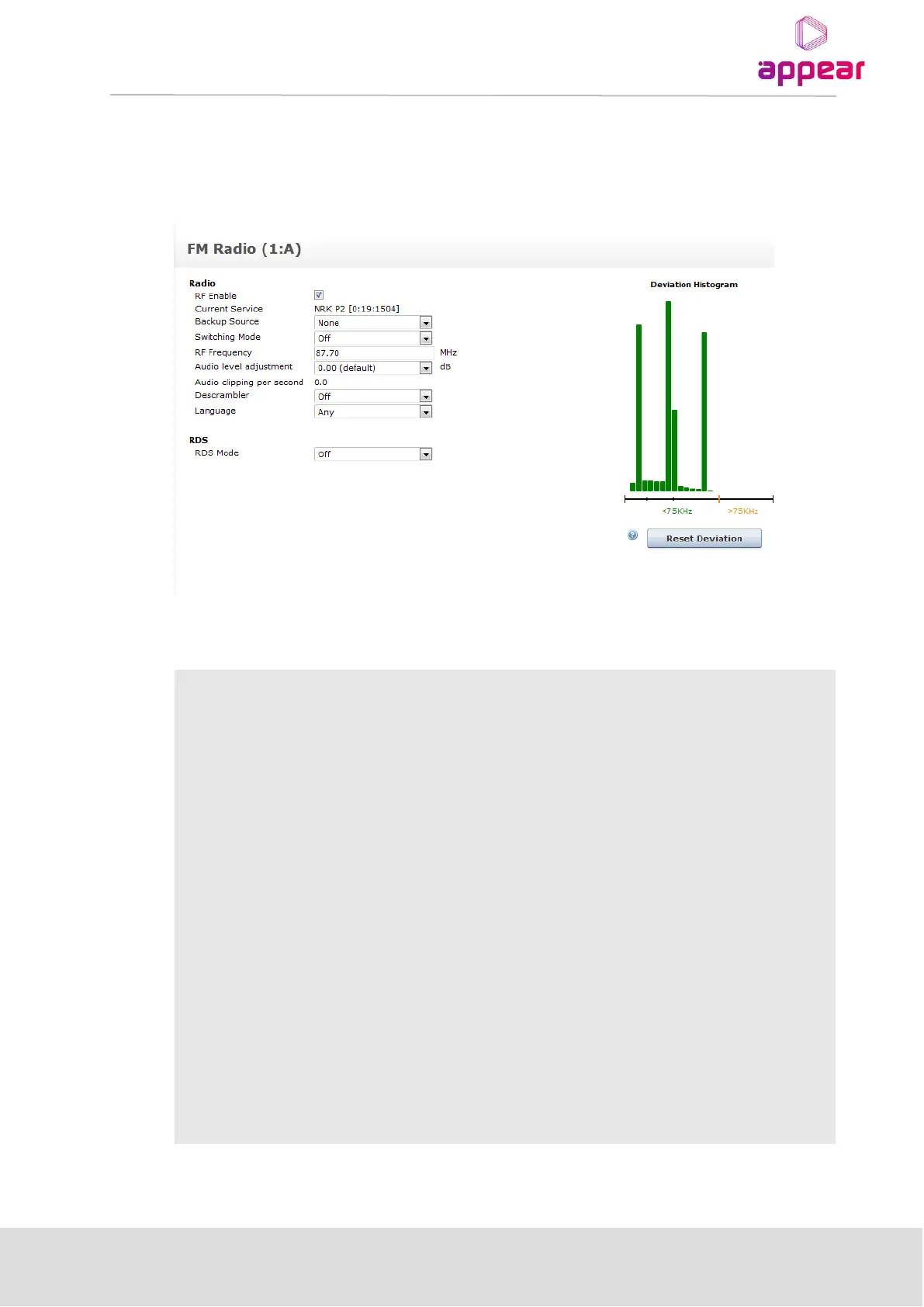
To configure individual outputs, click Edit. The resulting user interface is displayed in the figure below.
Depending on the choice of RDS mode, the page will display different options.
Under Radio, the following parameters are available:
Enable or disable RF modulation
Displays the selected service; not configurable in this screen
Choose a backup source from the drop down box
Choose one of the following:
• Off
• Once
• Floating
• Reverting
The output frequency of the particular service
Audio level
adjustment (dB)
The output audio level can be adjusted to achieve the desired deviation.
Adjustments between 12 and -12 dB can be made in 0.5 dB steps.
Audio clipping per
second
This is a read-only parameter giving an indication of digital clippings per second;
ideally its value should be 0 if the audio level is adjusted correctly.
The descrambler that may be used to descramble the input device before it is sent
to the radio card for decoding.
Select a language from the drop down box



 To Next Page