APPEAR AS Confidential 283/352
10.1.3.2 Ancillary and Auxiliary RDS
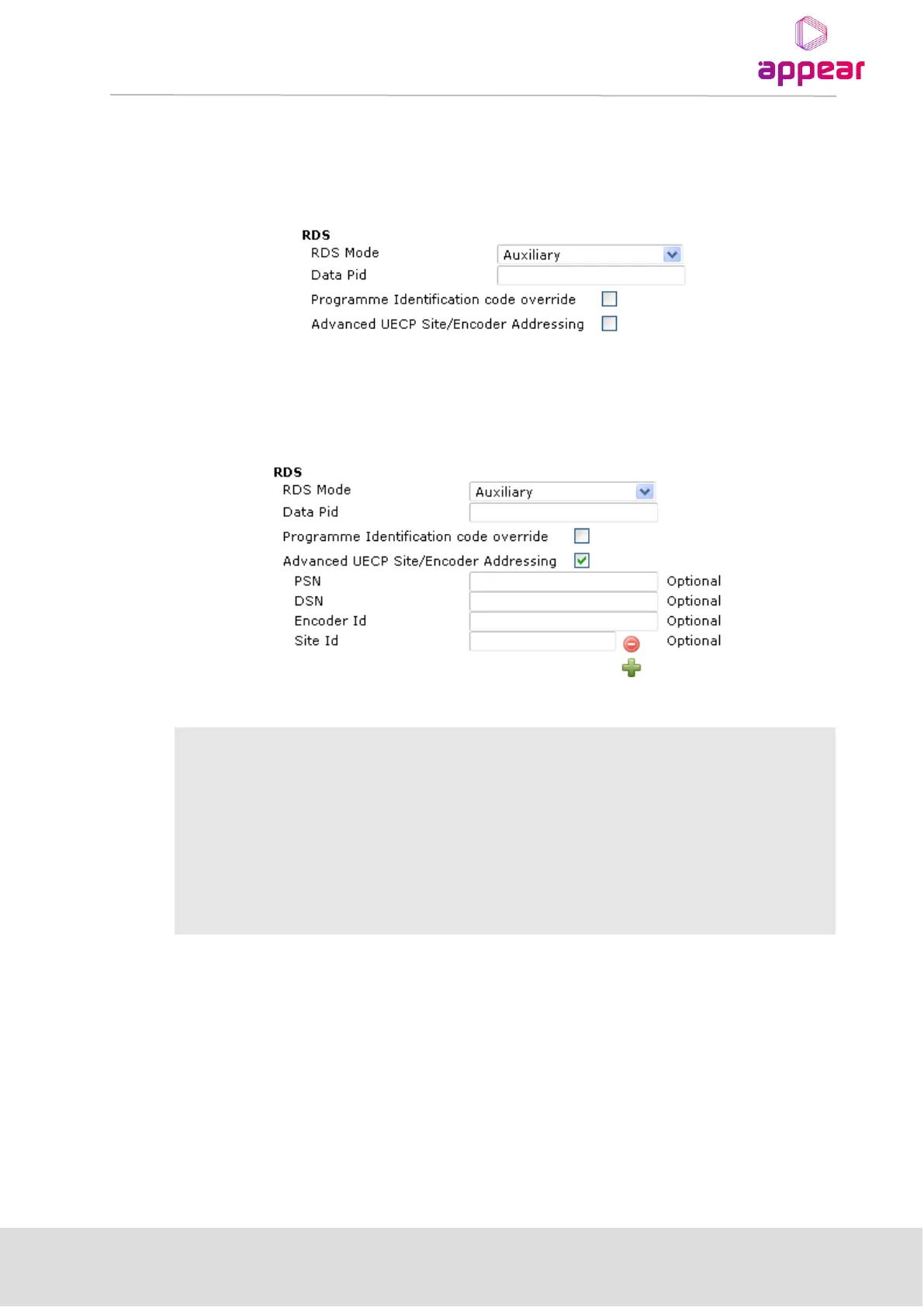
The configuration alternatives for ancillary and auxiliary RDS differ in that a data PID may need to be specified for
the auxiliary stream. When the auxiliary option is enabled, an extra parameter – Data PID – is visible on the
configuration page. If a data PID is not specified, the device will attempt to select the PID automatically.
The Advanced UECP Site/Encoder Addressing choice enables access to UECP data filtering settings. If the
auxiliary/ancillary data only contains information about one service, these settings are not required. If there is
more than one radio service signaled in the UECP data, the following optional filtering elements can be specified
to obtain the correct RDS information.
Programme Set Number – manually select which programme set should be decoded
from the UECP stream.
Data Set Number – manually select which programme set should be decoded from the
UECP stream.
Select the RDS encoder’s ID – only one encoder ID can be entered.
Select which site ID this RDS encoder belongs to – the operator can select multiple site
IDs.
Adequate information to uniquely identify a single set of service information is required. If insufficient filtering
information is specified, the transmitted RDS data will contain all unfiltered information. This scenario can cause
undefined behavior on a receiver.
As a precaution, we recommend that RDS data transmission be verified by a test receiver, if complete filter
specification is unavailable.
10.1.3.3 Dynamic Looping
Selecting the “Loop PS” allows the user to enter a second PS and a “Loop delay” in seconds. The “Loop
delay” defines how often outgoing PS toggles between the PS and PS2 field.



 To Next Page