APPEAR AS Confidential 287/352
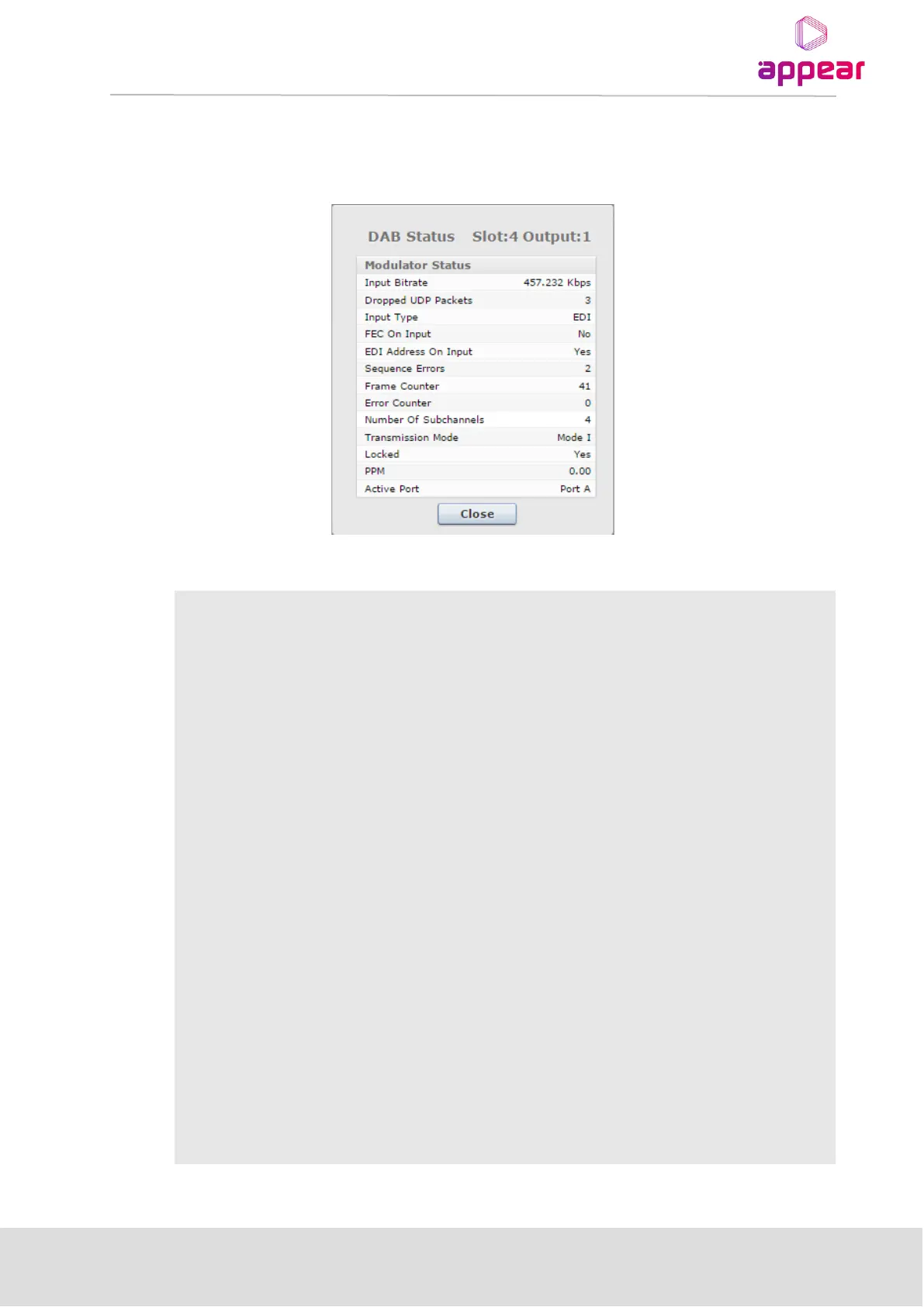
The status pane provides a view button that will show a popup window with additional status.
The DAB settings interface displays the following values under the status view section:
Current bitrate of the DAB input stream.
Total number of UDP packets dropped by the EDI input parser due to
errors
Will show the input format (typically EDI)
Set to Yes if the input EDI stream includes FEC, No otherwise.
Note: IP FEC input streams are not supported
EDI stream contains valid address fields
Total number of EDI sequence errors
Number of DAB logical frames received last second. Should be 41-42 (one
logical frame every 24ms)
Total number of DAB logical frames dropped due to errors.
Number of DAB sub channels (services) in the DAB multiplex (0-64)
The lock status of the DAB input stream
This will show the current frequency offset in parts per million (PPM) of the
EDI source.
For Seamless (A+B) input ports, this will show which port is currently active



 To Next Page