APPEAR AS Confidential 57/352
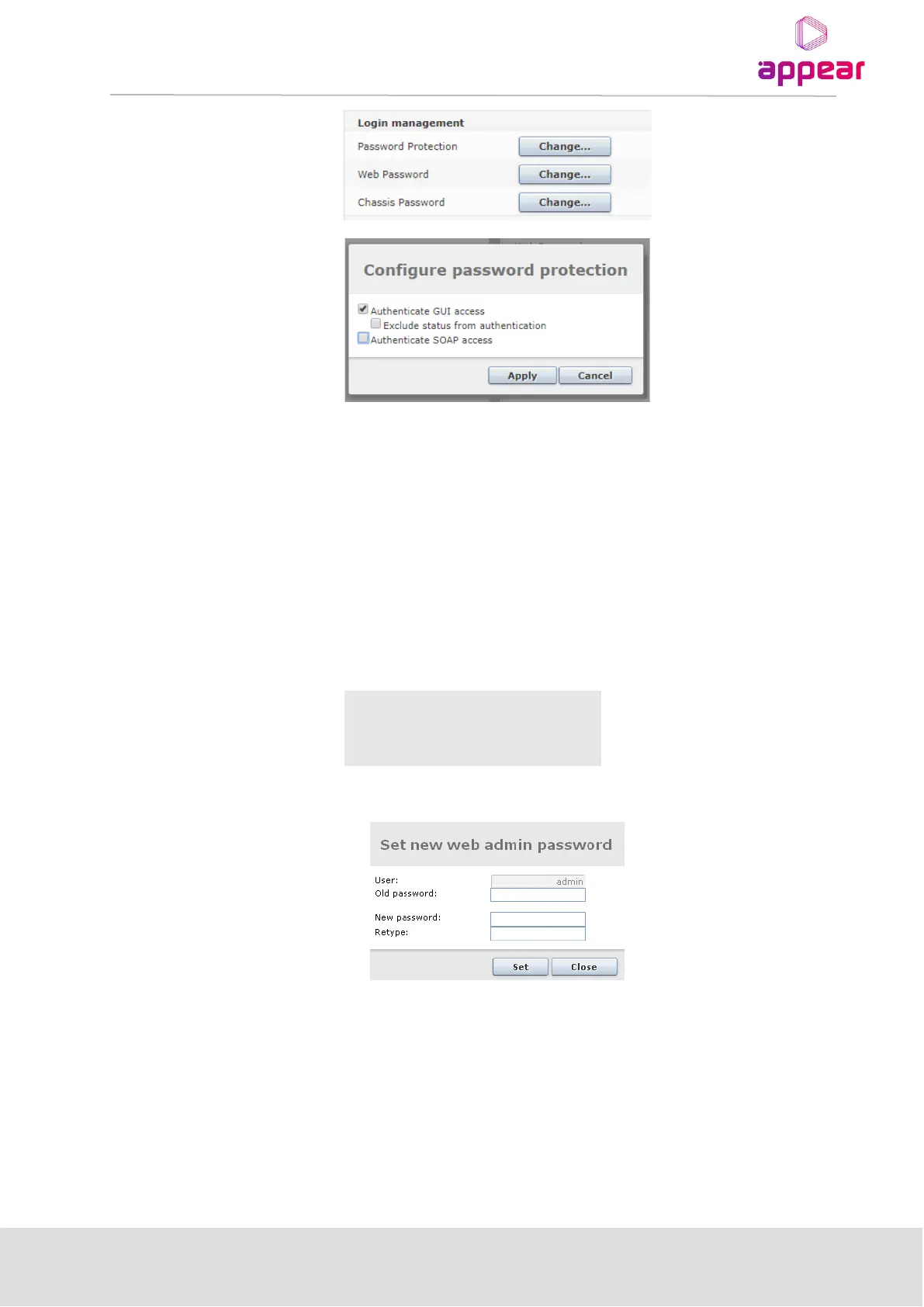
The Exclude status from authentication option is provided in cases where only certain parts of the GUI need to be
protected. If this checkbox is checked, only the Service View, Hardware View and Active Alarm View will be
excluded from authentication. All other pages, including Alarm History will require authentication to be
viewed.
The ‘Authenticate SOAP access’ will enable authentication on the SOAP API access. This will be valid for both
HTTP and HTTPS mode. This uses the same web GUI password for authentication. For more details on the
authentication API, please contact Appear.
4.1.8.2 Changing the Password for the GUI
The secure login supports one pre-defined user account – the admin user. The password protects the web GUI
only, i.e., the SOAP interface is not password protected.
To change the password click Change. The following dialog will appear:
Type in the new password and click Set. Finally, click Close to exit the dialog. Reboot the MMI module for the
new password to take effect.
4.1.8.3 Changing the password for chassis/CLI access
This option allows you to change the password for the ‘asio’ user on the SSH/CLI interface. This option is only
available for units running in HTTPS mode.
For details on the default password, please contact Appear.



 To Next Page