892-0000010B OM
23
2.3 Upper shield unit of button switches and rear wiper switch
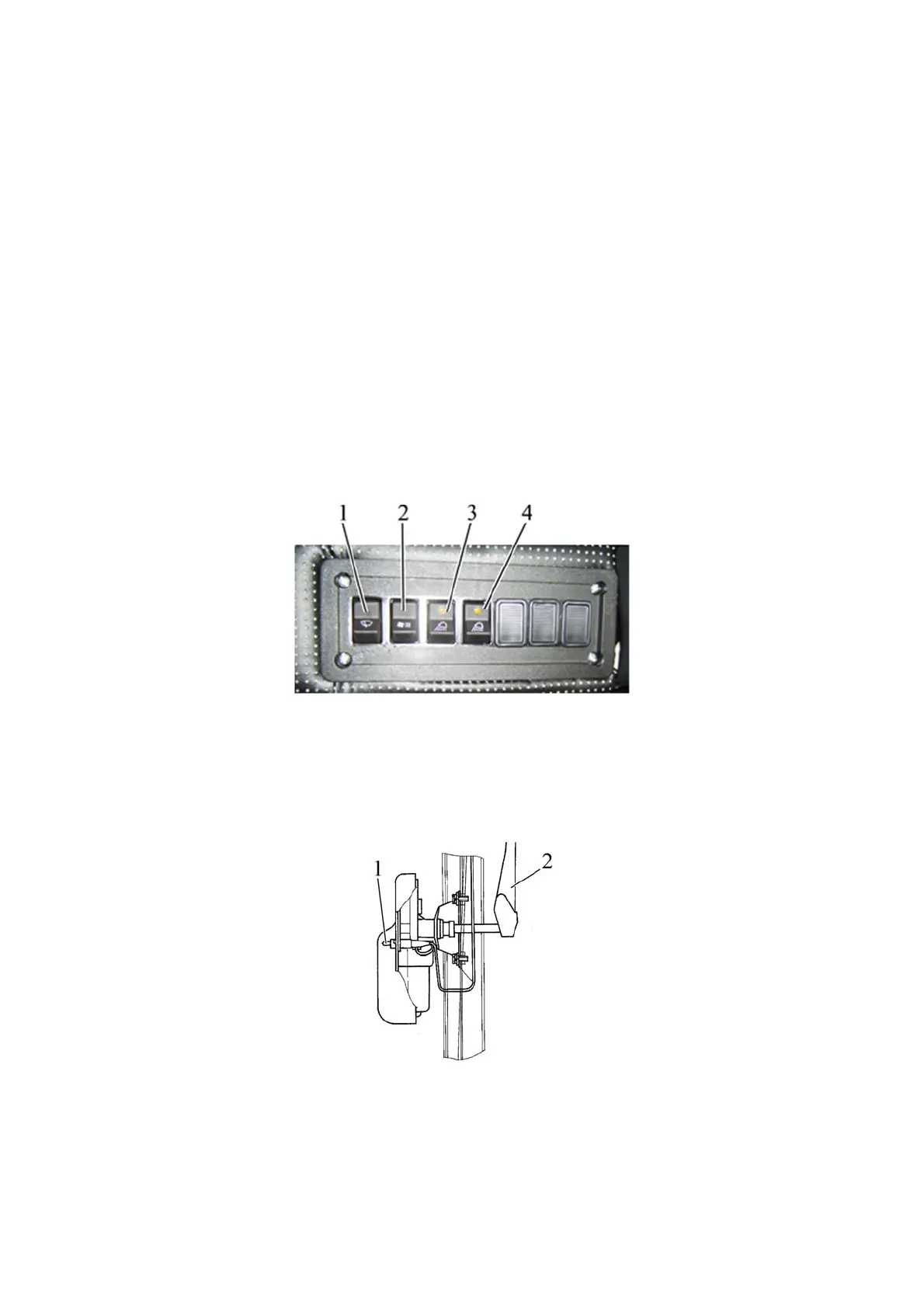
Pushing switch button 1 (Figure 2.3.1) turns the windscreen wiper on.
The switch has three positions:
- “Off”;
- “On with low speed”;
- “On with high speed”.
Pushing switch button 2 (Figure 2.3.1) turns on air ventilation in the cab.
The switch has three positions:
- “Off”;
- “On in the mode of low feed of air”;
- “On in the mode of large feed of air”.
More detailed information on controlling the heater fan is given in subsection 2.4 «Cab
heater and fan control».
Pushing switch button 3 (Figure 2.3.1) turns two rear service lights on as well as the
light indicator, built into the button.
Pushing switch button 4 (Figure 2.3.1) turns two front service lights on as well as the
light indicator, built into the button.
1 – windscreen wiper switch; 2 – cab fan switch; 3 – rear service light switch; 4 – front service light
switch.
Figure 2.3.1 – Upper shield unit of button switches
Note – Tractors with canopy frame have no front service lights. Rear service lights are
located on the rear cross beam of the cab. The rear service lights are actuated by means of
switches located on the lights themselves.
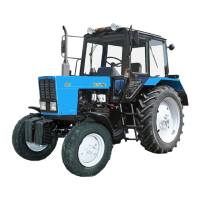
The rear window wiper is turned on and off with switch 1 (Figure 2.3.2).
1 – switch; 2 – rear window wiper arm.
Figure 2.3.2 – Activation and deactivation of rear window wiper (top view)



 To Next Page