737 Flight Crew Operations Manual
Flight Management, Navigation -
FMC Cruise
Boeing Proprietary. Copyright © Boeing. May be subject to export restrictions under EAR. See title page for details.
11.42.50 D6-27370-866-EGP
3 Delete All Supplemental Data (DELETE ALL SUPP DATA)
Data may be deleted from the supplemental database by two methods. Deletion
may be accomplished one item at a time on the display pages, or the entire
database may be deleted by selecting this prompt. The prompt is only available
before entry of an origin airport.
4 SUPP NAV REPORT
Push – transmits a copy of supplemental navigation database.
5 SUPP NAV REQUEST
Push – transmits a data link request for a supplemental navigation database uplink.
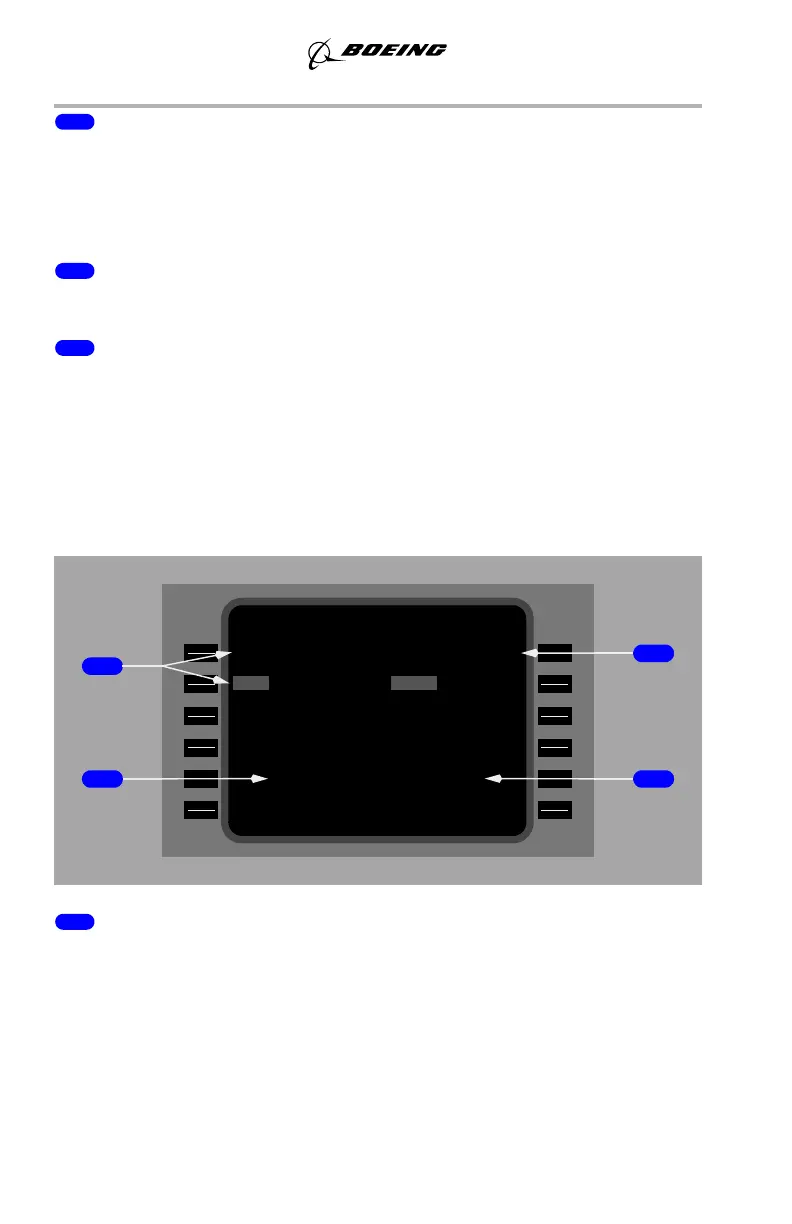
Navigation Status Display
The NAV STATUS page displays the current status of the navaids being tuned.
Access to the NAV STATUS display is from the NAV STATUS prompt on the
POS SHIFT page 3/3, the PROGRESS page 1/4, and (in flight) the INIT/REF
INDEX page or from the NAV OPTIONS page 2/2, NEXT or PREV PAGE.
1 VOR/ILS and DME Lines
Lines 1L and 1R display VOR or ILS identifier and frequency tuned on the
corresponding VHF NAV control panel.
Lines 2L – 2R through 4L – 4R display up to five DME identifiers and frequencies
tuned by the corresponding scanning DME receiver.
Data is displayed in large font with the identifier highlighted if that facility is
being used for navigation.
4.611WLA0
L-EMD-EMDR
VANUTATSS 2/1
L-ROV-SLIR
8.611MAESBI011MIF09.0
EP11A02.4
7.711MQH WM0 11H00.5
)2(SPGI2(SR)
XEDNI<HSSO>TFIP
8.611AESBI011IF09.0
8.211HPELE011N09.7
September 15, 2016



 To Next Page