737 Flight Crew Operations Manual
Airplane General, Emergency
Equipment, Doors, Windows -
Controls and Indicators
Boeing Proprietary. Copyright © Boeing. May be subject to export restrictions under EAR. See title page for details.
D6-27370-866-EGP 1.30.15
3 Flight Deck (FLT DK) Door Lock Selector
Spring loaded to AUTO. Selector must be pushed in to rotate from AUTO to
UNLKD. Selector must not be pushed in to rotate from AUTO to DENY.
UNLKD - door unlocked while selector in UNLKD.
AUTO - door locked. Allows door to unlock after entry of emergency access code
and expiration of timer, unless crew takes action.
DENY - rejects keypad entry request and prevents further emergency access code
entry for a time period.
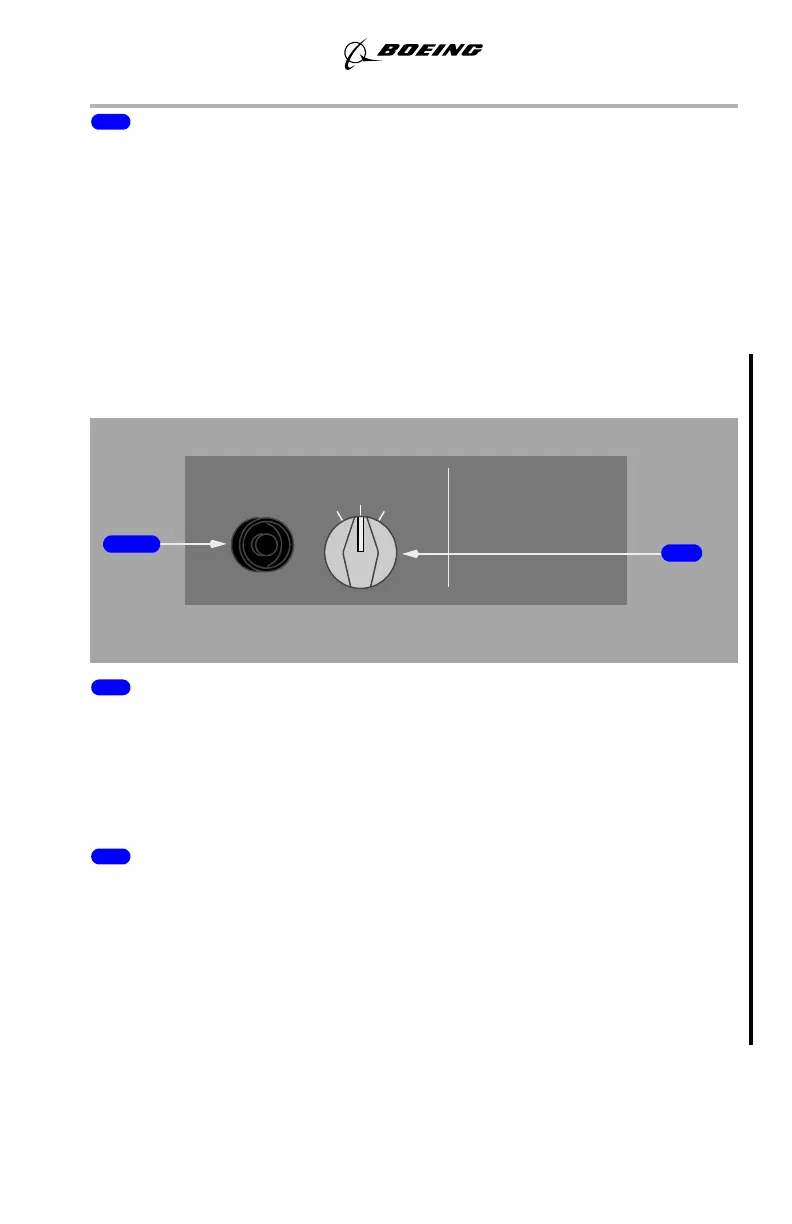
Flight Deck Entry Video Panel
YW273, YW274
1 Display Switch (DSPL)
Push - displays surveillance in MFD.
Second Push - cancels display of video on MFD.
Note: The IFE/PASS switch must be in the ON position for the flight deck entry
camera to be displayed on the MFD.
2 Camera Selector (CAM SEL)
Selects video surveillance camera view on MFD
L - provides a view of the flight deck door with a back view of the person
requesting entry.
C - provides a frontal view of the person requesting entrance (assuming the person
is facing the flight deck door).
R - provides a general view of the Door 1 Galley area.
DSPL
RL
C
CAM SEL
FLT DK ENTRY VIDEO
September 15, 2016



 To Next Page