737 Flight Crew Operations Manual
Flight Instruments, Displays -
PFD/ND – Displays
Boeing Proprietary. Copyright © Boeing. May be subject to export restrictions under EAR. See title page for details.
D6-27370-866-EGP 10.11.21
When STD is displayed, a barometric setting can be preselected on the EFIS
control panel barometric selector and is displayed in small white characters below
STD.
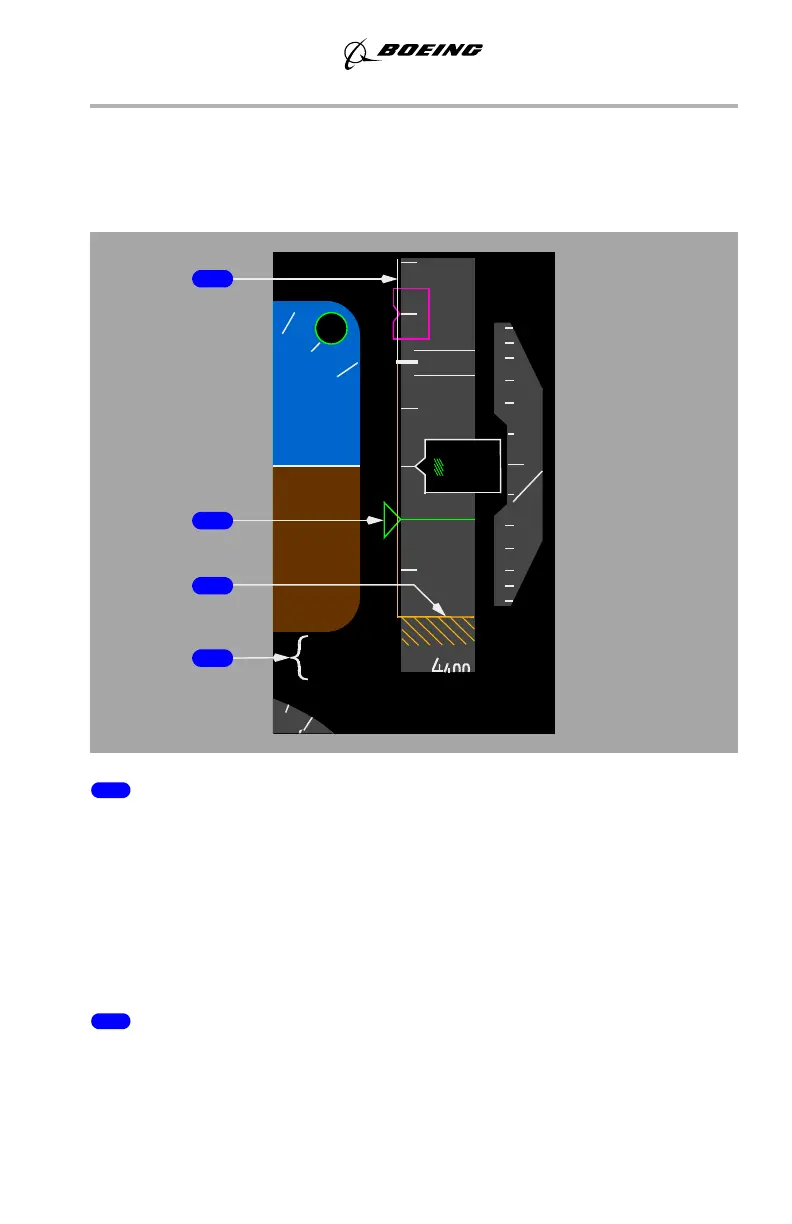
Landing Altitude/Minimums Indications
1 BARO Minimums Pointer (green)
Indicates the barometric minimums selected on the EFIS control panel:
• pointer and line turn amber when airplane descends below selected
minimum altitude
• reset with the RST switch on the EFIS control panel.
After the pointer is set with the BARO position, moving the Minimums Reference
selector to RADIO displays Radio Minimums information, but allows the Baro
Pointer to remain.
2 Landing Altitude Indication (amber)
The crosshatched area indicates:
• the FMC landing altitude for the destination runway or airport, or
• the landing altitude for departure runway or airport until 400 NM from
departure or one-half the distance to destination, whichever occurs first.
600
4
5200
OM
600
HPA
1011
BARO
4700
800
20
80
000
6
2
1
1
2
6
5
4
September 15, 2016



 To Next Page