Using Müse
79
PN: 905K520652 v2.8
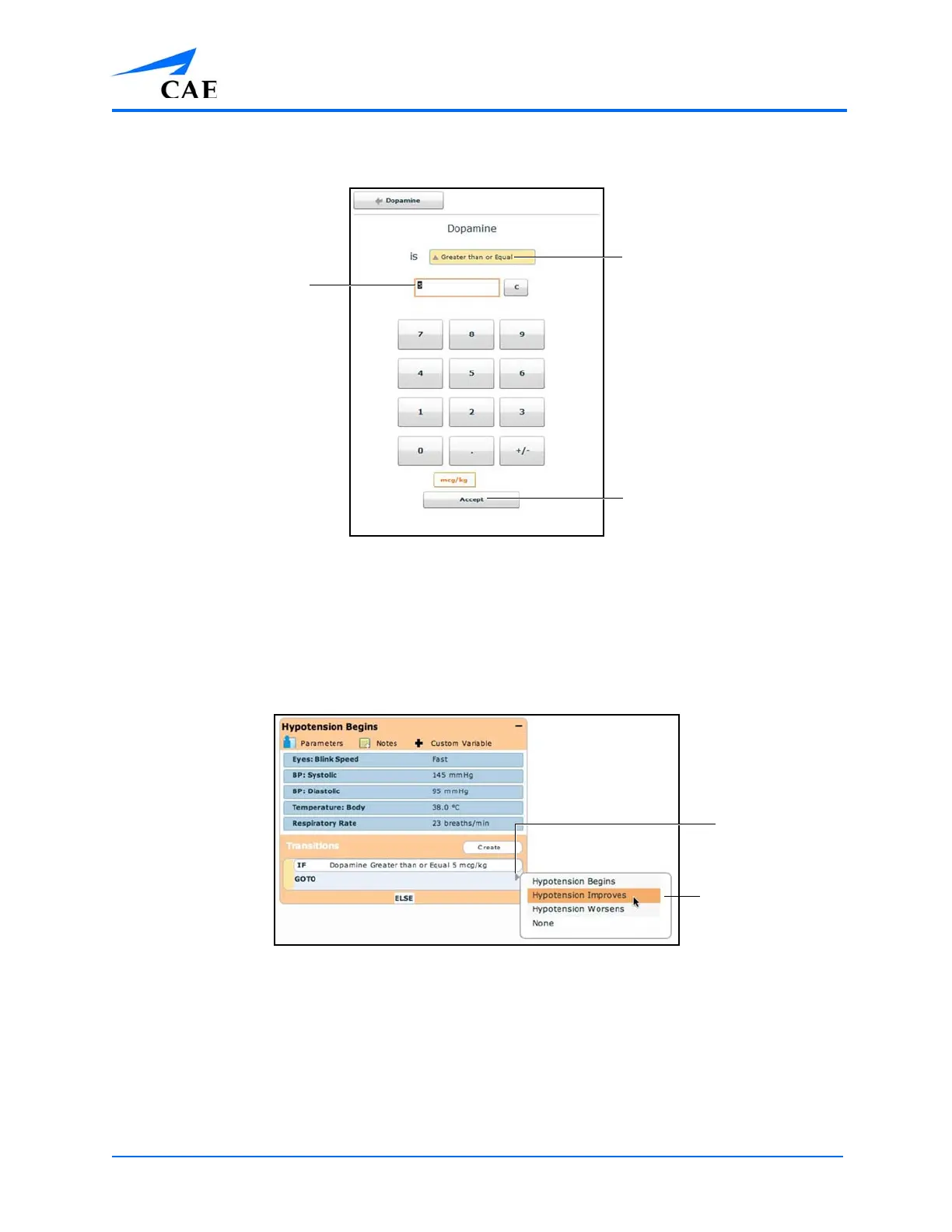
Follow the same steps to make selections from similar menus for the Assessment,
Intervention, Physiology, Scenario, Vitals, and variable types.
The Medication Transition Window
3. Once the variable values (e.g., comparison type and transition value) have been selected,
click Accept
The selected transition variable is listed beneath the original state on the Scenario
Designer.
4. From the Scenario Designer, click the GOTO arrow beneath the new transition variable
The Scenario Designer
5. Select a state from the menu
Transition value
Comparison type
The Accept button
The Available
States menu
The
GOTO
arrow



 To Next Page