Using Müse
68
CAEAthena
PN: 905K520652 v2.8
Adding a Scenario from the SCE Editor
SCEs incorporate scenarios that contain preprogrammed physiology. Scenarios can be added to SCEs
to enhance patient physiology. When a scenario is added to an SCE from the SCE Editor, the scenario
becomes associated with the SCE and begins automatically when the SCE is run.
To add a scenario to an SCE from the SCE Editor:
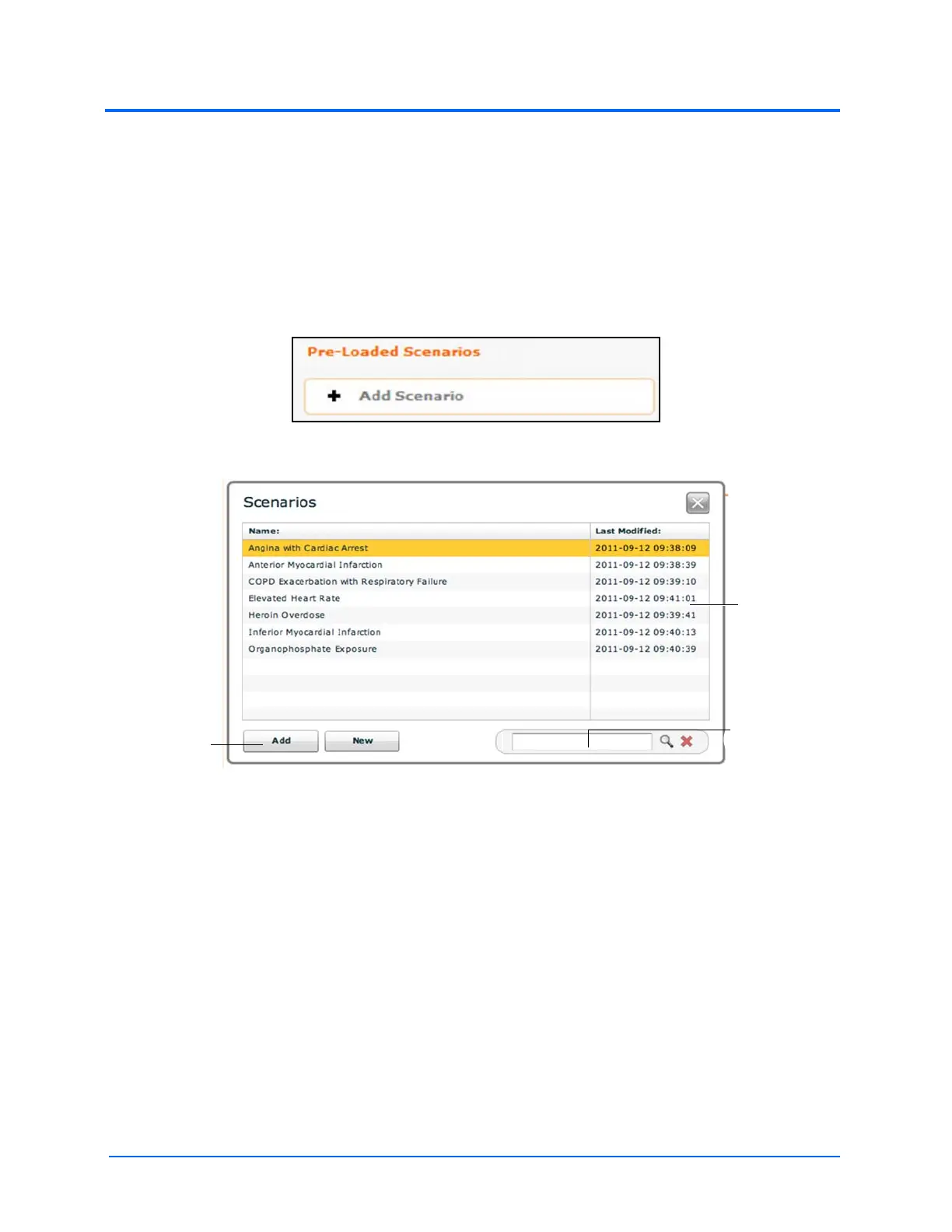
1. From the Review screen, click the Add Scenario button under the Preloaded Scenarios
heading
The Add Scenario Button
The Choose Scenario Dialog Box
2. Select a saved scenario from the Choose Scenario Dialog Box
3. Click Add
The Add
button
Scenarios
The Search
field



 To Next Page