Using Vivo
135
PN: 905K520652 v2.8
Tiles and Windows
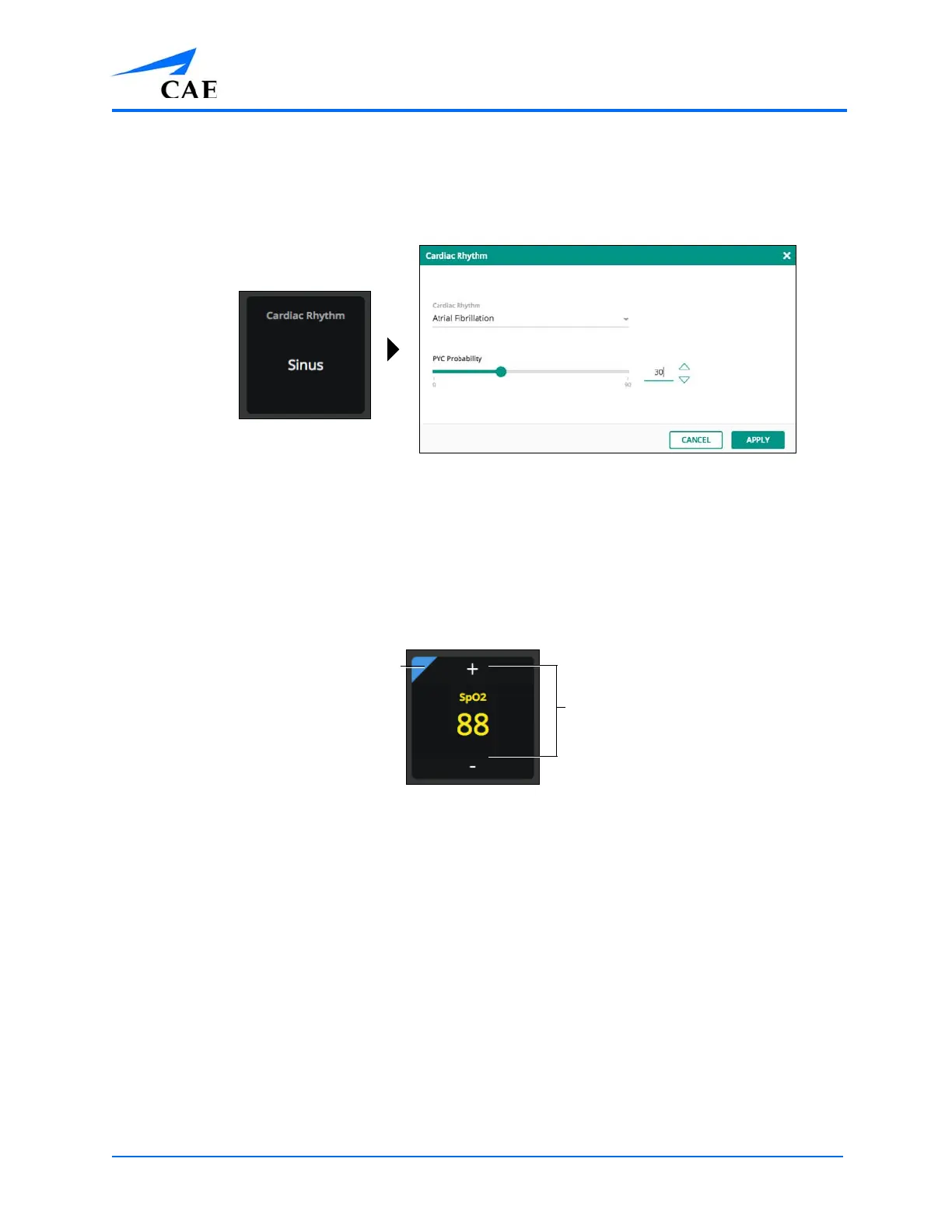
Tap on a tile to adjust the parameters. The parameters window will open and can be applied as
desired. Buttons, dropdowns, scroll lists, and slider bars are available based on each parameter.
The Tile and Parameter Window
Examples
• For parameters with a + / – option, the parameter can be adjusted directly by tapping on
the + or –
A blue highlight in the corner of the parameter identifies that a change has been made
to that parameter.
The Tile With + / – and Highlight
Note: When making a change to a parameter with a waveform, such as CVP, the Vïvo
tablet tile will display the change, then remain fixed (non-animated) on the tile display.
• An orange highlight in the corner of the tile identifies an automated change in the
parameters displayed. The three controls that will override vitals and activate an
automated change are:
º Apnea
º Pulseless Electrical Activity
º Non-contractile cardiac rhythms
The blue highlight
The + and – buttons



 To Next Page