Using Athena
148
CAEAthena
PN: 905K520652 v2.8
Eyes
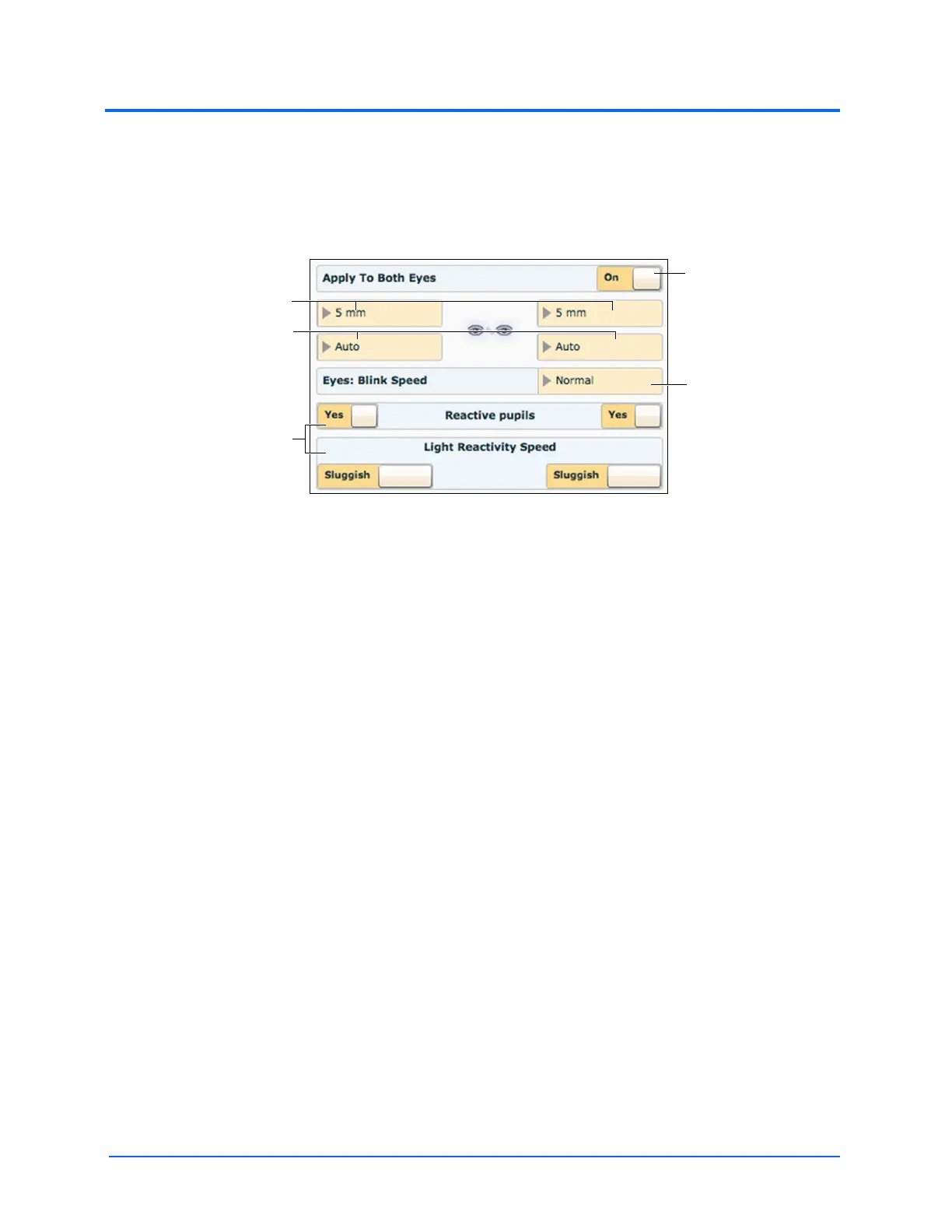
Each eye has reactive pupils and eyelids that blink and close.
The settings for pupil diameter, light reactivity and blinking are located on the Neurological view.
The Neurological View
Both eyes can be controlled together by setting the Apply To Both Eyes option to On. When this
option is selected, any changes made to one eye are also automatically applied to the other eye.
Currently, there are three pupil options that are used to control the baseline diameter of the pupils in
both eyes: Pinpoint, Blown, or a Fixed Pupil Size from 3 mm to 8 mm.
The simulator’s eyes can be set to Blinking or Closed. The default setting is Auto. With this setting,
the eyes are either blinking or closed based on the patient’s physiology. When the simulator’s eyelids
are closed, the eyes can still be manually opened for clinical inspection.
Additionally, eyelids can be programmed in scenarios to open and close spontaneously or can be
fixed in the closed position.
Blinking frequency is controlled by the Eyes: Blink Speed menu and can be set to one of four speeds:
Normal (the default), Slow, Fast and Rapid.
Setting the Reactive pupils option to Yes causes the pupils to re-size from the baseline in response
to changes in light. Light Reactivity Speed can be set to Sluggish or Brisk.
The Apply to
Both Eyes
option
The Pupil Diameter menus
The Blinking menus
Light reactivity options
The Blink Speed
menu



 To Next Page