Using Müse
81
PN: 905K520652 v2.8
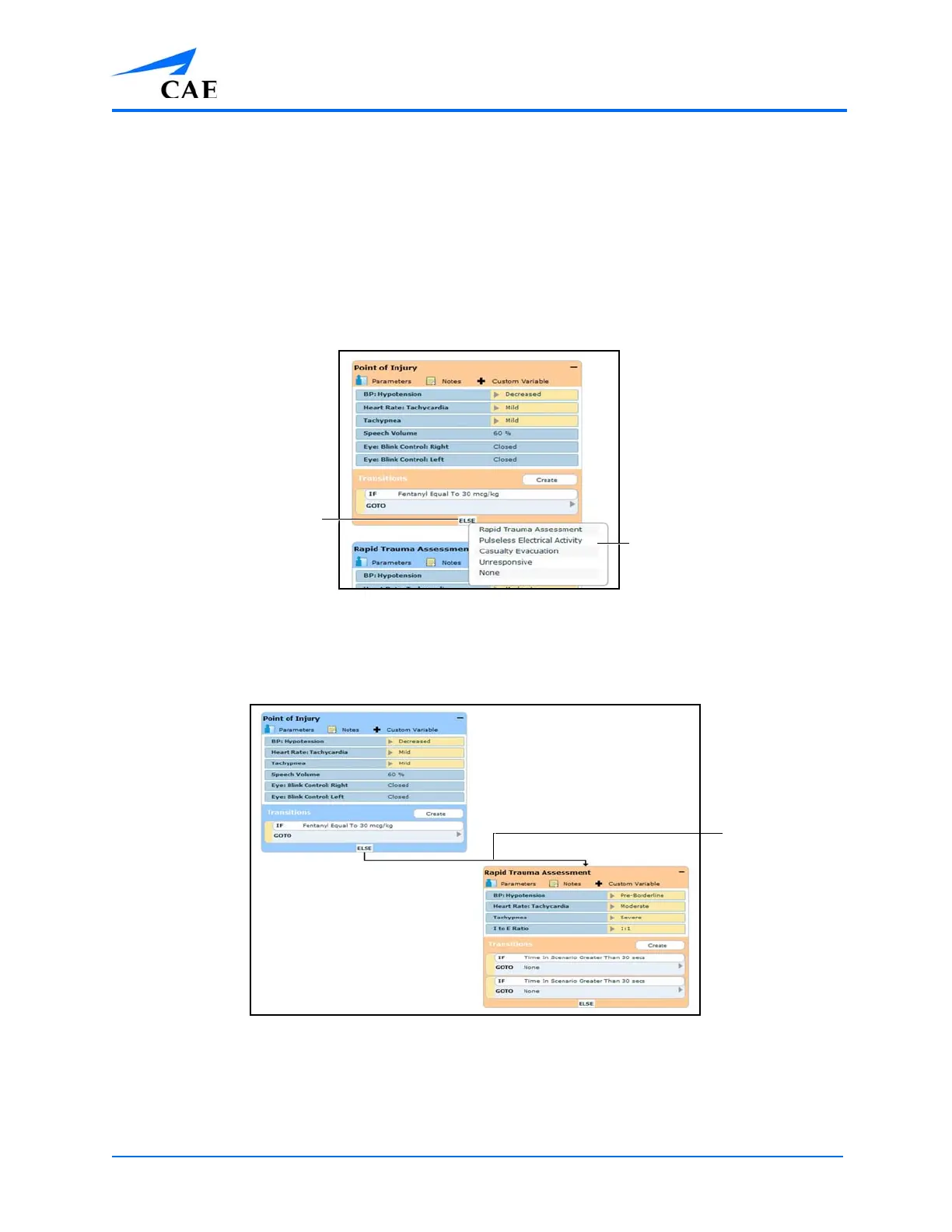
ELSE Transitions
An ELSE transition is used to transition to a state automatically when none of the other programmed
transitions occur.
Before specifying an ELSE transition from a state, the state must first contain at least one other
transition.
To add an ELSE transition, click ELSE in the original state. The ELSE menu appears, listing all the
available states.
The Scenario Designer
Select the desired state. A black connector line appears, indicating that the states are now linked by
an ELSE transition.
The Scenario Designer
The ELSE menu
The ELSE button



 To Next Page