Using Müse
48
CAEAthena
PN: 905K520652 v2.8
At the top of this screen, the Scenario Time and State Time are visible. Additionally, users
can pause and continue playing the scenario by clicking the Scenario Pause and Play
button on the top of the screen.
3. Click the Jump to State button
The Jump to State Menu
4. Select the desired state
Note: Double-click on the states to expand to the full view.
5. Click the Close Window button to return to the Run screen
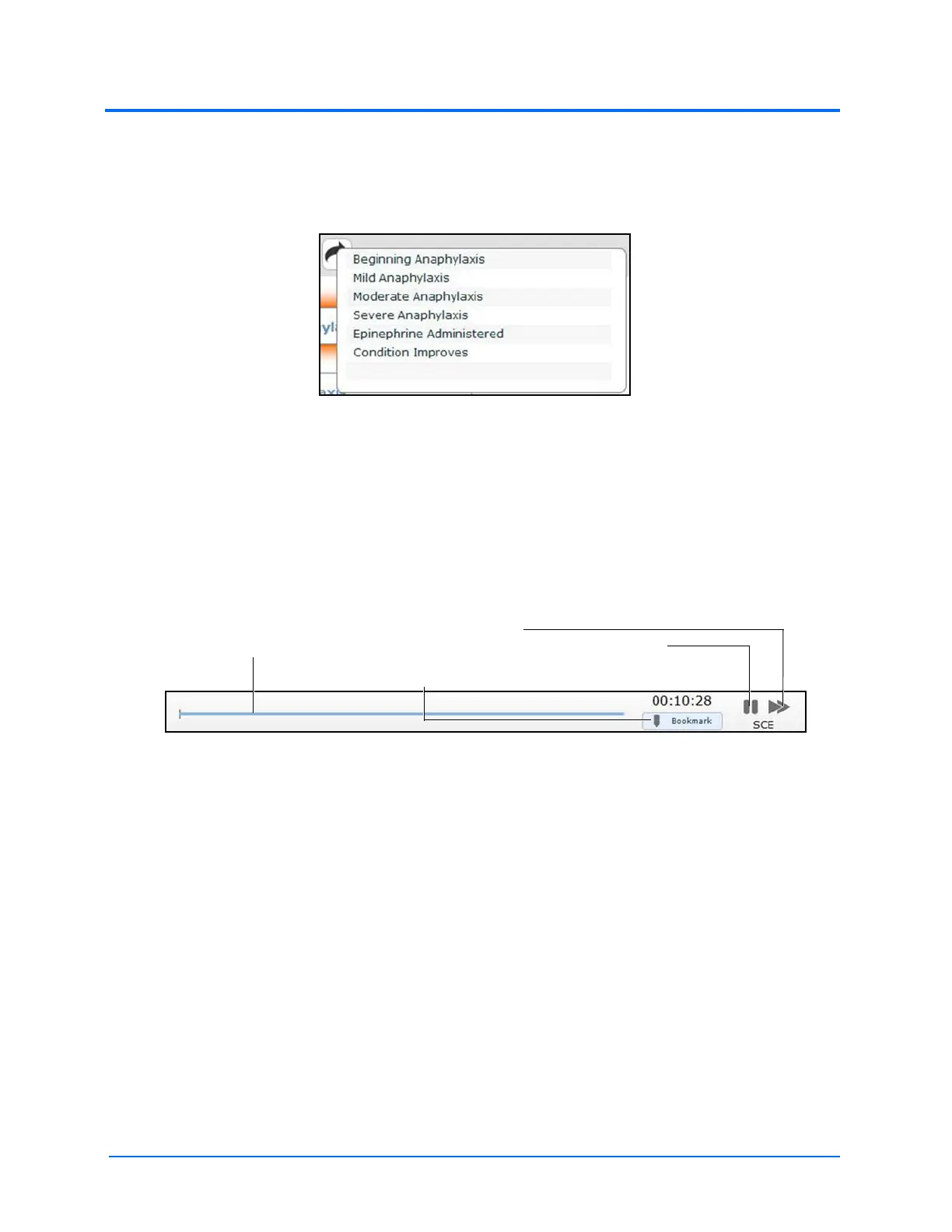
SCE Time Controls
The SCE time controls are located at the top of the Run screen.
The SCE Time Controls
• The Timeline bar shows the amount of time that has elapsed and bookmarks that have
been created
• The Bookmark button creates a bookmark at the current point in the SCE. The
bookmark can be used later to reset the patient’s physiology to what it was when the
bookmark was created.
• Clicking the Fast-Forward button once accelerates the SCE time at a 4:1 ratio. Clicking
the Fast-Forward button a second time accelerates the SCE time at an 8:1 ratio.
• The Pause/Play button pauses the SCE time or starts the SCE if it has been paused. The
Pause/Play button also returns the SCE time to normal speed after Fast-Forward has
been selected.
The Timeline bar
The Pause/Play
button
The Bookmark button
The Fast-Forward
button



 To Next Page