Using Müse
39
PN: 905K520652 v2.8
Using Conditions, Medications and Interventions
Palettes
The Conditions, Medications and Interventions palettes on the Run screen enable the application of
conditions, medications and interventions during simulation. Once applied, conditions are reflected
in the patient’s physiology and logged. All medications and interventions are also logged, and most
affect the patient’s physiology.
Using the Conditions Palette
Conditions are pre-programmed pathophysiological states that use one or more physiological
parameters and are designed to enable you to create physiological changes on the fly.
There are two ways to apply conditions using the Conditions palette: using a Quick Link or using the
complete Conditions menu. Quick Links are pre configured conditions that are made accessible in the
Conditions palette for quick application. Quick Links can also be created for the Medications and
Interventions palettes.
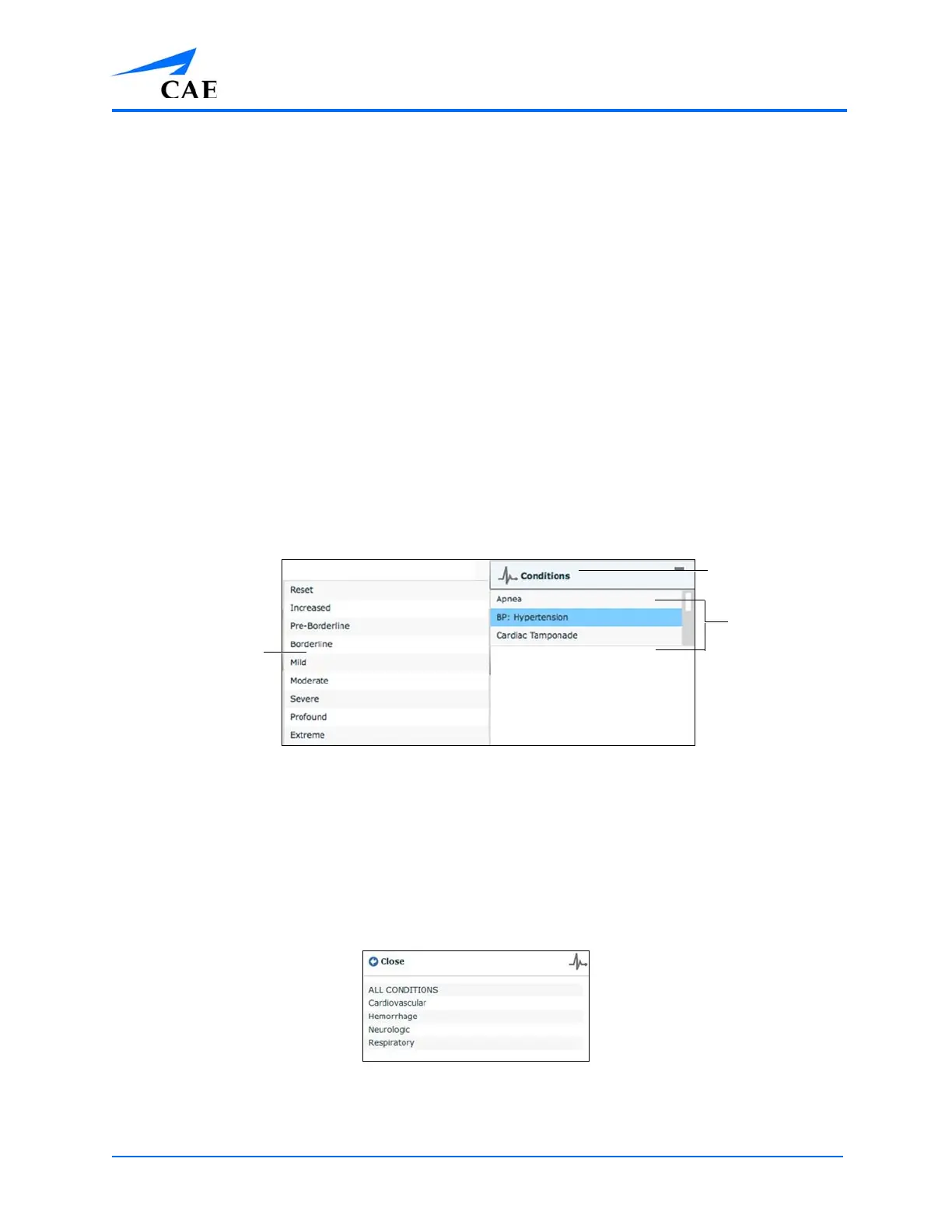
To set parameters using the Quick Links in the Conditions palette, click one of the Quick Link
conditions. A popup menu will show the available conditions; and hovering over the condition will
show the parameters. Click a specific condition to apply it and affect the patient’s physiology.
The Medications Palette
Note: Quick Links can only be added while creating or editing an SCE.
To apply a condition that is not set up as a Quick Link in the Conditions palette:
1. Click the Conditions button
Conditions are organized by system, or all available conditions are listed under ALL
CONDITIONS.
The Conditions Menu
2. Navigate the menus to find the desired condition
Quick Links
The Conditions
button
The condition
popup



 To Next Page