Chapter Heading
238
CAEProduct
PN: 905K520652 v2.8
Physical Features
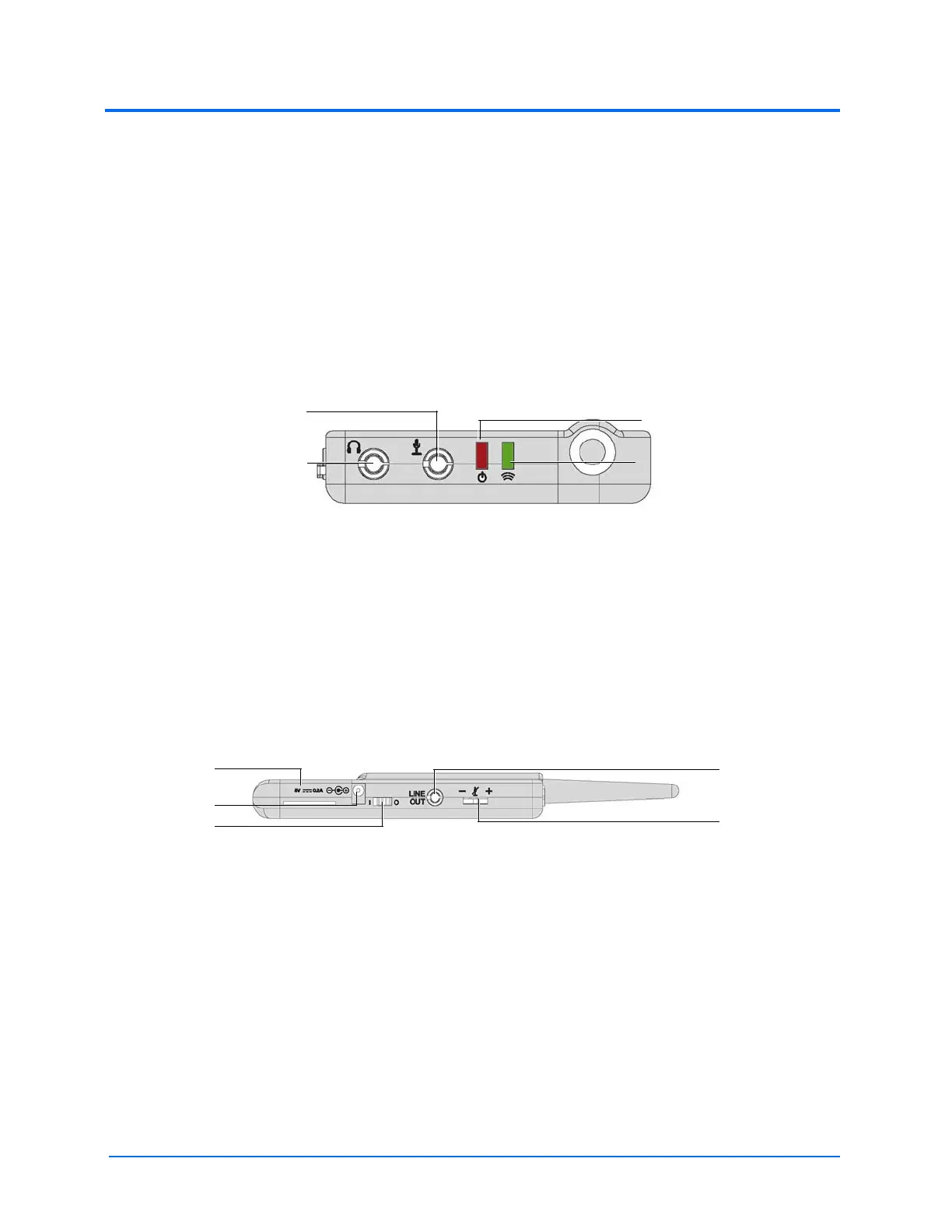
The following features are located on the top of the WVL devices:
• Headphone jack: Used to plug in headphones or an iPhone compatible headphone/
microphone combination
• Microphone jack: Used to plug in a standalone microphone
• Red power light: Indicates when the unit is powered on by blinking. Also indicates when
the Mute button is activated by solidly staying on.
• Green connection light: Indicates an RF link connection between the handset and base
station by blinking
WVL Front View
The following features are located on the side of the WVL devices:
• Battery compartment: Houses two AAA batteries and the DIP switch
• DC power jack: Accommodates a 5VDC/0.2A power source
• ON/OFF switch: Turns WVL handset power on or off
• Line out jack: Connects the WVL to the simulator’s audio amplifier
• Volume/mute dial: Controls microphone gain and microphone mute on the handset
WVL Side View
On the WVL handset, the volume/mute dial controls the microphone volume or mutes the
microphone.
On the WVL base station, the dial serves as the volume control for the speakers inside the simulator.
Moving the dial toward the plus sign increases the volume. Moving the dial toward the minus sign
decreases the volume and setting. On the handset, pressing straight down on the volume dial in the
center mutes the microphone.
Green connection
Red power
Microphone jack
Headphone jack
Line out
Volume/mute dial
Battery
compartment
DC Power
ON/OFF switch



 To Next Page