Using Müse
62
CAEAthena
PN: 905K520652 v2.8
Editing a Patient’s Profile
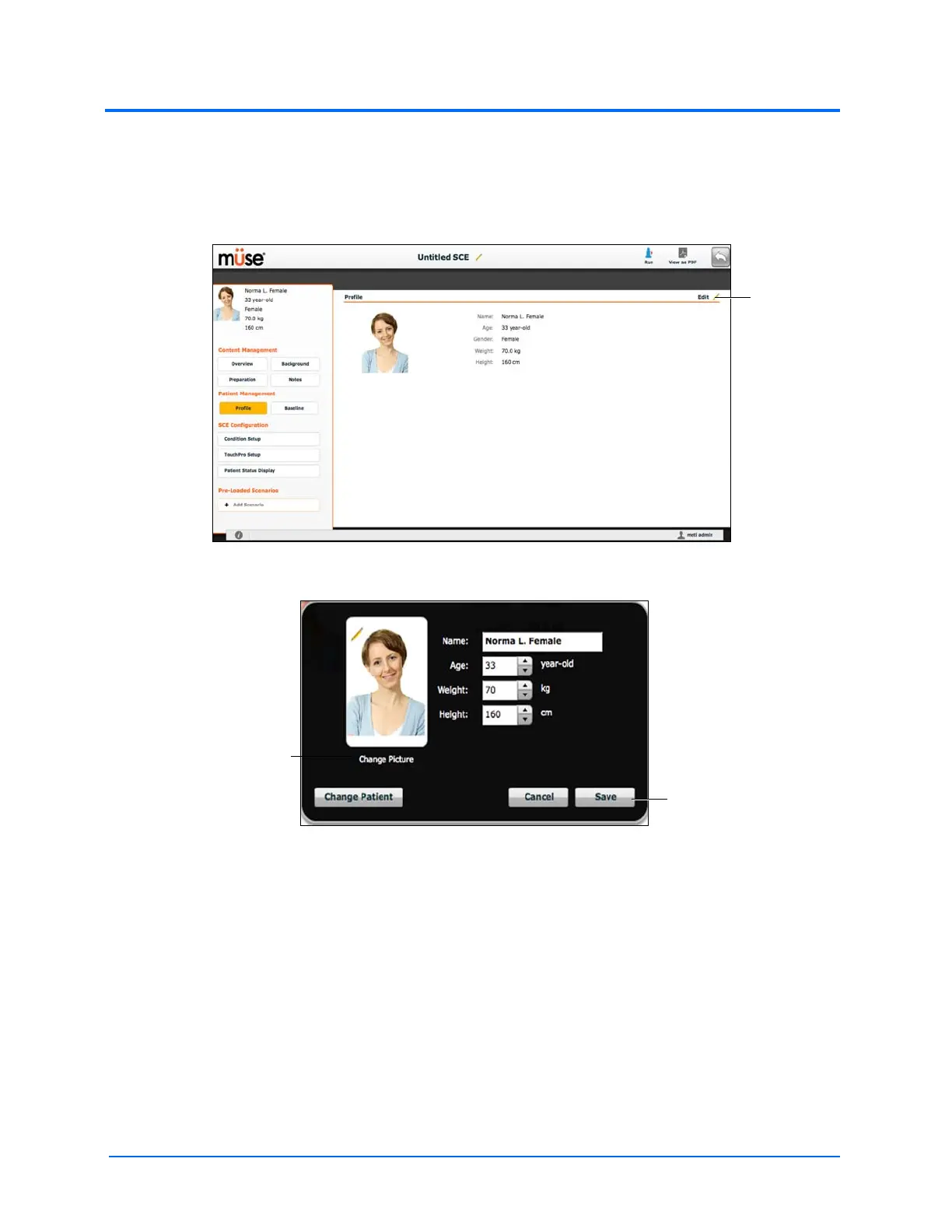
To edit the Patient Profile:
1. From the Profile section of the SCE Editor, click Edit
The SCE Editor Screen
The Profile Editor
2. Set the Patient’s name, age, gender and weight by filling in the appropriate fields
3. Click the Change Picture button to change the patient’s picture (optional)
4. Click Save
IMPORTANT: No part of the patient’s profile can contain any special characters, such as ( ‘ / \
: * ? < > % | “ ).
The Save button
The Change Picture
button



 To Next Page