Using Müse
67
PN: 905K520652 v2.8
Patient Status Display
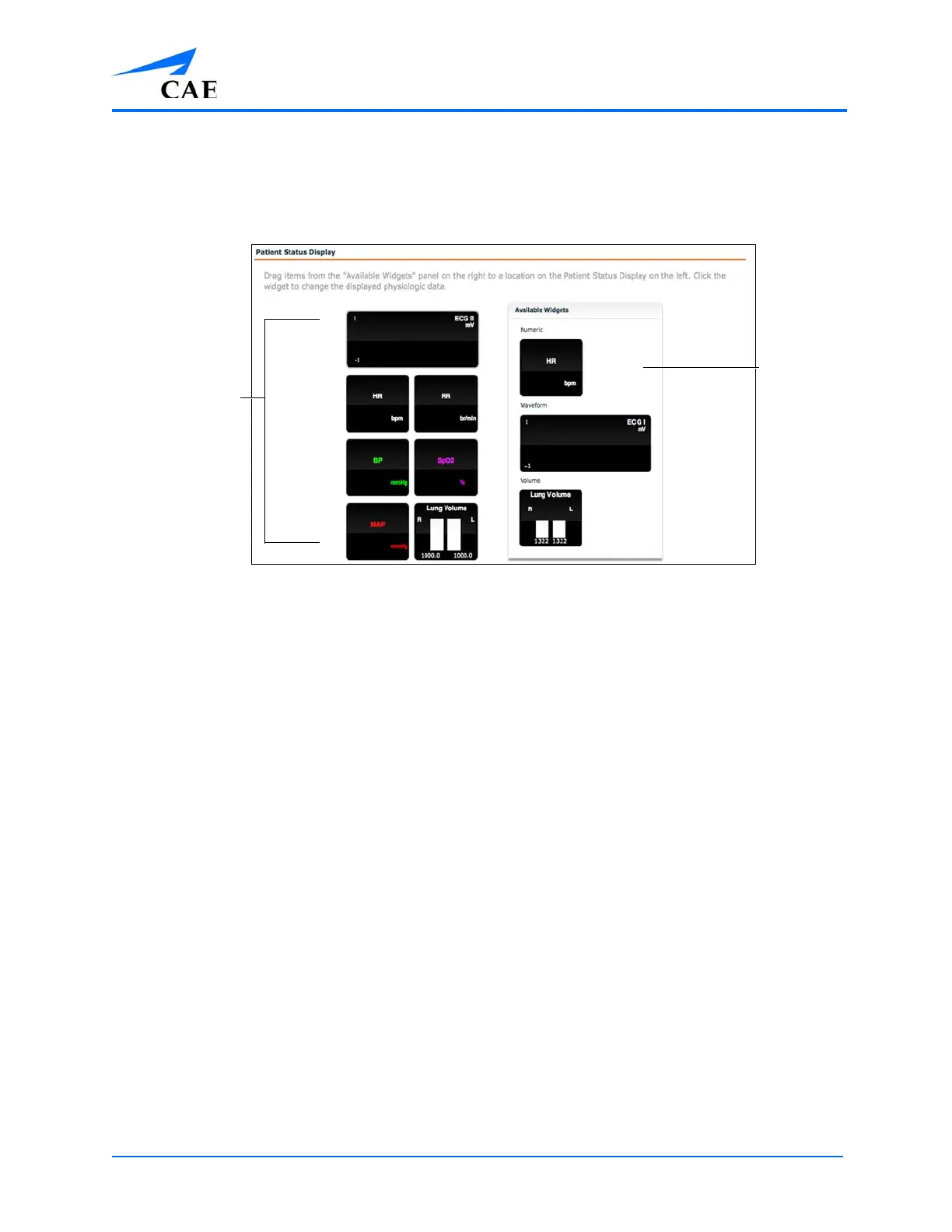
To configure the Patient Status Display displayed on the Run screen, click Patient Status Display
under the SCE Configuration heading on the SCE Editor.
The Patient Status Display Screen
To modify the Patient Status Display, drag and drop the desired waveform, numeric or volume
widgets from the Available Widgets panel to an available Patient Status Display space.
Note: Waveforms occupy two spaces.
Once the desired widget is placed, click the widget to change the physiologic parameter displayed.
The
Available
Widgets
panel
Patient Status
Display spaces



 To Next Page