Using Müse
65
PN: 905K520652 v2.8
SCE Configuration
Setting up the Conditions, the TouchPro software and the Patient Status Display is achieved by
clicking the buttons under the SCE Configuration heading in the SCE Editor.
The SCE Configuration Buttons
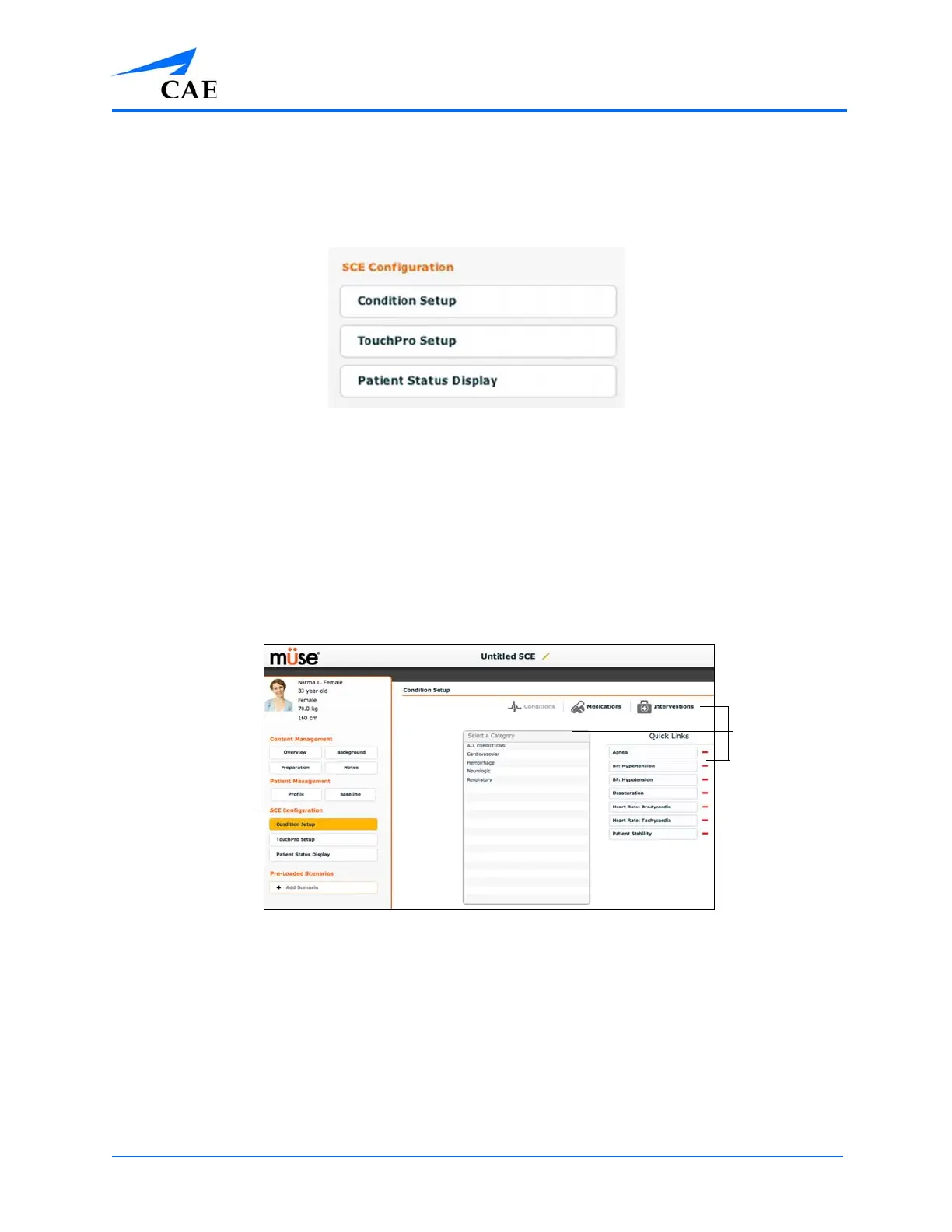
Condition Setup Screen and Creating Quick Links
Click Condition Setup to access the Condition Setup screen. From the Condition Setup screen,
conditions, medications and interventions can be preconfigured for the SCE creating Quick Links.
On the Condition Setup screen, Conditions, Medications and Interventions buttons are available.
To navigate through available conditions and interventions, click the Conditions, Medications and
Interventions buttons.
The Conditions Setup Panel
To create a Quick Link, drag and drop the desired choice from the Conditions, Medications or
Interventions palette to the list of Quick Links.
Click the minus sign to remove a Quick Link from the SCE.
The
Condition
Setup
selections
The SCE
Configuration
selections



 To Next Page