Using Müse
104
CAEAthena
PN: 905K520652 v2.8
Performance Metrics
Acceptable limits for fetal traction and key CPR parameters can be set from the System Settings
panel.
To set the maximum acceptable fetal traction:
1. From the System Settings panel, under the Performance Metrics heading, Click Fetal
Traction
2. From the dialog box, enter a threshold value
3. Click OK
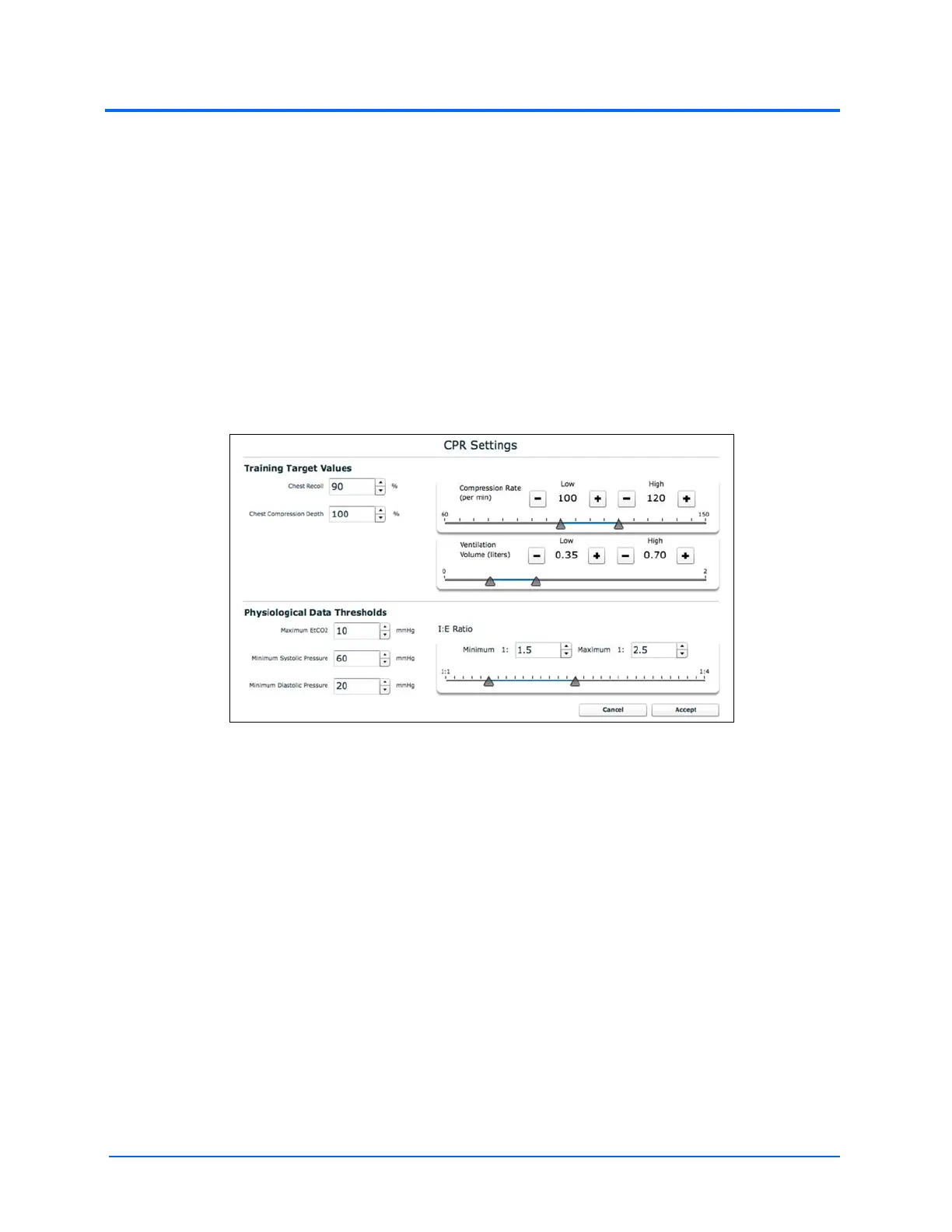
To set CPR thresholds:
1. From the System Settings panel, under the Performance Metrics heading, click CPR
The CPR Settings Window
2. Adjust the settings as desired
3. Click OK
Simulator Usage Log
To keep a local record of simulator usage data, click Opt In for Usage Logging.
Error Log
The Error Log is available for technicians and is used when diagnosing the Müse software.
IMPORTANT: Do not clear the Error Log.



 To Next Page