Using Müse
37
PN: 905K520652 v2.8
2. Locate the desired parameter
Note:
Some simulators have a
Basic/Additional
switch on the Respiratory and Cardiovascular
views. Basic parameters are shown by default. The
Basic/Additional
switch can be toggled to
show more parameters.
3. Select the parameter and set the new value
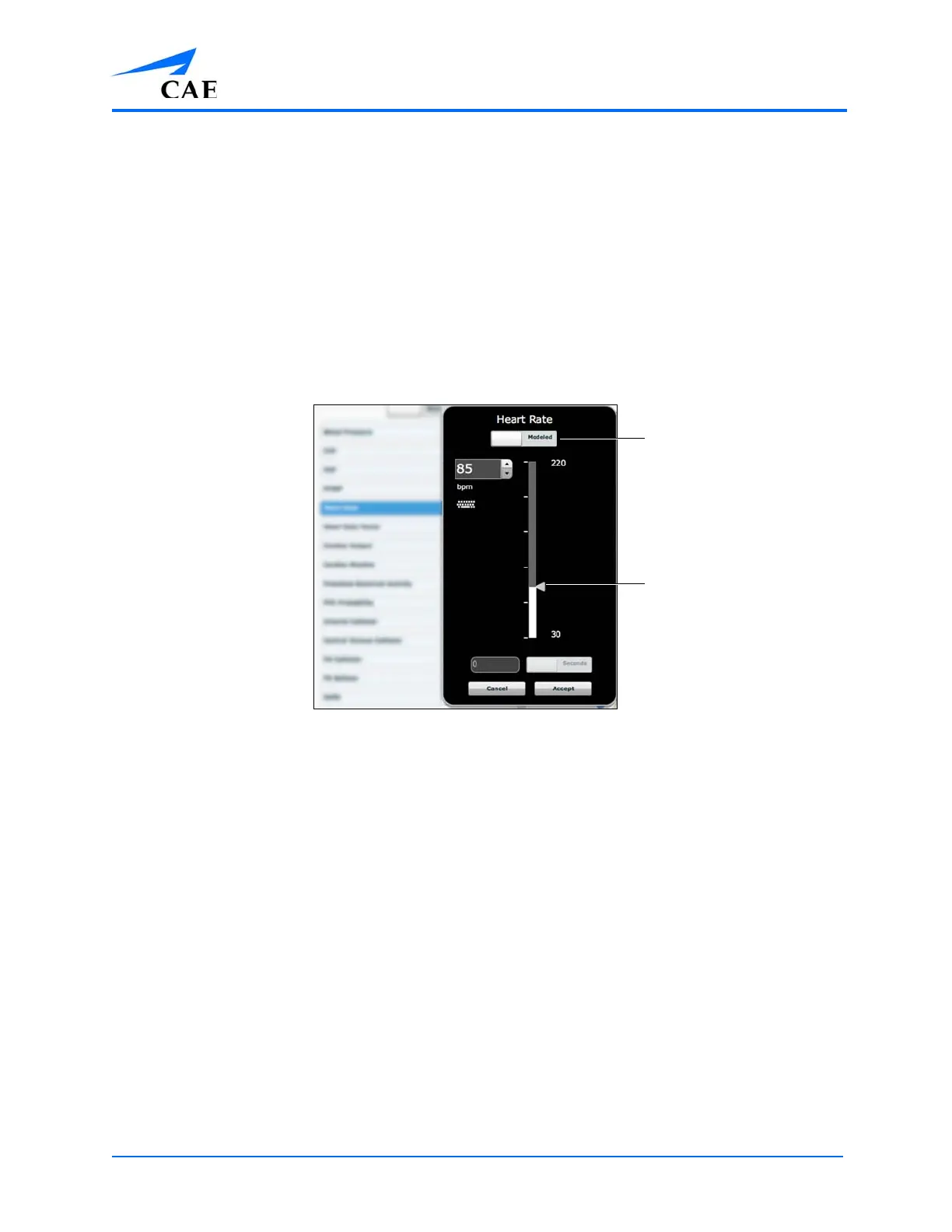
Parameters have varying controls, such as sliders, switches and menus. In the image
below, the Heart Rate parameter is shown. Within the Heart Rate parameter, there are
switches that toggle between Modeled and Override and Seconds and Minutes, a slider
that sets the beats per minute and an available field where the beats per minute value
can be keyed in.
The Heart Rate Parameter
Once the parameter has been set, it is reflected in the patient’s physiology.
Types of Parameters
There are two types of parameters: numeric and discrete.
Once a parameter is selected and set, the patient’s physiology changes according to the model for
that parameter.
The Override/Modeled
switch
The value setting
slider



 To Next Page