Using Müse
40
CAEAthena
PN: 905K520652 v2.8
Using the Medications Palette
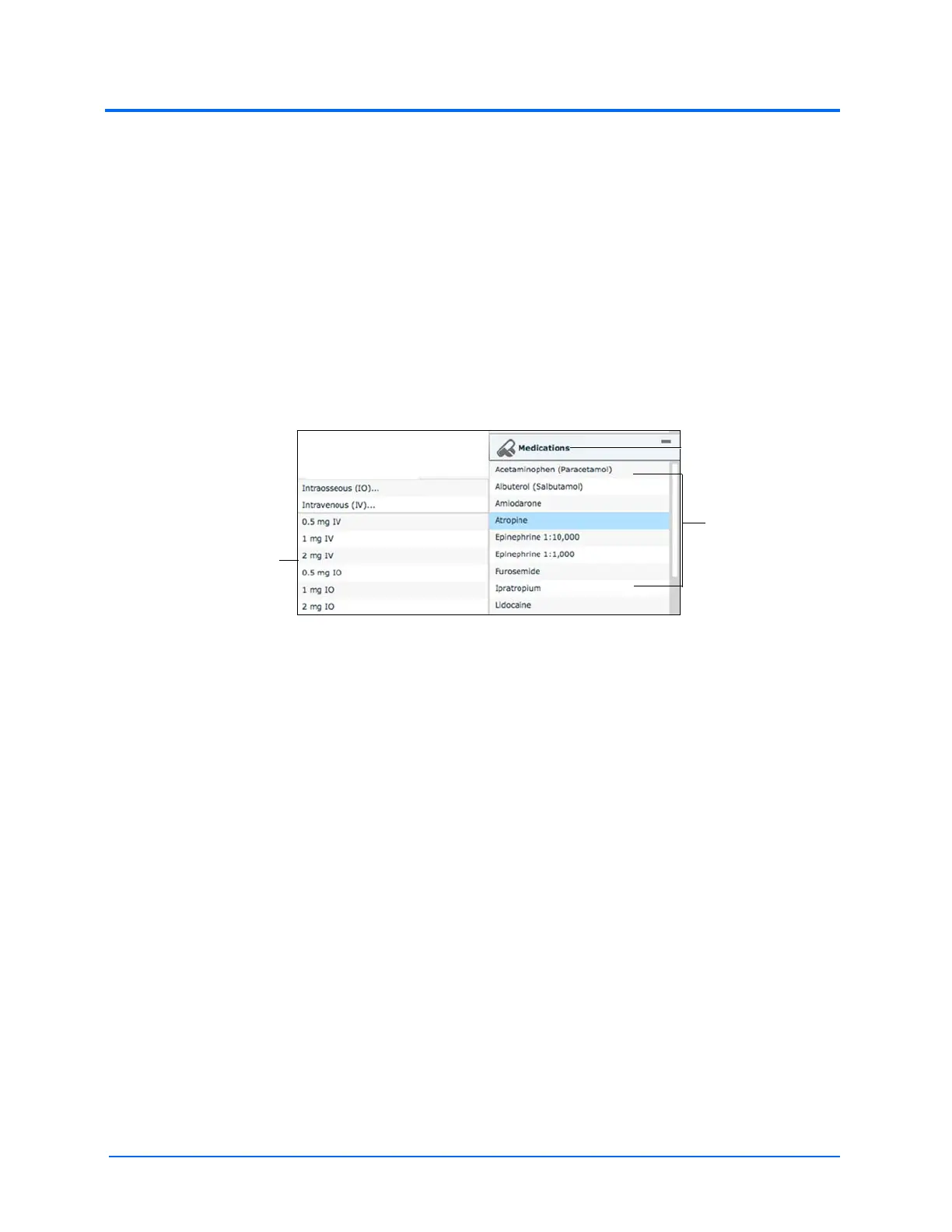
There are two ways to administer medications using the Medications palette: using a Quick Link or
using the Medications menu. Quick Links are preconfigured medications that are made accessible in
the Medications palette for quick application. Quick Links can also be created for the Conditions
and Interventions palettes.
To set parameters using the Quick Links in the Medications palette, click one of the Quick Link
medications. A popup menu will show the available doses. Click a specific dose to apply it and affect
the patient’s physiology.
The option for custom doses will also be in the popup menu. Click the route of administration to get
the Custom Dose Administration menu.
Note: Not all medications affect the patient’s physiology, but all are logged.
The Medications Palette
Note: Quick Links can only be added while creating or editing an SCE.
Or, to apply a medication that is not set up as a Quick Link in the Medications palette:
1. Click the Medications button. Medications are organized by type, and all available
medications are listed under ALL MEDICATIONS
2. Navigate through the menus to locate the desired medication
3. Once the medication has been located, click the medication’s name from the list
Quick Links
The Medications
button
The dose popup



 To Next Page