Care & Maintenance
192
CAEAthena
PN: 905K520652 v2.8
Draining Condensation from the Simulator
As part of a regular preventive maintenance schedule, condensation should be drained from the
simulator.
Depending on environmental conditions, moisture may condense inside the compressed air lines
and tanks within the simulator. It is recommended that this fluid be drained every 40 hours of
operation. In outside, high humidity conditions, the system should be drained more frequently.
To drain condensation:
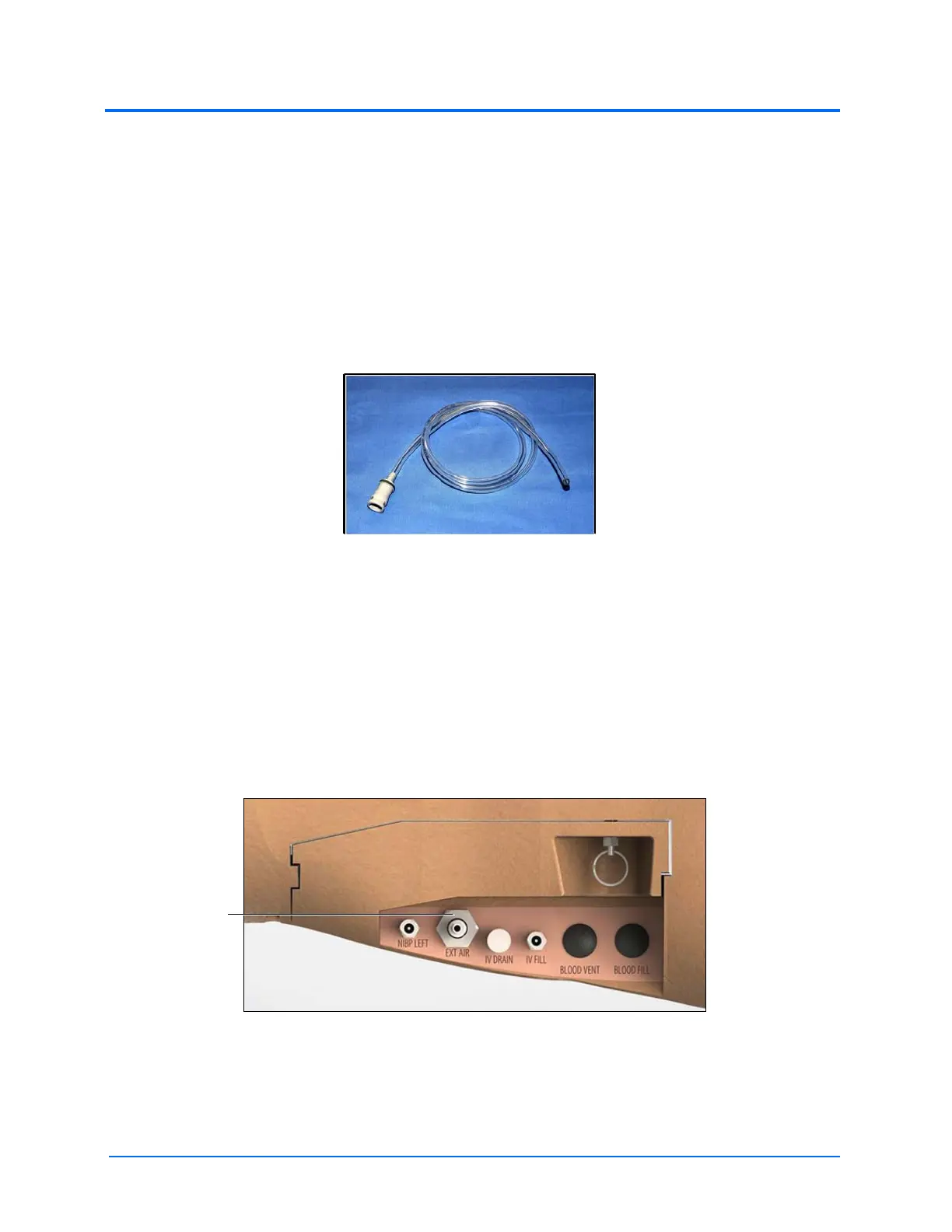
1. Locate the Condensation Drain Hose (included with accessories)
The Condensation Drain Hose
2. Bring the hose and a small bucket to the simulator location
3. Bend the simulator’s right knee to lift the thigh to at least a 45-degree angle
4. Power on the simulator, but do not start Müse. Allow enough time for the internal
compressor to pressurize the system. (The pump will turn off automatically.)
5. Power off the simulator
6. Place the tubing end of the Condensation Drain Hose into the small bucket and then
connect the gray fitting onto the simulator’s EXT AIR port, located on the left side of the
simulator, with a push and twist motion. There will be a sudden release of pressure into
the bucket. Any condensation within the system will drain with this exhaust.
The Ports
7. Disconnect the Condensation Drain Hose from the simulator



 To Next Page