Using Müse
38
CAEAthena
PN: 905K520652 v2.8
Numeric Parameters
Numeric parameters set either a measured value (e.g., 20 mL), a multiplied value called a factor (e.g.,
Heart Rate Factor 2.0 is two times the baseline Heart Rate) or a coefficient that affects a physiological
value in a non-linear way (e.g., FHR Variability Coefficient).
Numeric parameters are changed by clicking in the relevant field and entering a new value in place of
the existing one or using a slider to move through the range of parameter values until the desired
numeric value is established.
Once a measured value is set, that value overrides the physiologically modeled parameter value. To
return to a physiologically modeled value, switch the slider in the parameter dialog from Override to
Modeled.
Discrete Parameters
Discrete parameters enable users to select one of two or more options.
Discrete parameters are changed by choosing the appropriate option using a drop-down menu or
toggle switch.
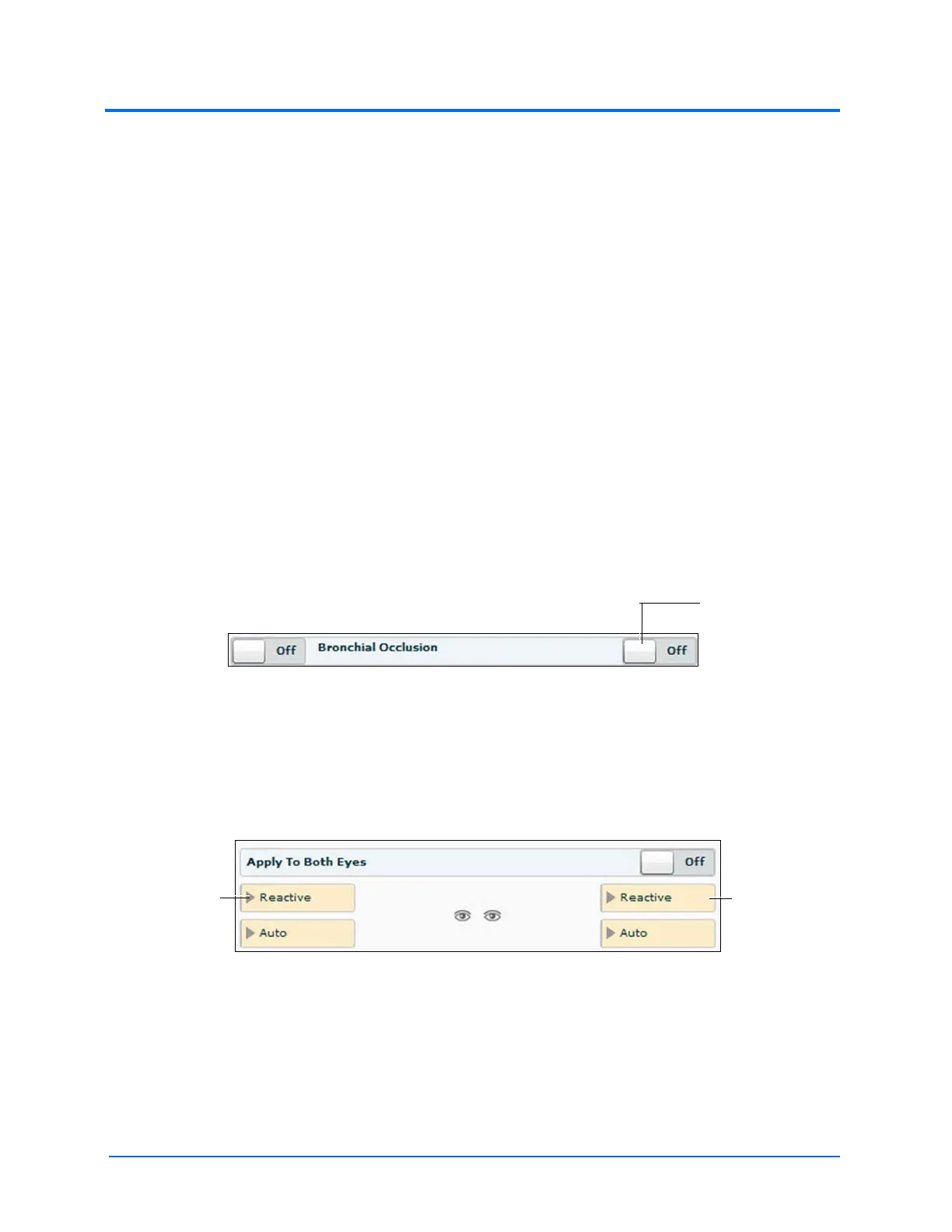
In the image below, the Bronchial Occlusion parameter is shown. The Bronchial Occlusion
parameter is set using a discrete parameter switch that toggles between Off and On.
The Bronchial Occlusion Parameter
Once the parameter has been set, it is reflected in the patient’s physiology.
Some parameters have two toggle switches or buttons, one for the left side of the manikin and one
for the right.
In the image below, the Reactive Pupils parameter is shown.
The Reactive Pupils and Apply to Both Eyes Parameters
When the Apply to Both Eyes parameter is set to On, any change made to the left or right side is also
automatically applied to the other side.
Note: Not all changes to parameters affect the patient’s physiology, but all are logged.
The right
parameters
The left
parameters



 To Next Page