Using Müse
98
CAEAthena
PN: 905K520652 v2.8
User Accounts
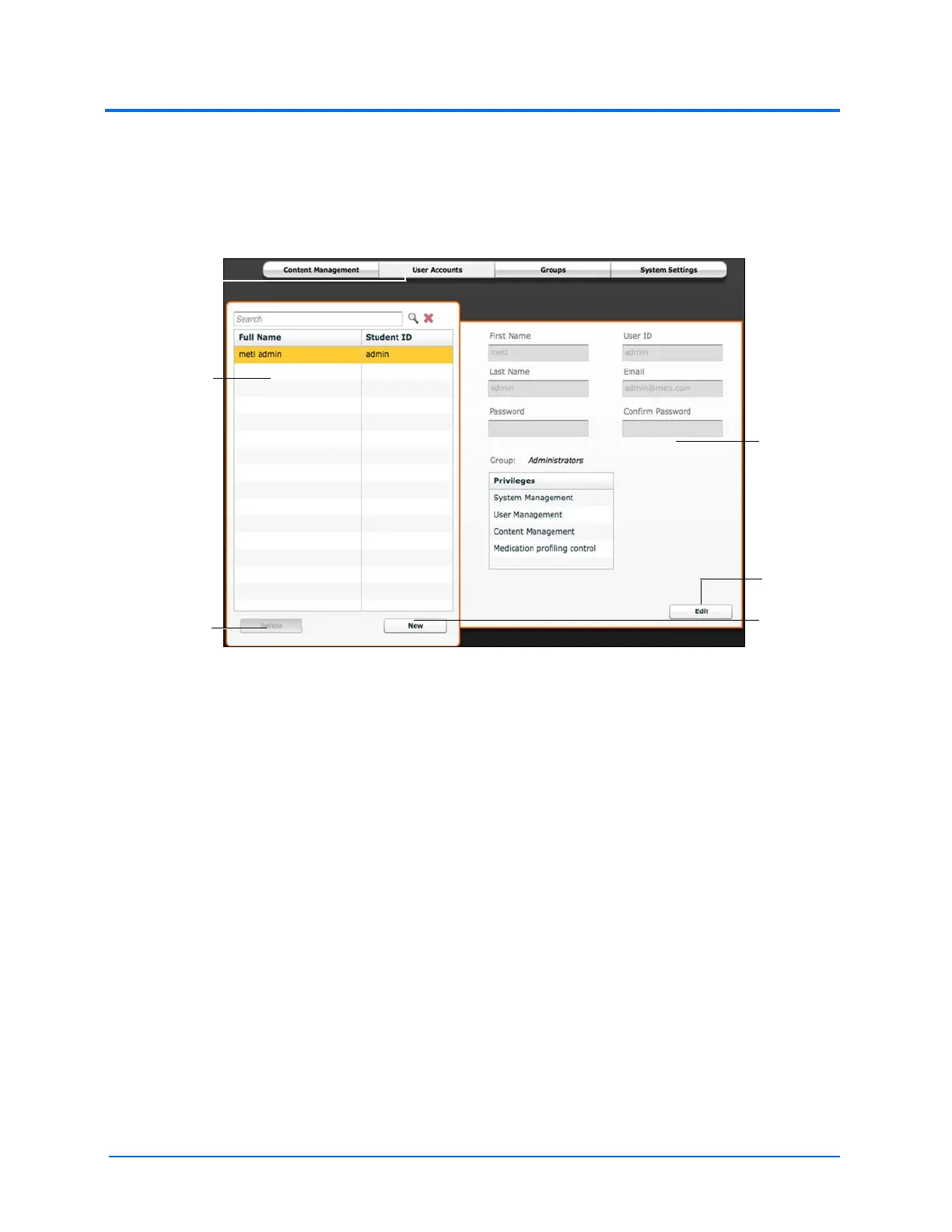
To access the User Accounts panel, from the System Administration screen, click the User Accounts
button. The User Accounts panel appears.
From the User Accounts panel, users can create, edit and delete users.
The User Accounts Panel
Note: User Accounts functions are available only to users with the User Management or System
Management privilege.
Creating a User
To create a new user:
1. From the User Accounts panel, click New
2. In the New Account Creation panel, enter the user’s personal data and choose a
password
3. Assign the user to a group by selecting a group from the Group menu
Note: A user can only be assigned to one group.
4. Click Create
Editing a User
To edit a user’s information or privileges:
1. On the User Accounts panel, select the user to edit
2. Click Edit
3. Make the desired changes
4. Click Save
The User
Accounts
button
The Delete
button
The New
button
The Edit
button
The user list
The user
fields



 To Next Page