Using Athena
177
PN: 905K520652 v2.8
Breath Sounds
Breath sounds are independently synchronized with ventilation of the left and right lungs. Fourteen
speakers, eight anterior and six posterior, provide breath sounds that can be auscultated. Anterior
and posterior sounds and each of the four quadrants of the torso can be set independently to
produce a particular breath sound
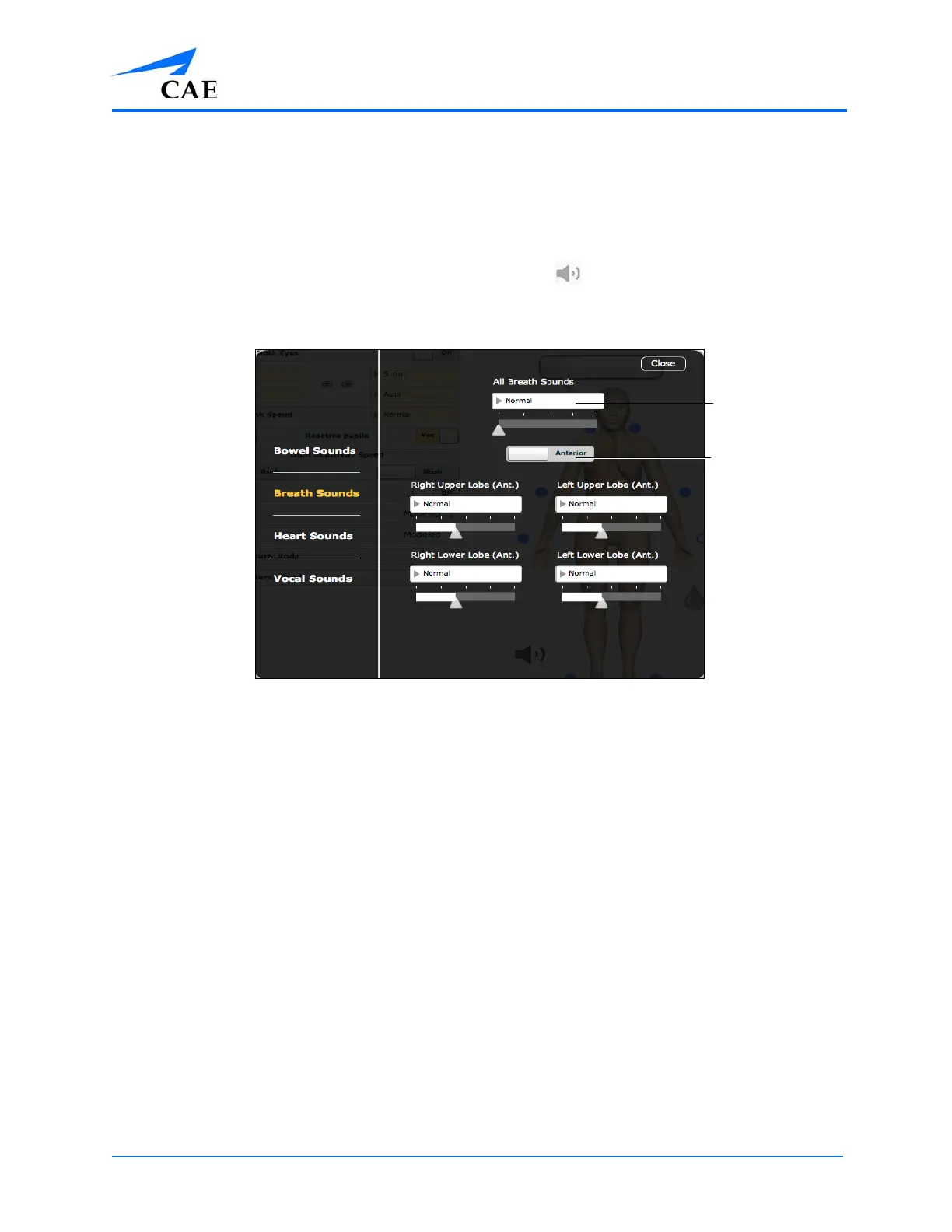
Breath sounds can be adjusted by clicking the Sound Control icon on the Run screen. When the
Sounds panel appears, select Breath Sounds. The Breath Sounds menu appears.
The Breath Sounds Menu
Use the Anterior/Posterior switch to toggle between anterior and posterior breath sounds.
Click any one of the drop-down menus that control one of the four quadrants to change the type of
sound. Click and drag the slider for each location to adjust the volume.
Selecting a sound from the All Breath Sounds menu changes all posterior or anterior sounds.
Click and drag the slider to adjust the volume of all anterior or posterior quadrants.
The default volume level is 50%.
The Anterior/
Posterior switch
The dropdown
menu



 To Next Page