Using Müse
56
CAEAthena
PN: 905K520652 v2.8
The Medication Monitor
The Medication Monitor tracks the infusion of medication administered for medications that affect
patient physiology. To activate the Medication Monitor, from the Run screen, click the Medication
Monitor button in the bottom, right portion of the screen.
The Medication Monitor Button
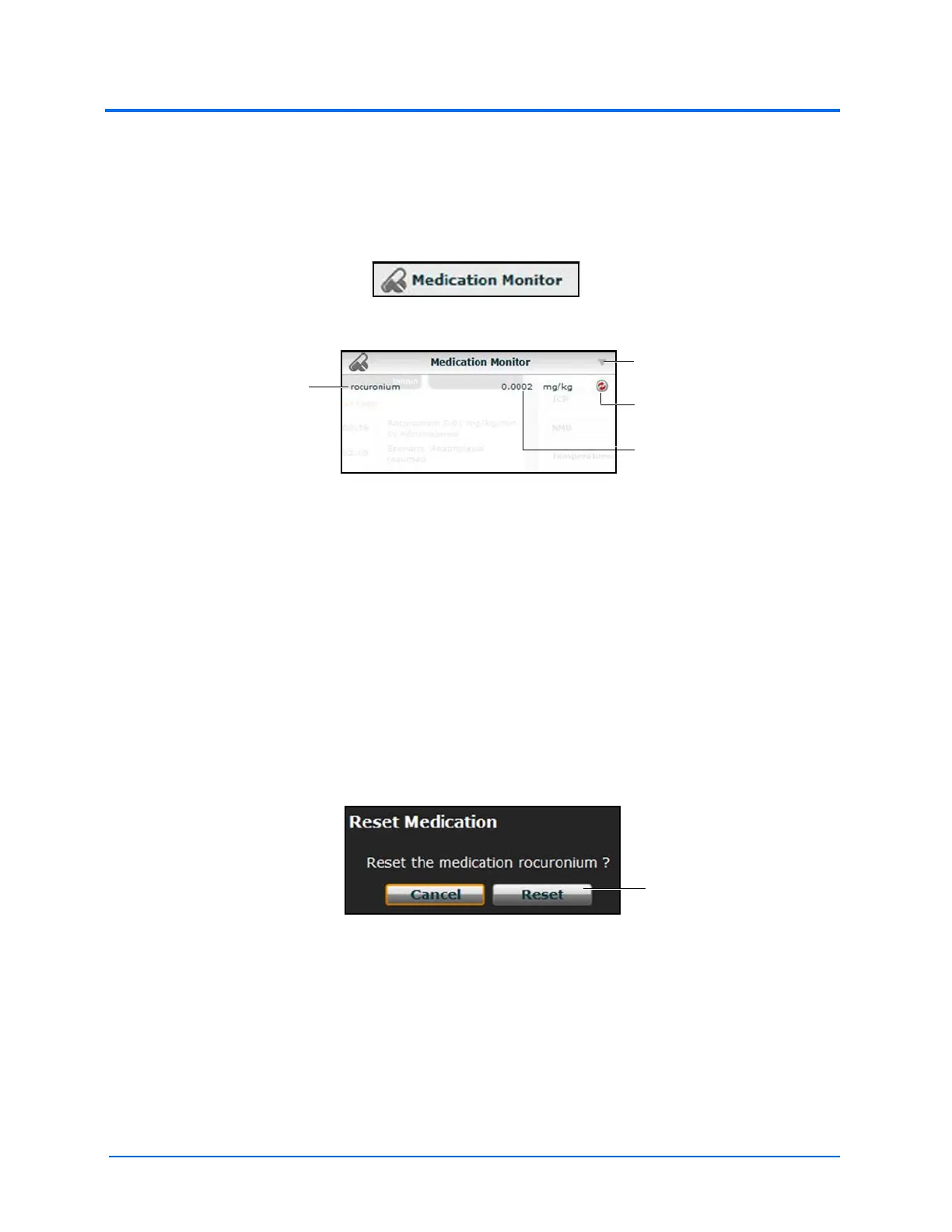
The Medication Monitor
The normalized effector site concentration is shown next to each medication listing.
The Reset button is used to clear a medication from the physiological model and the Medication
Monitor.
To close the Medication Monitor, click the Close button in the upper right corner of the medication
Monitor window.
Resetting a Medication
To reset a medication from the Medication Monitor, click the Reset button on the Medication
Monitor.
The Reset Medication dialog box appears, asking you to confirm that you wish to reset the
medication.
The Reset Medication Dialog Box
The medication is cleared from the model and from the Medication Monitor.
With continuous infusions, the amount infused goes back to zero, but the infusion continues. To stop
the infusion, you must select the medication from the medication library and set the infusion rate to
zero.
Medication
name
The Reset
button
The Close
button
Normalized effector
site concentration



 To Next Page