Chapter Heading
243
PN: 905K520652 v2.8
Special Handset Settings
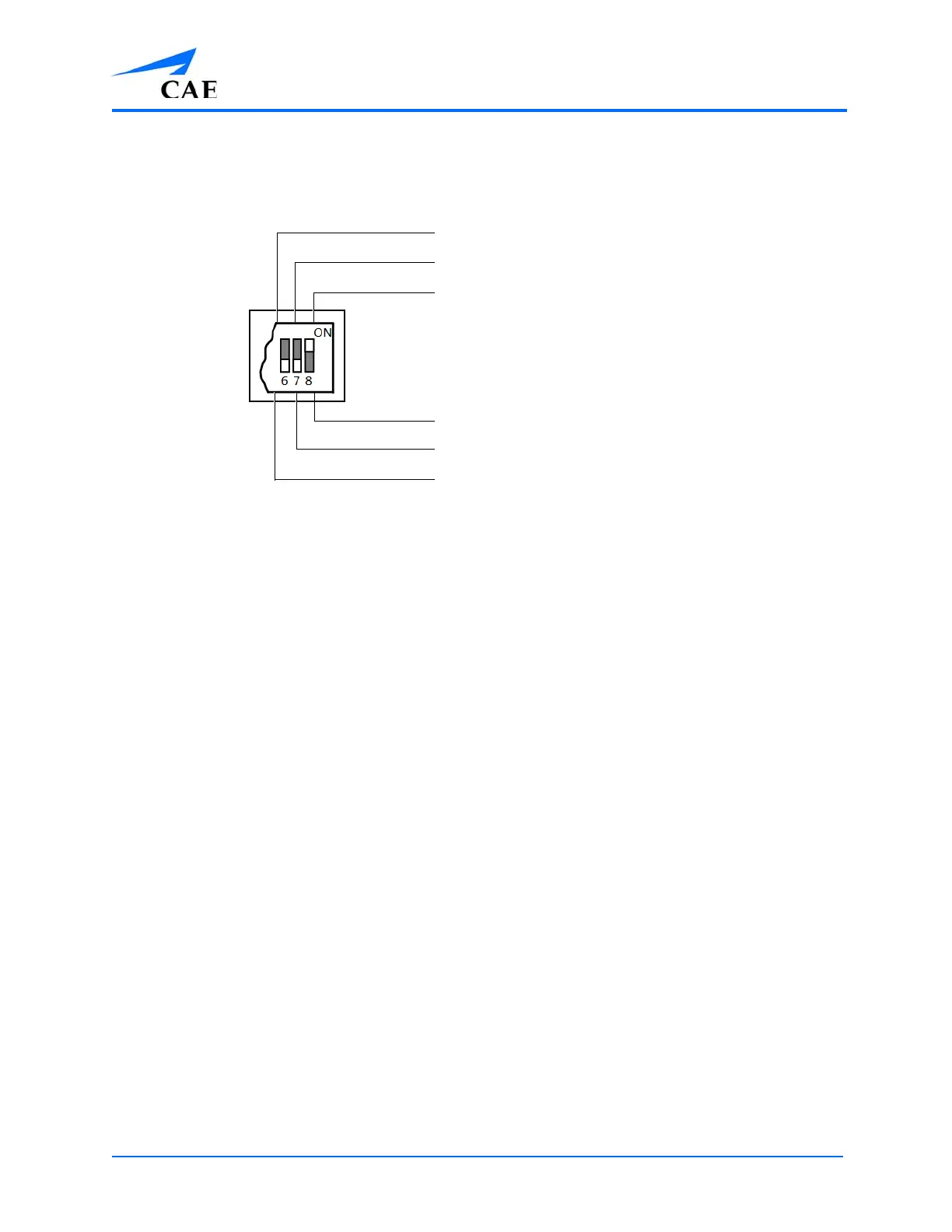
Advanced settings for the handset DIP switch are available.
Advanced DIP Switch Settings
DIP switch settings are only refreshed when the handset is powered on. To ensure the DIP switch
changes take effect, turn the power off and back on after making changes.
To enable noise reduction and minimize background noise in high ambient noise environments,
place the position 8 DIP switch in the ON position.
Battery Capacity Indicator
The red power light flashes one time every second when the battery capacity is good. When the
battery capacity is nearly depleted, the red power LED flashes twice in quick succession every second.
This indicates the batteries need to be replaced.
To get the most battery life out of the handset, the handset should be powered down when it is not
in use.
iPhone microphone enable
Base station volume control enable
Noise reduction enable (default)
Noise reduction disable
Microphone gain control enable (default)
Standalone microphone enable (default)



 To Next Page