Using Vivo
139
PN: 905K520652 v2.8
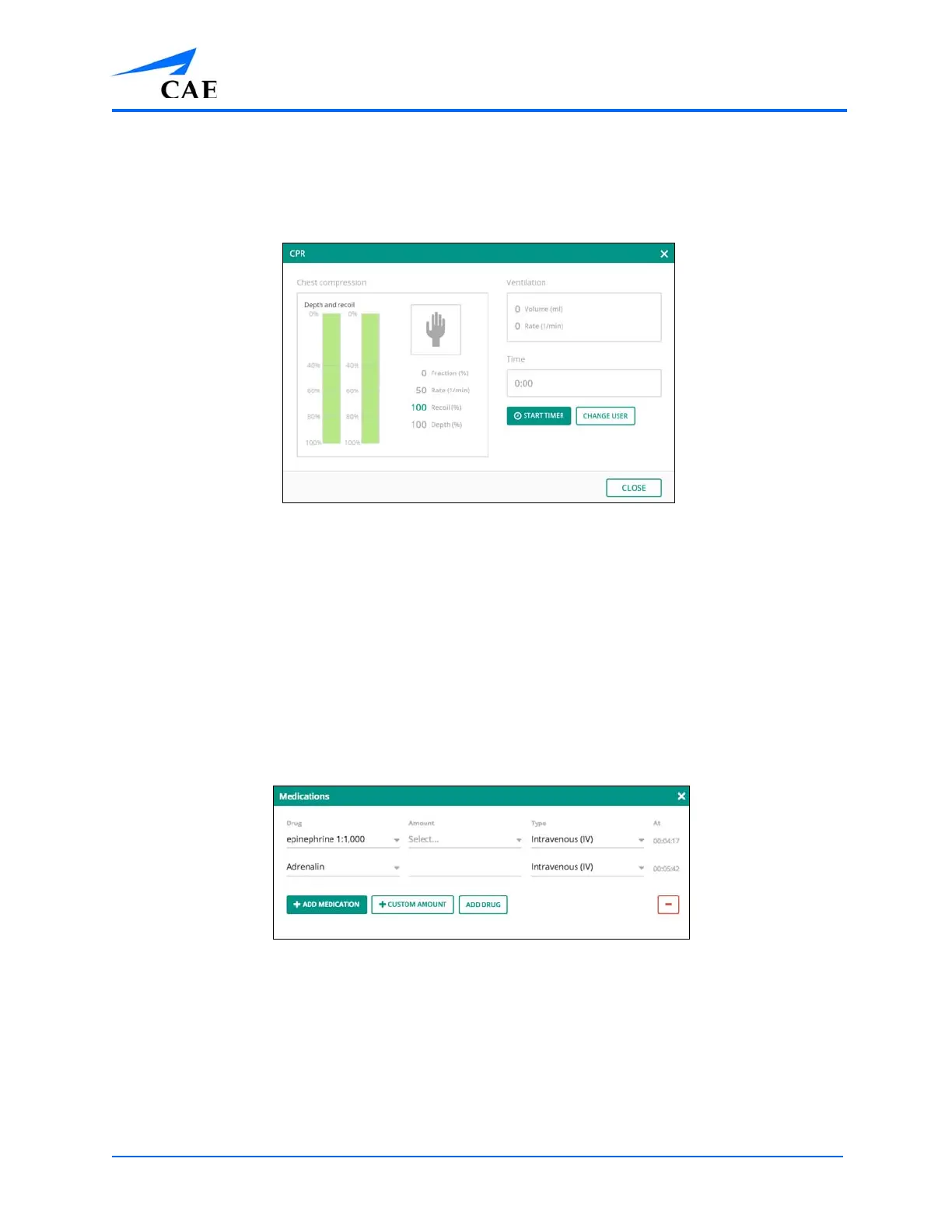
The CPR parameters window displays the results when chest compression or ventilation
is performed.
º Tap Start/Stop Timer to use the timer
º Tap Change User to reset the timer
The CPR Parameter Window
Right-Swipe and Left-Swipe
Swipe right on the Run screen to open the Medications window. Then, tap ADD MEDICATION to
select the drug, amount, and type. Custom amounts are also available to enter.
Note: Adding medications only enters that medication into the log and does not affect the
physiology.
• Tap the red
– and then the red X to remove a drug
• Tap the X or swipe the window left to close the window
The Medications Window
Swipe left on the Run screen to open the data capture/checklist window. The data capture/checklist
window allows for checkoffs and note taking.



 To Next Page