Using Vivo
134
CAEAthena
PN: 905K520652 v2.8
Using Vïvo
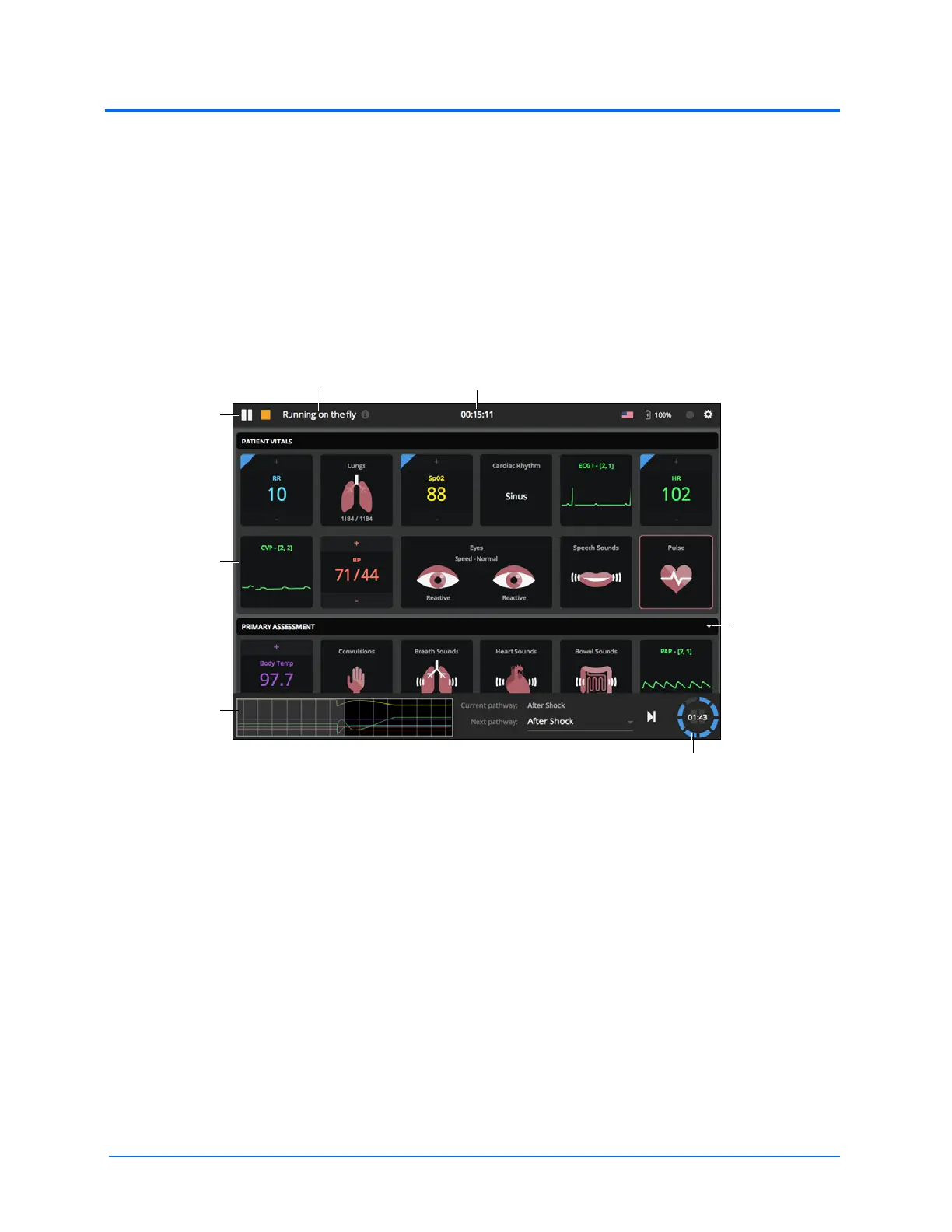
The Run Screen
When an SCE is running, Vïvo is facilitator-driven and fully adjustable. The top toolbar shows the play/
pause/stop buttons, identifies what SCE is running, and shows the SCE clock.
The tile rows show the parameters and headers. Tile rows can be viewed or collapsed by tapping on
the black header bar or on the dropdown of each row.
The bottom toolbar shows the Pathway(s) and countdown timer.
The Run Screen
TIP: Vïvo can also be used with a TouchPro™ Patient Monitor to display patient physiology.
A header
bar and
dropdown
The Pause
and Stop
buttons
The running SCE The SCE clock
Tile rows
The Pathway
toolbar
The countdown timer



 To Next Page