Using Müse
17
PN: 905K520652 v2.8
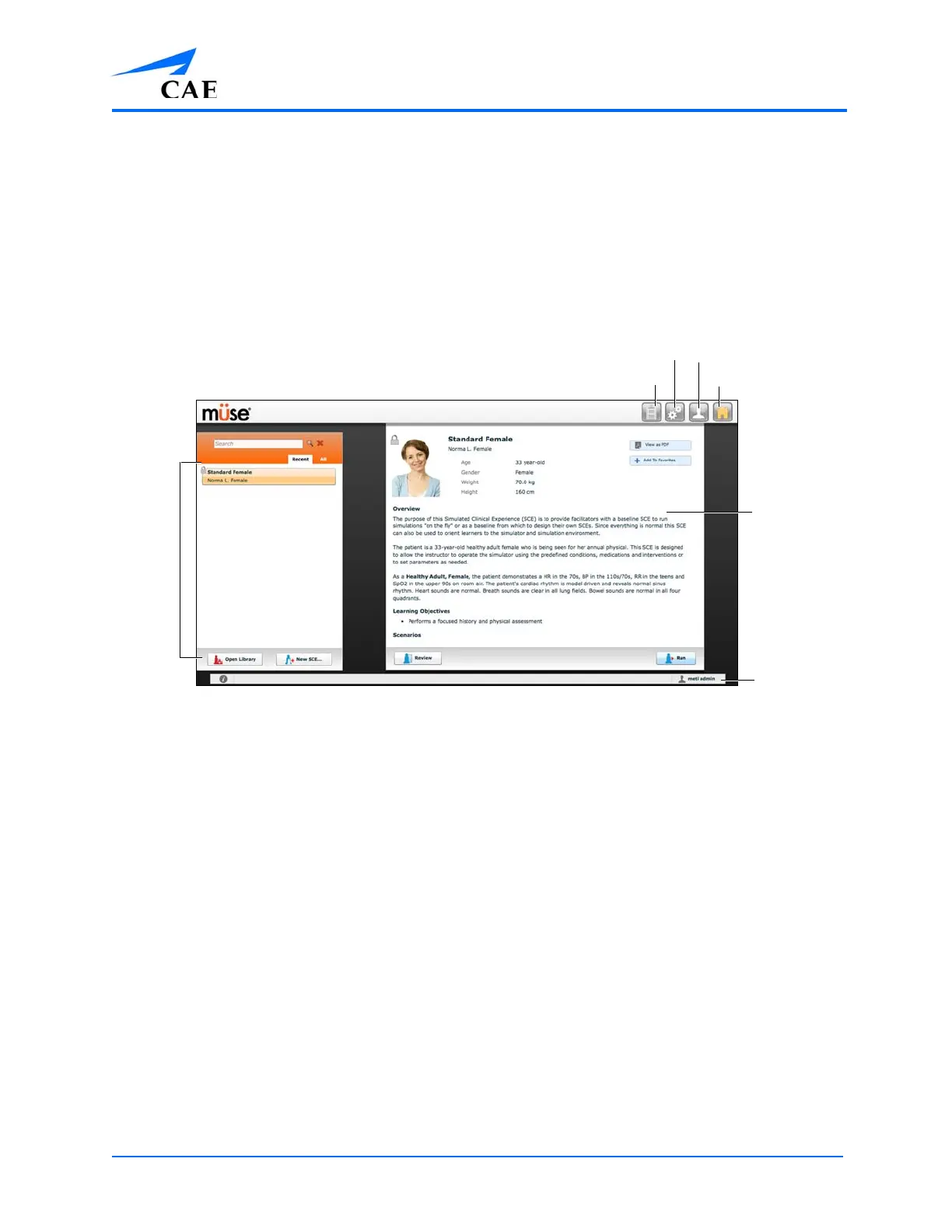
The Home Page Overview
From the Home page, users can run, create, edit, search for and print SCEs.
The Home page can be accessed by clicking the Home button in the upper right corner of the Müse
software or, on any screen without a Home button, by clicking the Return button in the upper left or
right corner of the screen.
The Home Page
The SCE
Selection
panel
The SCE
Summary
panel
The Logout
button
The Home button
The System Administration button
The Account Profile
button
The History button



 To Next Page