Using Müse
60
CAEAthena
PN: 905K520652 v2.8
Creating a New SCE
Creating an SCE requires naming the SCE and selecting a Base Patient.
To create a new SCE:
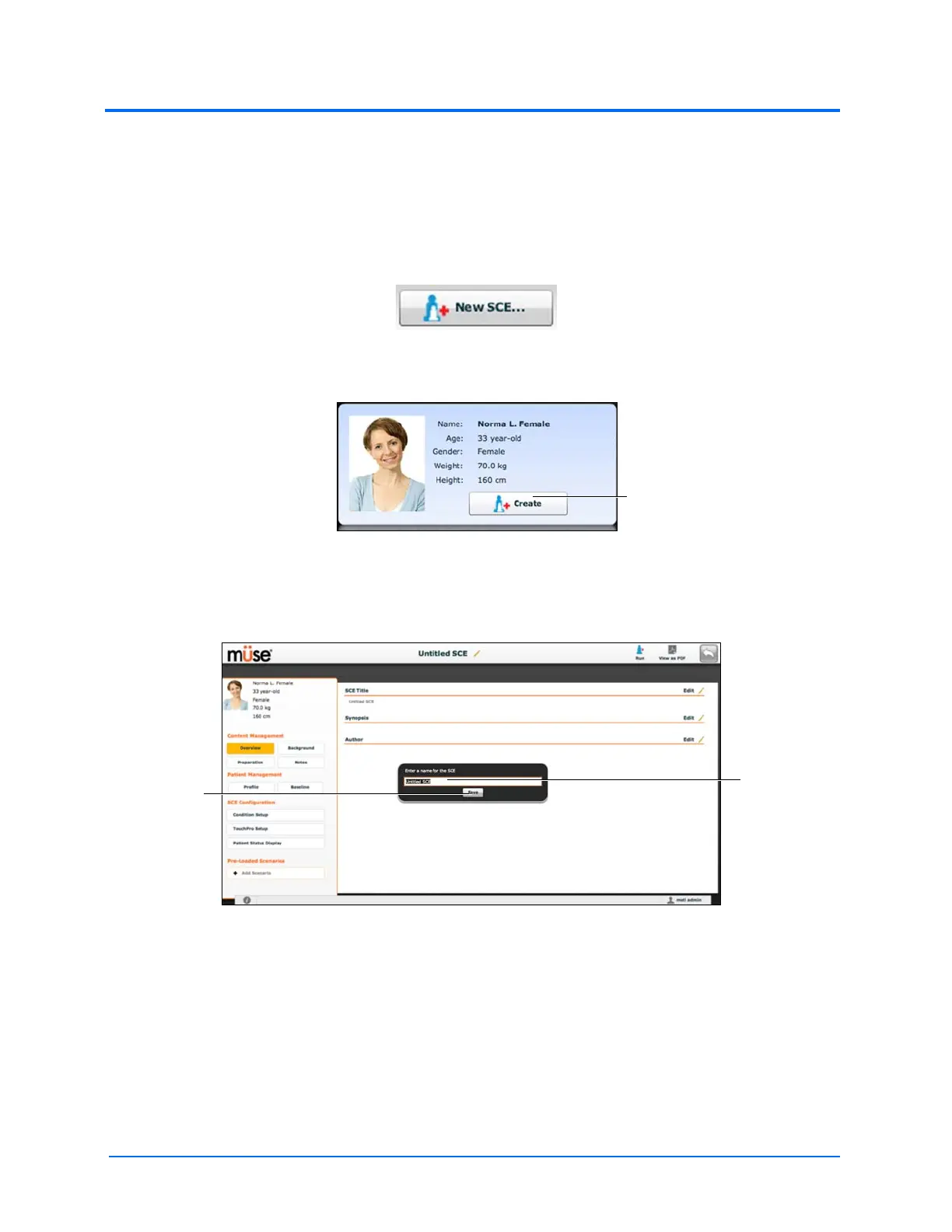
1. From the Home screen, click New SCE
The New SCE Button
The Patients Palette
2. Click a patient to select that patient from the palette a
3. Click Create
The SCE Editor
4. Enter the name for the SCE
Note: The name of the SCE may NOT exceed 80 characters. Additionally, SCE file names
CANNOT contain any special characters, such as ( ‘ / \ : * ? < > % | “ ) .
5. Click Save
Once the SCE is saved, it is stored and can be edited and reviewed at any time, including
creating a Patient Profile and content, determining settings and programming scenarios.
The Save
button
The SCE
Name field



 To Next Page