Using Vivo
136
CAEAthena
PN: 905K520652 v2.8
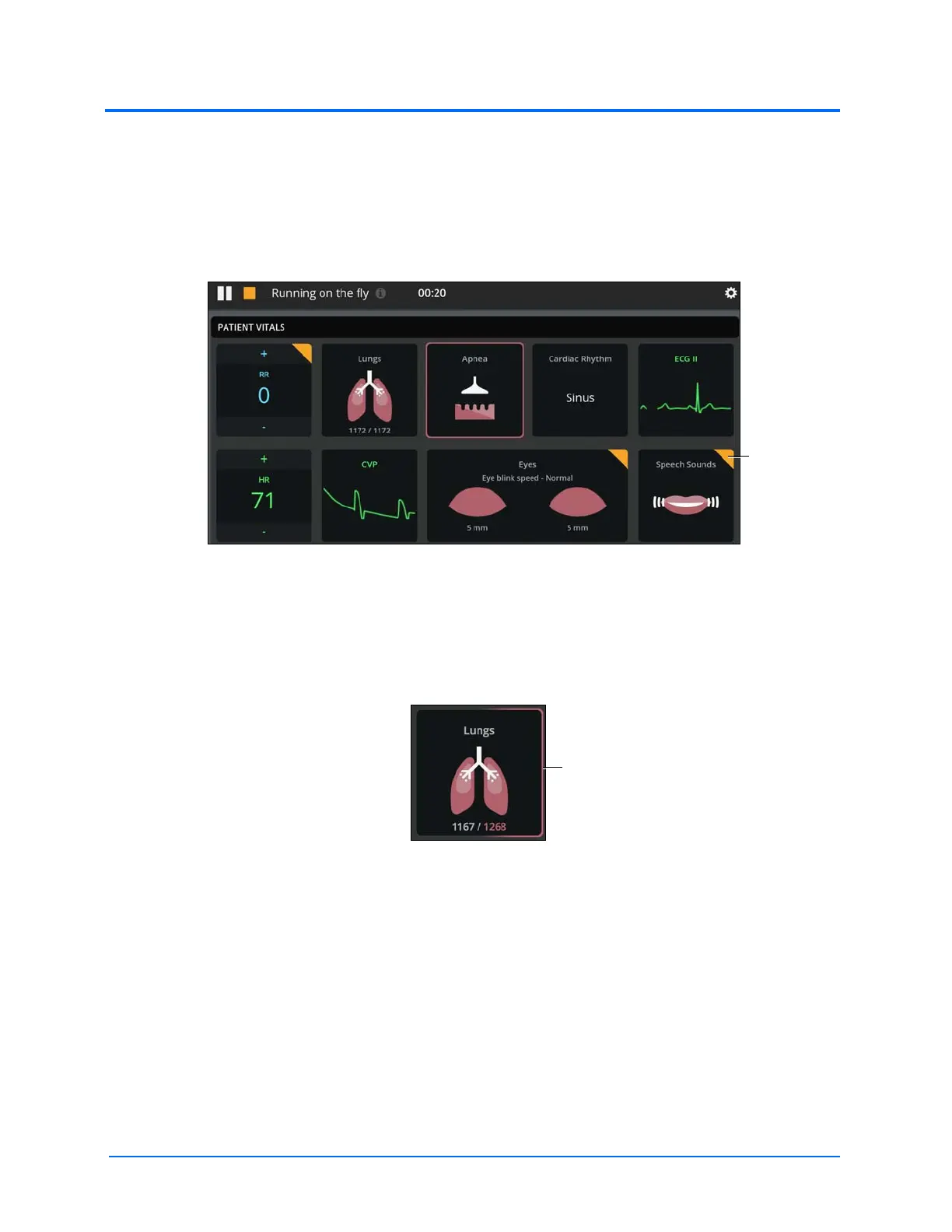
• The automated changes can be overridden, thereby making the orange highlights
disappear
• The automated changes will return to the previous values when the associated control
has been removed
The Tiles With Automated Physiology Highlight
• For parameters with a left and right option (lungs, eyes) the left and right parameters can
be adjusted independently or together
For example, tap on either side or both sides of the Patient Vitals Lungs tile to highlight
the selection.
The Tile with One Side Highlighted
• Tiles with a notes icon allow for data capture. Tap the tile to open the data capture
window



 To Next Page