Using Müse
50
CAEAthena
PN: 905K520652 v2.8
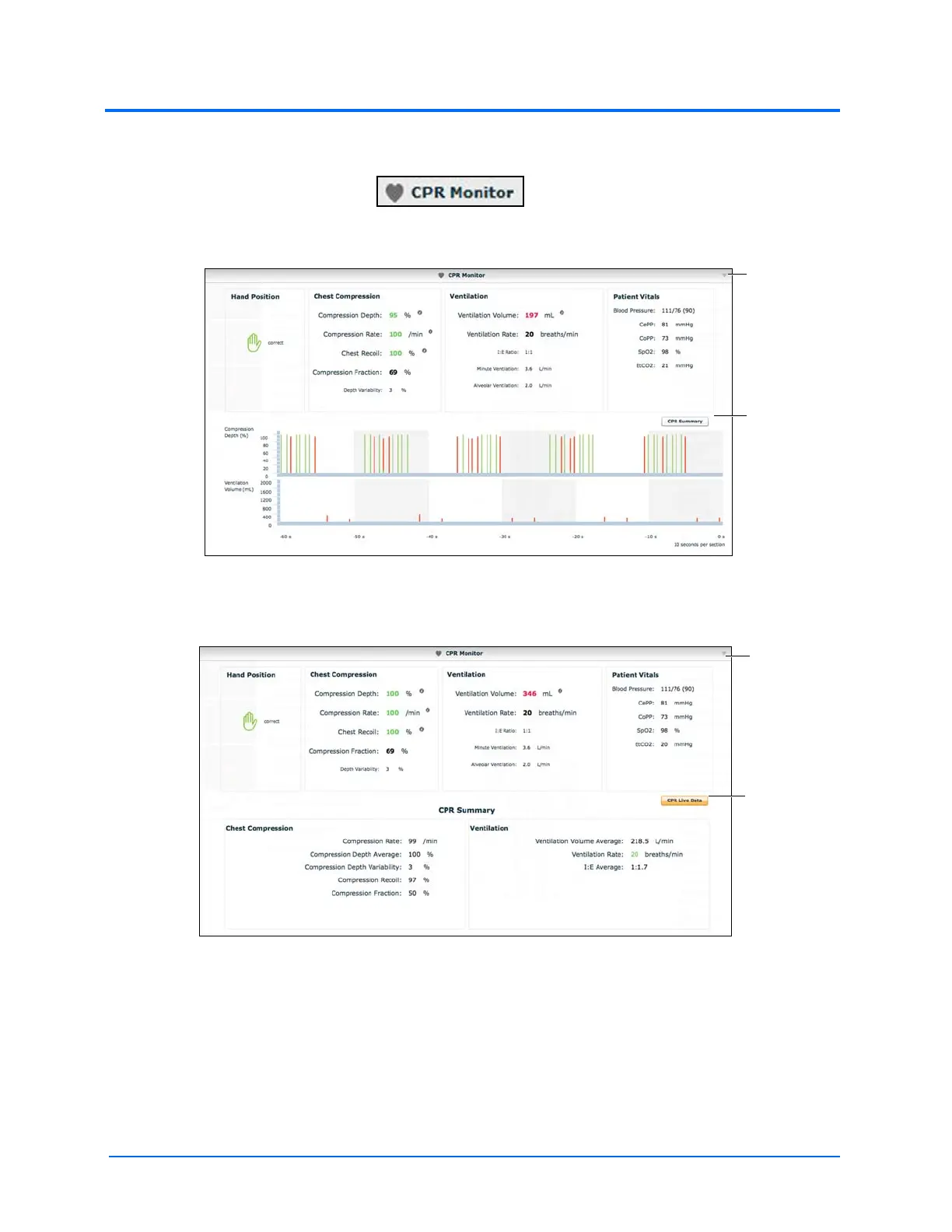
To use the CPR monitor, click the CPR Monitor button at the bottom of the Run screen.
The CPR Monitor Button
The CPR Monitor - Live Data View
Click the CPR Summary button to display the summary view.
The CPR Monitor - Summary View
Click the CPR Live Data button to return to the live data view.
The CPR Monitor displays several statistics, including current hand position, compression and
ventilation rates, compression depth, ventilation volume, and compression-ventilation ratio.
CPR data is recorded in the Event Logs.
To close the CPR Monitor, click the Close button.
The Close
button
The CPR
Summary
button
The Close
button
The CPR Live
Data button



 To Next Page