Using Müse
70
CAEAthena
PN: 905K520652 v2.8
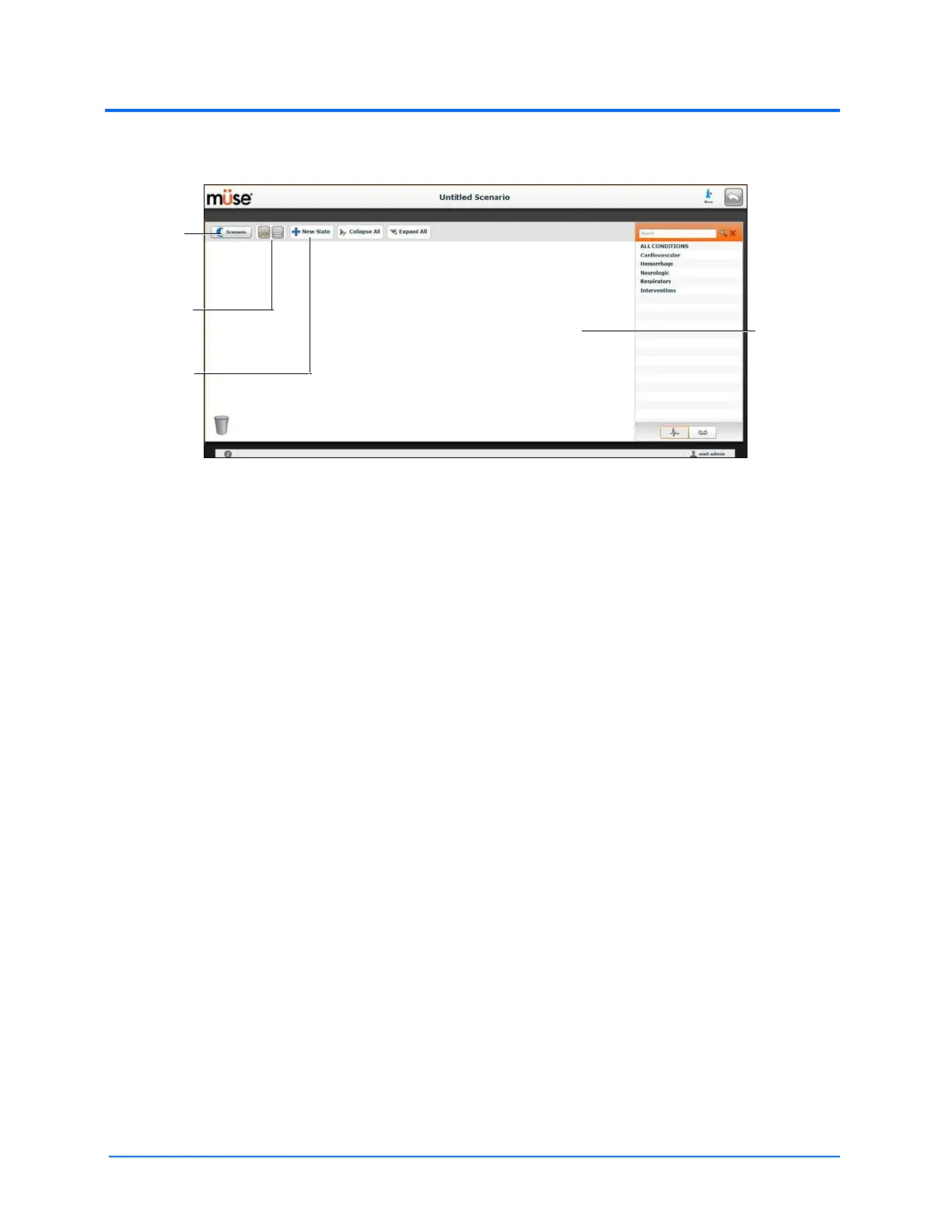
From the Scenario Designer, scenario states can be added, modified, and deleted.
The Scenario Designer
• The Scenario button is used to manage states and save the scenario
• The View buttons toggle between Scenario Designer views
• The New State button is used to add new states
Once created, states are displayed on the Scenario Designer canvas.
The
Scenario
button
Canvas
The View
buttons
The New
State
button



 To Next Page